5
ENGLISH
GETTING READY
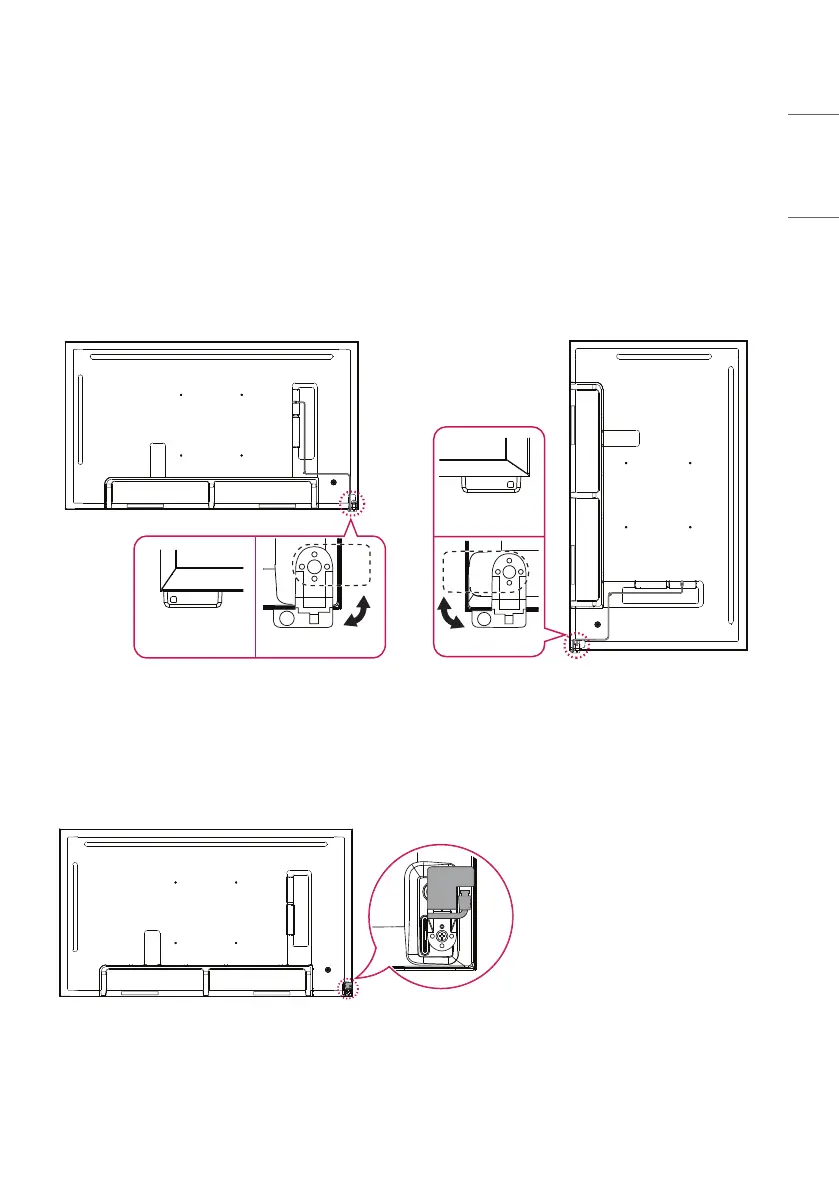
Connecting the IR Sensors
Connecting the cable to the product allows it to receive signals from the remote control.
Rotate the IR sensor according to horizontal or vertical use.
- The illustrations may differ depending on the model.
- Remove the protective cable film before use.
Back
Front
Front
Back
Horizontal Use (Default Mount) Vertical Use
You can hide the IR sensor.



 To Next Page