Need help?
Do you have a question about the LG 43UL3J-E and is the answer not in the manual?
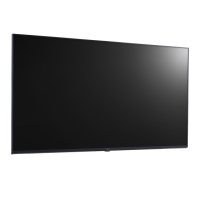
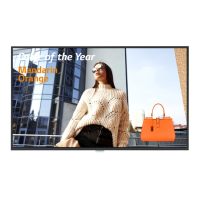
This document is an Owner's Manual for LG Digital Signage (Monitor Signage) models 43UL3J-E, 50UL3J-E, 55UL3J-E, 65UL3J-E, and 75UL3J-E. It provides essential information for the safe and effective operation, assembly, and maintenance of the monitor.
The LG Digital Signage is designed to display various forms of digital content. It functions as a monitor signage, suitable for a range of environments, from residential to commercial settings. The manual emphasizes the importance of reading it thoroughly before operation and retaining it for future reference to ensure proper usage and to avoid potential hazards or malfunctions.
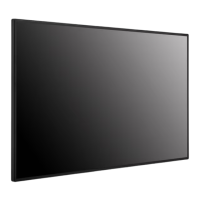
The monitor can be installed in both landscape and portrait layouts. For portrait orientation, the monitor should be rotated counterclockwise 90 degrees when facing the screen. This flexibility allows for diverse display applications and content presentation needs.
The device supports multiple input connections, enabling users to connect various external devices such as PCs, HD receivers, DVD players, or VCR players. The manual recommends using HDMI cables for optimal picture and sound quality when connecting external devices. The monitor features a "Plug and Play" function, which allows a PC to recognize attached devices without requiring manual configuration or user intervention upon powering up. Users can easily switch between different input modes using the remote control or the monitor's input list.
For multi-display setups, the monitor supports connecting multiple units in a daisy-chain configuration. This is achieved by connecting the signal input cable from one monitor's OUT connection to the IN connection of the next monitor, facilitating large-scale digital signage installations.
The monitor is controlled via a remote control, which includes buttons for power on/off, input selection, volume adjustment, aspect ratio mode, brightness control, and media playback. It also provides access to main menus and settings. Some advanced features like "3D" and "TILE" are noted as not supported on these specific models. The remote control uses 1.5 V AAA batteries, and proper installation and handling of batteries are highlighted to prevent damage or hazards.
The manual also touches upon the "SuperSign Software & Manual," which can be downloaded from the LG Electronics website. This software likely provides additional functionalities and management tools for the digital signage, enhancing its utility in commercial applications.
Safety is a paramount concern, and the manual provides extensive "WARNING! SAFETY INSTRUCTIONS" to guide users on proper handling and installation. These instructions cover various aspects, including preventing fire, electric shock, and product deformation. Users are advised to keep the product away from direct sunlight, high humidity, heat sources, flammable objects, and excessively dusty places. Proper ventilation is crucial, and users are warned against blocking or covering ventilation openings.
Regarding power management, the manual stresses the importance of protecting the power cord from physical abuse, using undamaged cords, and grasping the plug when unplugging. It also warns against connecting too many devices to a single AC outlet. The power plug serves as the disconnecting device, and it must remain readily accessible in case of emergency.
For cleaning, users are instructed to unplug the power cord and wipe the monitor gently with a soft/dry cloth. It explicitly warns against spraying water or other liquids directly on the monitor and against using chemicals like glass cleaner, air fresheners, insecticides, lubricants, wax, abrasives, thinner, benzene, or alcohol, as these can damage the product or its panel.
The manual addresses common troubleshooting scenarios related to power, screen display (video), and sound. For screen issues like flickering, spots, or incorrect resolution, it suggests checking cable connections, adjusting PC settings, or using the AUTO button on the remote control for optimal screen status. In cases of "image sticking" (after-image), which is a normal phenomenon for display products under certain conditions, the manual recommends using a screen-saver function, changing background and character colors at regular intervals, and using complementary colors to prevent it. It also advises changing the image using the same time interval and ensuring characters or images remain in the same location after changing the image to mitigate image sticking.
The document also provides information on the Kensington security system connector, which is located at the back of the monitor. This allows users to connect a security cable to prevent theft, although it is an optional feature not available on all models.
For wall mounting, specific guidelines are provided to ensure proper ventilation, recommending a clearance of 100 mm (3.9 inches) on all sides. Users are advised to use only VESA-compliant screws and wall mounting brackets and to avoid overtightening screws to prevent damage or voiding the warranty. The manual also supports tilt installation of up to 30 degrees facedown under specified temperature and humidity conditions.
The manual emphasizes using only genuine components and authorized attachments/accessories approved by LG Electronics to ensure safety and product performance, as counterfeit components can lead to damage or injury and void the warranty. It also mentions that spare parts, including remote controls and cables, are available for 5 years after the end of production for EPEAT-applied models, and further information can be found on the LG Encompass website.
 General
| Screen Size | 43 inches |
|---|---|
| Panel Technology | IPS |
| Contrast Ratio | 1200:1 |
| Viewing Angle | 178°/178° |
| Operating System | webOS |
| Color Gamut | 72% NTSC |
| VESA Mount | 200 x 200 mm |
| Resolution | 3840 x 2160 |
| Response Time | 8 ms |
| Connectivity | HDMI, DisplayPort, USB |

 To Next Page