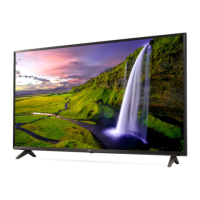
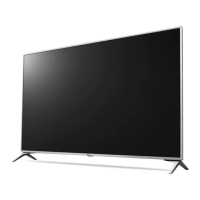
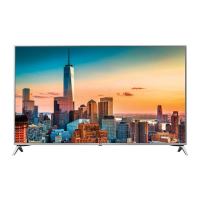
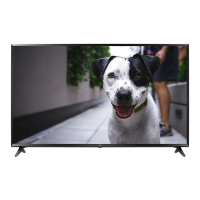
Need help?
Do you have a question about the LG 43UJ6350 and is the answer not in the manual?
Manual details safety precautions and reference information for the television.
Covers electrical safety, installation, and handling precautions to prevent hazards.
Guidelines for unplugging during storms, servicing, handling the screen, and keeping materials away from children.
Instructions on handling, checking, and protecting the power cord to prevent hazards.
Information on ensuring proper grounding to prevent electric shock.
Precautions for safely moving the TV, including unplugging and disconnecting cables.
Ensuring proper ventilation for the TV to prevent overheating and ensure performance.
Advice on using only LG-approved adapters and cords, and safe cleaning methods.
Guidelines for safe storage, disposal, and handling of batteries.
Details on initial TV setup, expected display variations, and feature availability.
Specifications for HDMI cables and USB devices for optimal connection and compatibility.
Recommended practices for safely lifting and moving the TV to prevent damage.
Important precautions to avoid screen damage during handling and movement.
Overview of basic TV functions accessible via the physical button.
Instructions on navigating and adjusting TV settings using the physical button.
Steps for safely placing and connecting the TV on a table for operation.
Detailed steps for securely mounting the TV to a wall using brackets and cables.
Guidance on selecting and installing compatible wall mounts, including VESA standards.
Instruction to remove the TV stand before attaching it to a wall mount.
Information on connecting various external devices like DVD players, PCs, and game consoles.
Details on supported DTV audio codecs and limitations regarding ULTRA HD broadcasts.
Explanation of remote control buttons and instructions for installing batteries.
Detailed explanation of various buttons on the remote control and their functions.
Information on supported licenses and details on open source software used.
Solutions for common problems like remote control failure and lack of image or sound.
Troubleshooting steps for unexpected power off, screen anomalies, and sound generation.
Explanations for normal operating sounds like cracking or humming generated by the TV.
Technical specifications for the television system, including supported broadcast standards and environmental conditions.
Technical specifications for the wireless LAN module, including frequency ranges and operating distance.
Federal Communications Commission (FCC) notice regarding compliance for US users.
Requirements and precautions related to radio frequency interference for UNII devices.
Statement regarding IC compliance with radiation exposure limits for wireless functions in Canada.
Important notes for cable/TV installers regarding grounding and building codes.
Critical safety warnings about placing the TV on unstable furniture and ensuring proper anchoring.
Information on LG's e-waste take-back and recycling services.
Definitions and explanations of various symbols used within the manual.
Statement from the consumer electronics industry on commitment to safe home entertainment.
Essential safety guidelines for television installation, use, and child supervision.
Recommendations for safe wall or ceiling mounting and considerations for older CRT televisions.
Declaration of Conformity details for LG Electronics products, including model numbers.
Contact information and resources for LG customer support and product registration.
This document is an owner's manual for an LG LED TV, providing safety instructions, setup guidance, and troubleshooting tips. The manual emphasizes safe operation and proper installation to ensure the longevity and optimal performance of the television.
The LG LED TV serves as a display device for various media content. It can connect to external devices such as HD receivers, DVD players, VCRs, audio systems, USB storage devices, PCs, and gaming consoles. The TV supports different input sources, allowing users to switch between them to view content from various external equipment. It also features basic functions like power on/off, volume control, channel scrolling, and menu navigation. The TV is designed to receive DTV, UHF, VHF, and CATV signals, supporting various program coverages.
Basic Operation: The TV can be operated using a single button located on the device, which allows for power on/off, input source changes, channel scrolling, and volume adjustment. For more comprehensive control, a remote control is provided. The remote control includes buttons for power, input, subtitles (CAPTION), user guide access, search mode, TV channel recall, number entry, quick access to applications or live TV channels, dash insertion for channel numbers, saved channel list access (LIST), switching between last two channels (FLASHBK), and volume control.
Remote Control Advanced Features: The remote control also offers features like accessing favorite channel lists (FAV), displaying program information (INFO), muting sound, and navigating through pages. Streaming service buttons connect directly to video streaming services. A Home button provides access to the Home menu and previous history. Settings can be accessed via a dedicated button. The LIVE ZOOM feature allows users to zoom into selected areas for full-screen viewing. Navigation buttons (up/down/left/right) facilitate menu and option selection, with an OK button to confirm inputs. A BACK button returns to the previous screen, while an EXIT button clears on-screen displays and returns to TV viewing. The SAP/* button enables the Secondary Audio Program feature. A SLEEP button sets a timer for the TV to turn off. Media content control buttons (play, pause, stop, fast forward, rewind) are also included. The MAGIC LINK feature provides content related to the currently watched program, and additional special functions are available through specific buttons.
Connectivity: The TV supports HDMI connections, with recommendations for certified HDMI cables (3m or less) for optimal picture and audio quality. It also supports USB devices, with recommendations for USB 2.0 extension cables if the device does not fit directly into the TV's USB port. When connecting to a wired LAN, a CAT 7 cable is recommended. The TV can operate without a set-top box from a multichannel video programming distributor (MVPD).
Picture and Audio Quality: For HDMI connections, the TV supports ULTRA HD Deep Color, which can be enabled or disabled depending on the connected device's capabilities. If the connected device supports ULTRA HD Deep Color, enabling this feature can result in clearer pictures. The TV supports various HDMI audio formats, including DTS, Dolby Digital, Dolby Digital Plus, and PCM, at different sampling rates. In PC mode, users can adjust resolution, refresh rate, brightness, and contrast to optimize picture clarity and reduce noise.
Safety Precautions: The manual emphasizes several safety instructions to prevent electric shock, fire, and injury. Users are advised to read and retain all instructions, heed warnings, and follow all instructions. Key safety points include:
Battery Handling:
Cleaning:
Mounting and Moving:
Troubleshooting: The manual provides solutions for common issues:
Environmental Considerations: LG Electronics offers a recycling policy for e-waste, promoting take-back and recycling services to contribute to natural resource conservation and environmental protection. Users are encouraged to dispose of batteries properly according to local regulations.
 General
| DVI port | No |
|---|---|
| HDMI ports quantity | 4 |
| Common interface (CI) | - |
| USB 2.0 ports quantity | 2 |
| Ethernet LAN (RJ-45) ports | 1 |
| USB 3.2 Gen 1 (3.1 Gen 1) Type-A ports quantity | 0 |
| Screen shape | Flat |
| Response time | - ms |
| Display diagonal | 43 \ |
| Display brightness | - cd/m² |
| Display technology | LED |
| Native refresh rate | 60 Hz |
| Display diagonal (metric) | 108 cm |
| Screen format adjustments | 16:9 |
| Supported graphics resolutions | 3840 x 2160 |
| Motion interpolation technology | TruMotion 120 Hz |
| Operating system version | 3.5 |
| Operating system installed | Web OS |
| Audio decoders | DTS, Dolby Digital |
| RMS rated power | 20 W |
| Product color | Black |
| AC input voltage | 100 - 240 V |
| Power consumption (standby) | - W |
| Audio formats supported | AAC, AC3, DTS, EAC3, HE-AAC, MP2, MP3, PCM, WMA |
| Cables included | AC |
 Weight and Dimensions
| Width (without stand) | - mm |
|---|---|
| Weight (without stand) | - g |

 To Next Page