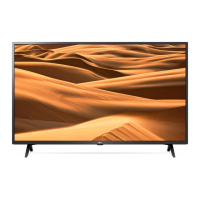
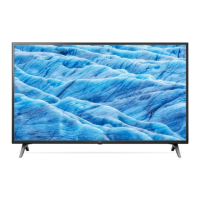
This document is an owner's manual for an LG LED TV, providing essential information on safety, setup, usage, and troubleshooting.
Function Description
The LG LED TV is a display device that utilizes an LCD screen with LED backlights. It is designed for viewing television programs, connecting to various external devices, and accessing smart TV features. The TV supports both digital and analogue broadcasting systems, including DVB-T/T2, DVB-C, DVB-S/S2, PAL/SECAM B/G/I/D/K, and SECAM L. It can display content from Blu-ray players, HD receivers, DVD players, VCRs, audio systems, USB storage devices, PCs, and gaming consoles. Smart TV functionalities are available, allowing for network connectivity, content sharing with smartphones (SmartShare), and access to streaming services. The TV can be controlled via a standard remote control or an optional Magic Remote, which offers advanced features like voice recognition and a pointer.
Important Technical Specifications
- Display Type: LCD screen with LED backlights.
- Broadcasting Systems:
- Digital TV: DVB-T/T2, DVB-C, DVB-S/S2
- Analogue TV: PAL/SECAM B/G/I/D/K, SECAM L
- Channel Coverage (Band):
- DVB-S/S2: 950 – 2,150 MHz
- DVB-C: 46 – 890 MHz
- DVB-T/T2: VHF III (174 – 230 MHz), UHF IV (470 – 606 MHz), UHF V (606 – 862 MHz)
- Analogue TV: 46 – 862 MHz
- Maximum Number of Storable Programmes:
- DVB-S/S2: 6,000
- DVB-C/DVB-T/T2: 3,000
- External Antenna Impedance: 75 Ω
- CI Module Dimensions (W x H x D): 100.0 mm x 55.0 mm x 5.0 mm
- HDMI Audio Formats (Depending on model):
- DTS (44.1 kHz / 48 kHz / 88.2 kHz / 96 kHz)
- DTS HD (44.1 kHz / 48 kHz / 88.2 kHz / 96 kHz / 176.4 kHz / 192 kHz)
- True HD (48 kHz)
- Dolby Digital / Dolby Digital Plus (32 kHz / 44.1 kHz / 48 kHz)
- PCM (32 kHz / 44.1 kHz / 48 kHz / 96 kHz / 192 kHz)
- HDMI ULTRA HD Deep Colour Support (UHD models):
- On: Support 4K @ 50/60 Hz (4:4:4, 4:2:2, 4:2:0)
- Off: Support 4K @ 50/60 Hz 8 bit (4:2:0)
- USB Port: Supports USB 2.0 (extension cable recommended for optimal fit).
- Wireless Module Specifications (LGSWFAC81 - Only UM7000*):
- Wireless LAN (IEEE 802.11a/b/g/n/ac)
- Frequency Range: 2400 to 2483.5 MHz, 5150 to 5725 MHz, 5725 to 5850 MHz (Not for EU)
- Output Power (Max.): 18.5 dBm, 20.5 dBm, 12 dBm respectively.
- Wireless Module Specifications (LGSBWAC92 - Except for UM7000*):
- Wireless LAN (IEEE 802.11a/b/g/n/ac)
- Frequency Range: 2400 to 2483.5 MHz, 5150 to 5725 MHz, 5725 to 5850 MHz (Not for EU)
- Output Power (Max.): 18 dBm, 18 dBm, 12 dBm respectively.
- Bluetooth
- Frequency Range: 2400 to 2483.5 MHz
- Output Power (Max.): 8 dBm
- Environment Condition:
- Operating Temperature: 0 °C to 40 °C
- Operating Humidity: Less than 80%
- Storage Temperature: -20 °C to 60 °C
- Storage Humidity: Less than 85%
- VESA Wall Mounting Bracket (A x B) (mm) / Standard Screw / Number of Screws (Depending on model):
- 43UM70*, 43UM71*, 43/50UM73*, 43/50UM74*, 43/50UM75*, 43/50UM76*: 200 x 200 / M6 / 4
- 49/55UM70*, 49/55UM71*, 49/55UM73*, 49/55UM74*, 55UM75*, 55UM76*: 300 x 300 / M6 / 4
- 65UM70*, 60/65UM71*, 65UM73*, 65UM74*, 65UM75*, 65UM76*: 300 x 300 / M6 / 4
- 75UM70*, 70/75UM71*, 70UM74*, 75/82/86UM76*: 600 x 400 / M8 / 4
Usage Features
- Initial Setup: When first turned on, the TV may take a few minutes to initialize.
- Remote Control: The TV can be operated using a standard remote control or a Magic Remote (optional, depending on the model). The remote allows for power on/off, channel selection, volume adjustment, input source changes, menu navigation, quick settings access, and specific functions for streaming services and media playback.
- Basic Button Control: A single button on the TV allows for power on/off, input source change, volume adjustment, and program scrolling.
- Menu Navigation: Access and adjust TV settings through the on-screen display (OSD). The OSD may vary slightly from the manual depending on the input source or model.
- External Device Connectivity: Connect various devices via HDMI, USB, antenna/cable, satellite dish, and CI module. For optimal HDMI connection, use certified cables and ensure proper settings for ULTRA HD Deep Colour on UHD models.
- Smart TV Features:
- Network Settings: Connect to a wired (Ethernet) or wireless (Wi-Fi) network. The TV automatically attempts to connect to available networks.
- SmartShare: Share content (movies, audio, photos) from a smartphone to the TV. Requires both devices to be on the same local network and the LG TV Plus app installed on the smartphone.
- Firmware Updates: The TV's firmware can be updated manually or automatically through the settings menu.
- Mounting Options:
- Table Mounting: Place the TV on a stable table, ensuring at least 10 cm space from the wall for ventilation. Secure the stand properly to prevent overturning.
- Wall Mounting: Attach an optional VESA standard wall mount bracket to the rear of the TV and install it on a solid wall. It is recommended to use LG's wall mount bracket and have installation performed by a qualified professional. Ensure all cables are connected before installing fixed wall mounts.
- Securing to Wall: For added safety, the TV can be secured to the wall using eye-bolts or TV brackets and a sturdy rope, especially for larger TVs.
- Moving the TV: When moving, ensure the TV is turned off, unplugged, and all cables are removed. It is recommended to move the TV in its original packaging. For large TVs, at least two people should carry it, holding the top and bottom frame firmly, with the screen facing away to avoid damage. Avoid jolts, excessive vibration, tilting, or applying pressure to the screen or frame.
Maintenance Features
- Safety Precautions:
- Ventilation: Ensure proper ventilation; do not install in confined spaces or block openings.
- Power Cord: Protect the power cord from physical abuse. Grasp the plug, not the cord, when unplugging. Do not use damaged cords or overload outlets. The power plug is the disconnecting device and must be readily accessible.
- Grounding: For grounded AC plug models, connect to a three-prong grounded outlet. Avoid touching the apparatus or antenna during lightning storms.
- Foreign Objects: Do not insert metallic or flammable objects into the product. If a foreign object enters, unplug and contact customer service.
- Liquid/Moisture: Do not expose the product to rain, moisture, dripping, or splashing. Keep objects filled with liquids away.
- Heat/Flames: Keep away from direct sunlight, high humidity, heat sources, and open flames.
- Modification: Do not modify the product without authorization from LG Electronics.
- Batteries: Store batteries out of reach of children. Do not short-circuit, disassemble, overheat, or dispose of batteries in fire. Observe correct polarity.
- Cleaning:
- Unplug the power cord before cleaning.
- Wipe gently with a soft/dry cloth.
- Do not spray water or other liquids directly on the TV.
- Avoid using chemicals such as glass cleaner, air fresheners, insecticides, lubricants, wax, abrasives, thinners, benzene, or alcohol, as these can damage the product or panel.
- When cleaning, ensure no liquid or foreign objects enter the gaps around the panel. Wring out excess water or cleaner from the cloth.
- Troubleshooting: The manual provides guidance for common issues such as remote control problems, no image/sound, sudden power off, no signal from PC (HDMI), and network connection problems. It advises checking connections, resetting devices, and contacting customer service if issues persist.
- Abnormal Display: Explains that minor "flicker" when cold, tiny black/colored dots (1 ppm), and variations in brightness/color from different viewing angles are normal characteristics of the panel and not malfunctions. Advises against displaying still images for prolonged periods to prevent image sticking.
- Generated Sound: Explains that "cracking" noises due to thermal contraction and low-level humming from high-speed switching circuits are normal and do not affect performance or reliability.

 Need help?

 To Next Page

 General