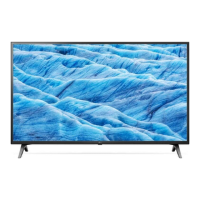
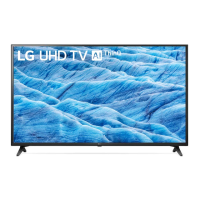
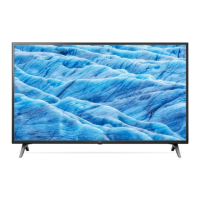
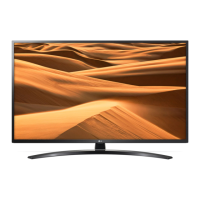
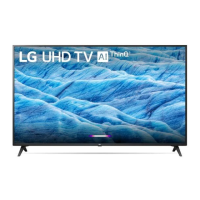
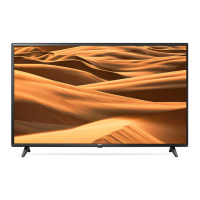
This document is an owner's manual for an LG LED TV, providing essential information on safety, setup, usage, and troubleshooting.
Function Description:
The LG LED TV is a display device that utilizes an LCD screen with LED backlights. It is designed for viewing television programs, connecting to various external devices, and offering smart TV functionalities. The TV supports both digital and analogue television systems, including DVB-T/T2, DVB-C, DVB-S/S2, PAL/SECAM B/G/I/D/K, and SECAM L. It can receive signals from antenna/cable and satellite dishes. The TV features multiple input ports for external devices like Blu-ray players, HD receivers, DVD players, VCRs, audio systems, USB storage devices, PCs, and gaming consoles. Smart TV capabilities include network connectivity (wired and Wi-Fi), SmartShare for smartphone content sharing, and access to streaming services. The TV can be controlled via a standard remote control or an optional Magic Remote, which offers voice recognition and pointer functions.
Important Technical Specifications:
- Television System: DVB-T/T2, DVB-C, DVB-S/S2 (Digital TV); PAL/SECAM B/G/I/D/K, SECAM L (Analogue TV).
- Channel Coverage (Band):
- DVB-S/S2: 950 ~ 2,150 MHz
- DVB-C: 46 ~ 890 MHz
- DVB-T/T2: VHF III: 174 ~ 230 MHz, UHF IV: 470 ~ 606 MHz, UHF V: 606 ~ 862 MHz, S Band II: 230 ~ 300 MHz, S Band III: 300 ~ 470 MHz
- Analogue TV: 46 ~ 862 MHz
- Maximum Number of Storable Programmes: 6,000 (DVB-S/S2, DVB-C); 3,000 (DVB-T/T2).
- External Antenna Impedance: 75 Ω.
- CI Module (W x H x D): 100.0 mm x 55.0 mm x 5.0 mm.
- HDMI Audio Format Support: DTS (44.1/48/88.2/96 kHz), DTS HD (44.1/48/88.2/96/176.4/192 kHz), True HD (48 kHz), Dolby Digital / Dolby Digital Plus (32/44.1/48 kHz), PCM (32/44.1/48/96/192 kHz).
- HDMI ULTRA HD Deep Colour: Supports 4K @ 50/60 Hz (4:4:4, 4:2:2, 4:2:0) when "On"; supports 4K @ 50/60 Hz 8 bit (4:2:0) when "Off".
- USB Port: Supports USB 2.0 (requires extension cable if USB device bezel exceeds 10 mm thick and 18 mm width).
- Wireless Module (LGSWFAC81 - Only UM7000):*
- Wireless LAN (IEEE 802.11a/b/g/n/ac) Frequency Range: 2400 to 2483.5 MHz, 5150 to 5725 MHz, 5725 to 5850 MHz (Not for EU).
- Output Power (Max.): 18.5 dBm (2400-2483.5 MHz), 20.5 dBm (5150-5725 MHz), 12 dBm (5725-5850 MHz).
- Wireless Module (LGSBWAC92 - Except for UM7000):*
- Wireless LAN (IEEE 802.11a/b/g/n/ac) Frequency Range: 2400 to 2483.5 MHz, 5150 to 5725 MHz, 5725 to 5850 MHz (Not for EU).
- Output Power (Max.): 18 dBm (2400-2483.5 MHz), 18 dBm (5150-5725 MHz), 12 dBm (5725-5850 MHz).
- Bluetooth Frequency Range: 2400 to 2483.5 MHz.
- Bluetooth Output Power (Max.): 8 dBm.
- Environment Condition:
- Operating Temperature: 0 °C to 40 °C.
- Operating Humidity: Less than 80%.
- Storage Temperature: -20 °C to 60 °C.
- Storage Humidity: Less than 85%.
- VESA Wall Mount Bracket Dimensions:
- For 43UM70* to 55UM76* models: 200 x 200 mm (M6 screws, 4 screws).
- For 60/65UM70* to 65UM76* models: 300 x 300 mm (M6 screws, 4 screws).
- For 70/75UM70* to 86UM76* models: 600 x 400 mm (M8 screws, 4 screws).
Usage Features:
- Initial Setup: The TV may take a few minutes to initialize upon first power-on.
- Remote Control: The TV can be operated using a standard remote control with buttons for power, channel selection, volume, input source, quick settings, search, subtitle, teletext, media control, and streaming services. The optional Magic Remote adds pointer, voice recognition, and gesture controls.
- Menu Navigation: Menus are accessed via the remote control, allowing adjustments to picture, sound, programs, connection, general settings, safety, and accessibility.
- External Device Connectivity: Connects to various devices via HDMI, USB, antenna/cable, and satellite. For optimal HDMI connection, use certified Ultra High-Speed HDMI cables (3m or less).
- Smart TV Features:
- Network Settings: Supports wired (Ethernet) and Wi-Fi connections. Users can select available Wi-Fi networks and enter security keys.
- SmartShare: Allows sharing content (movies, audio, photos) from a smartphone (e.g., using the LG TV Plus app) to the TV, provided both devices are on the same local network.
- Firmware Updates: The TV's firmware can be updated manually or automatically through the settings menu.
- Mounting Options:
- Table Mounting: Requires a 10 cm minimum space from the wall for proper ventilation.
- Wall Mounting: Requires a VESA-compliant wall mount bracket. LG recommends using LG's wall mount brackets and professional installation. All cables should be connected before installing fixed wall mounts.
- Troubleshooting: The manual provides guidance for common issues such as remote control malfunction, no image/sound, sudden TV shutdown, no signal from PC (HDMI), and network connection problems.
Maintenance Features:
- Cleaning: Unplug the power cord before cleaning. Wipe gently with a soft/dry cloth. Do not spray water or liquids directly on the TV. Avoid using chemicals like glass cleaner, air fresheners, insecticides, lubricants, wax, abrasives, thinners, benzene, or alcohol, as these can damage the product.
- Battery Replacement: For remote controls, replace batteries (1.5 V AAA) when the "Magic Remote battery is low" message appears. Ensure correct polarity.
- Safe Handling:
- When moving the TV, it is recommended to use the original box and packing material. Disconnect power and all cables.
- For larger TVs, two or more people are recommended for transport.
- Hold the TV frame firmly, avoiding the transparent part, speaker, or speaker grill.
- Keep the TV upright during transport to prevent damage.
- Avoid applying excessive pressure to the panel to prevent screen damage.
- Do not touch the screen to prevent damage.
- Ventilation: Install the TV in a well-ventilated area, avoiding confined spaces, carpets, or cushions. Do not block ventilation openings.
- Power Cord Protection: Protect the power cord from physical or mechanical abuse. Do not use damaged or loosely fitting power cords.
- Grounding: Ensure the TV is properly grounded to prevent electric shock (for devices with a three-prong grounded AC plug).
- Environmental Considerations: Dispose of batteries properly according to local regulations.
- Abnormal Display: Tiny black/colored dots on the panel (1 ppm) are normal and do not indicate a malfunction. Image sticking can occur from prolonged display of still images; avoid this.
- Generated Sound: "Cracking" noise due to thermal contraction and electrical circuit humming/panel buzzing are normal and do not affect performance.

 Need help?

 To Next Page
 General