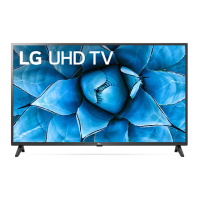
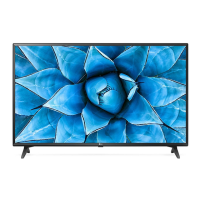
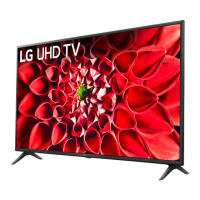
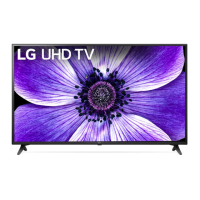
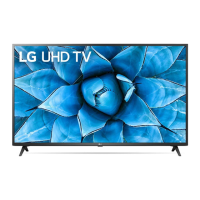
This document is the Owner's Manual for an LG LED TV, providing safety instructions, setup guidance, and operational details. The TV uses an LCD screen with LED backlights.
Function Description
The LG LED TV is designed for viewing digital and analogue television broadcasts, connecting to various external devices for multimedia playback, and accessing streaming services. It supports both wired and wireless network connections for enhanced functionality. The TV can be operated using either a standard remote control or an optional Magic Remote, offering different levels of interaction and control.
Important Technical Specifications
- Display Type: LED TV (LCD screen with LED backlights)
- Wireless Module (LGSBWAC92) Specifications (for 86/82/75/65UN85 models):*
- Wireless LAN (IEEE 802.11a/b/g/n/ac):
- Frequency Range: 2400 to 2483.5 MHz (Output Power: 18 dBm), 5150 to 5725 MHz (Output Power: 18 dBm), 5725 to 5850 MHz (Output Power: 12 dBm)
- Bluetooth:
- Frequency Range: 2400 to 2483.5 MHz (Output Power: 8 dBm)
- Wireless Module (LGSBWAC02) Specifications (except for 86/82/75/65UN85 models):*
- Wireless LAN (IEEE 802.11a/b/g/n/ac):
- Frequency Range: 2400 to 2483.5 MHz (Output Power: 17 dBm), 5150 to 5725 MHz (Output Power: 19 dBm), 5725 to 5850 MHz (Output Power: 10.5 dBm)
- Bluetooth:
- Frequency Range: 2400 to 2483.5 MHz (Output Power: 8.5 dBm)
- Broadcasting Specifications (Depending on country):
- Television System: Digital TV (DVB-T/T2, DVB-C, DVB-S/S2), Analogue TV (PAL/SECAM B/G/I/D/K, SECAM L)
- Channel Coverage (Band):
- DVB-S/S2: 950 ~ 2,150 MHz
- DVB-C: 46 ~ 890 MHz
- DVB-T/T2: VHF III (174~230 MHz), UHF IV (470~606 MHz), UHF V (606~862 MHz), S Band II (230~300 MHz), S Band III (300~470 MHz)
- Analogue TV: 46~862 MHz
- Maximum Number of Storable Programmes: 6,000 (Digital TV), 3,000 (Analogue TV)
- External Antenna Impedance: 75 Ω
- CI Module (W x H x D): 100.0 mm x 55.0 mm x 5.0 mm
- Environment Conditions:
- Operating Temperature: 0 °C to 40 °C
- Operating Humidity: Less than 80%
- Storage Temperature: -20 °C to 60 °C
- Storage Humidity: Less than 85%
- HDMI Audio Format Support: True HD (48 kHz), Dolby Digital / Dolby Digital Plus (32 kHz / 44.1 kHz / 48 kHz), PCM (32 kHz / 44.1 kHz / 48 kHz / 96 kHz / 192 kHz)
- HDMI Ultra HD Deep Colour Support:
- On: Support 4K @ 50/60 Hz (4:4:4, 4:2:2, 4:2:0) for all ports, and 4K @ 100/120 Hz (4:4:4, 4:2:2, 4:2:0) for ports 3 and 4 only (on 86/82/75/65UN85* models).
- On: Support 4K @ 50/60 Hz (4:4:4, 4:2:2, 4:2:0) for all ports (except 86/82/75/65UN85* models).
- Off: Support 4K @ 50/60 Hz (4:2:0) for all models.
Usage Features
- Installation: The TV can be mounted on a table or a wall. For table mounting, a minimum 10 cm space from the wall is recommended for ventilation. For wall mounting, VESA standard brackets are required, and LG recommends using its own wall mount brackets for ease of cable management. It is crucial to secure the TV to prevent overturning, especially when children are present.
- Connectivity:
- Antenna/Cable: Connects to a wall antenna socket via an RF cable (75 Ω). Signal splitters and amplifiers can be used to improve signal quality.
- Satellite Dish: Connects to a satellite socket via a satellite RF cable (75 Ω).
- CI Module: For viewing encrypted digital TV services, a CI module can be inserted into the PCMCIA card slot.
- HDMI: Supports external devices like Blu-ray players, HD receivers, and gaming consoles. Certified HDMI cables (Ultra High Speed HDMI®/™™ cable, 3 m or less) are recommended to ensure proper display and prevent connection errors. Deep Colour settings can be adjusted for optimal picture quality with compatible devices.
- USB: For connecting USB devices. USB hubs may not work, so direct connection to the TV's USB port is advised. USB devices and cables should have specific bezel dimensions (≤ 10 mm thick, ≤ 18 mm width).
- External Devices: Supports various devices including DVD players, VCRs, audio systems, PCs. When connecting a PC, adjusting resolution, refresh rate, brightness, and contrast may be necessary to minimize noise. For wired LAN connections, a CAT 7 cable is recommended.
- Control:
- Basic Button: A single button on the TV allows for power on/off, input source changes, volume adjustment, and programme scrolling. It also provides access to basic menu controls.
- Remote Control: Standard remote control with number buttons, navigation buttons, volume/programme controls, and dedicated buttons for quick settings, input, list, more actions, quick access, AD (audio descriptions), FAV (favorite channels), GUIDE, MUTE, streaming services, HOME, SLEEP, BACK, TEXT, T.OPT, REC, and media control.
- Magic Remote Control (Optional): Offers advanced control with a wheel (OK) button for selection, navigation buttons, and voice recognition (requires network connection). It also includes quick settings, input, home dashboard, and set-top box home menu access. The Magic Remote needs to be paired with the TV and uses 1.5 V AA batteries.
- On-Screen Display (OSD): Menus and options may vary by model and input source.
- Troubleshooting: Provides guidance for common issues such as remote control malfunction, no image/sound, sudden TV shutdown, and no signal from PC (HDMI).
Maintenance Features
- Cleaning:
- Unplug the power cord before cleaning.
- Wipe gently with a soft/dry cloth.
- Do not spray water or other liquids directly on the TV.
- Avoid using chemicals like glass cleaner, air fresheners, insecticides, lubricants, wax, abrasives, thinner, benzene, or alcohol, as these can damage the product or panel.
- When cleaning, be careful not to allow liquid or foreign objects into the gaps around the panel.
- Ensure the cloth is wrung out to remove excess water/cleaner.
- Spray cleaner onto a dry cloth, not directly onto the screen.
- Battery Replacement: For both standard and Magic Remotes, open the battery cover, replace with 1.5 V AAA (standard) or 1.5 V AA (Magic) batteries matching the polarity labels, and close the cover.
- Power Cord Protection: Protect the power cord from physical abuse (twisting, kinking, pinching, being walked on). Ensure it's securely connected and grasp the plug, not the cord, when unplugging.
- Ventilation: Install the TV in a well-ventilated area, avoiding confined spaces, carpets, or cushions. Do not block ventilation openings.
- General Safety:
- Keep candles or open flames away from the product.
- Avoid placing the TV in high humidity areas, near heat sources, in direct sunlight, or in excessively dusty places.
- Do not expose to dripping or splashing liquids.
- Do not touch the apparatus or antenna during a lightning storm.
- Do not insert metallic or inflammable objects into the product.
- Do not touch the end of the power cord when plugged in.
- Unplug the product immediately if damaged, if liquid enters it, if smoke/odors are detected, during lightning storms, or when unused for long periods.
- Do not use high voltage electrical equipment near the TV.
- Do not modify the product without authorization.
- Use only authorized attachments/accessories.
- Handle the AC adapter carefully.
- Avoid touching the TV with wet hands.
- Screen Care:
- Avoid applying excessive pressure to the screen or frame chassis.
- Do not allow impact shocks, objects to fall onto the product, or drop anything onto the screen.
- Do not press strongly on the panel with sharp objects.
- Avoid displaying still images for prolonged periods to prevent image sticking.
- When moving the TV, ensure the screen faces away from you to prevent damage.
- Child Safety: Do not let children climb or cling onto the TV to prevent injury from falling. Keep packing materials (anti-moisture, vinyl) out of reach of children.
- User Guide: A comprehensive USER GUIDE is embedded in the product, accessible via the [Support] menu, for more detailed information.

 Need help?
 General

 To Next Page