EasyManua.ls Logo

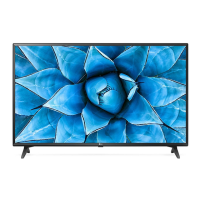
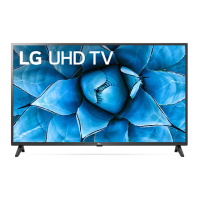
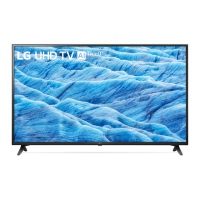
LG 43UN72 Series - User Manual

LG 43UN72 Series
20 pages
Print Icon
To Next Page IconTo Next Page
Loading...
LED TV*
OWNER’S MANUAL
Safety and Reference
Please read this manual carefully before operating your set and retain it for
future reference.
LG LED TV applies LCD screen with LED backlights.
* Disclaimer
www.lg.com
Copyright © 2020 LG Electronics Inc. All Rights Reserved.
*MFL71765901*
(2009-REV00)
Question and Answer IconNeed help?

Do you have a question about the LG 43UN72 Series and is the answer not in the manual?

Overview

This document is an owner's manual for an LG LED TV, providing comprehensive instructions for its safe operation, setup, and maintenance. The manual emphasizes safety precautions, proper installation, and troubleshooting tips to ensure optimal performance and longevity of the device.

Function Description

The LG LED TV is a display device that utilizes an LCD screen with LED backlights to provide visual content. It supports various input sources, including antenna/cable, satellite dish, HDMI, and USB, allowing users to connect external devices such as Blu-ray players, HD receivers, DVD players, VCRs, audio systems, PCs, and gaming consoles. The TV is designed for both digital and analogue TV broadcasting, with capabilities for storing a large number of programmes. It also supports CI modules for viewing encrypted digital TV services. Certain models are equipped with a Magic Remote Control, which enhances user interaction through features like voice recognition and quick access to applications and menus. The TV's software includes an embedded user guide for easy access to detailed information.

Usage Features

The TV can be operated using either the physical button on the device or the remote control. The physical button allows for basic functions such as power on/off, input source selection, volume adjustment, and programme scrolling. The remote control offers more extensive functionalities, including number buttons for direct input, quick settings access, input source changes, volume and programme control, and navigation through menus. For models with the Magic Remote, additional features like voice recognition, quick access to streaming services, and a home menu are available. The Magic Remote needs to be paired with the TV for initial use and can be deregistered if needed. The TV supports HDMI ULTRA HD Deep Colour for enhanced picture quality with compatible devices. It also has USB ports for connecting USB storage devices, though some USB hubs may not work directly. The manual provides guidance on connecting various external devices, ensuring proper signal input and optimal picture/audio quality. It also advises on using certified HDMI cables to prevent display issues.

Maintenance Features

The manual provides detailed instructions for maintaining the TV to ensure its safe and efficient operation. Key maintenance features include:

  • Cleaning: The TV should be cleaned gently with a soft, dry cloth after unplugging the power cord. Users are warned against spraying water or other liquids directly onto the screen and advised to avoid harsh chemicals like glass cleaner, air fresheners, insecticides, lubricants, wax, abrasives, thinners, benzene, or alcohol, as these can damage the product or its panel.
  • Ventilation: Proper ventilation is crucial to prevent overheating. The TV should not be installed in confined spaces, on carpets or cushions, or covered with cloth or other materials while plugged in. Users are advised to avoid touching the ventilation openings, which can become hot during prolonged use.
  • Power Cord Protection: The power cord must be protected from physical and mechanical abuse, such as twisting, kinking, pinching, or being walked upon. Users should grasp the plug when unplugging the TV and avoid using damaged or loosely fitting power cords. Connecting too many devices to a single AC outlet is also discouraged to prevent fire or electric shock.
  • Battery Replacement: For remote controls, instructions are provided for replacing batteries, emphasizing correct polarity and warning against mixing old and new batteries or exposing them to excessive heat.
  • Troubleshooting: The manual includes a troubleshooting section to address common issues such as the remote control not working, no image/sound, sudden TV shutdowns, and abnormal display characteristics like "cracking" noises or panel buzzing. It clarifies that some visual phenomena, like tiny black or brightly coloured dots (1 ppm), are normal for advanced panels and do not indicate a malfunction. It also advises against displaying still images for prolonged periods to prevent image sticking.
  • Environmental Information: For India region, the manual includes guidelines for the disposal of old appliances (e-waste) in accordance with the e-waste Management and Handling Rules, 2011. It specifies that the product should be handed over to authorized recyclers, kept in isolated areas when non-functional, and not opened by unauthorized personnel or mixed with household waste.
  • Securing to the Wall: Instructions are provided for securing the TV to the wall to prevent overturning, especially for larger models. This involves using eye-bolts or TV brackets and sturdy ropes, ensuring the TV is placed on a strong, large platform or cabinet.
  • General Safety: The manual reiterates general safety instructions, such as avoiding foreign substances in screw parts during assembly, preventing the TV from overturning, using only approved items, ensuring screws are securely fastened, and educating children about the dangers of climbing on furniture. It also warns against modifying the product without authorization and using high-voltage electrical equipment near the TV.

LG 43UN72 Series Specifications

General IconGeneral
Screen Size43 inches
Display TypeLED
Resolution3840 x 2160 (4K UHD)
Refresh Rate60Hz
Smart TVYes
Operating SystemwebOS
HDMI Ports3
USB Ports2
EthernetYes
Wi-FiYes
BluetoothYes
Audio Output20W
Speaker System2.0 Channel
ProcessorQuad Core Processor
HDR SupportHDR10, HLG

Related product manuals