Need help?
Do you have a question about the LG 43UN6950ZUA and is the answer not in the manual?
Instructions for proper air circulation and preventing overheating.
Procedures for safely disconnecting the TV from the power source in emergencies.
Guidelines for safely grounding outdoor antenna systems.
Essential steps for grounding the TV to prevent electric shock and fire hazards.
Guidelines for safe handling, storage, and disposal of batteries.
Instructions for safely moving the TV to prevent damage or injury.
Proper methods for cleaning the TV screen and body to avoid damage.
Information on the first-time TV setup and expected display differences.
Guidelines for selecting and using HDMI cables for optimal connection.
Details on the Magic Remote Control and its compatibility.
Information on VESA standards and brackets for wall mounting.
Proper methods for lifting and moving the TV to prevent damage or injury.
Step-by-step guide for placing the TV on a table securely.
Instructions for safely attaching wall mount brackets and securing the TV.
How to connect antenna or cable for TV viewing.
Connecting external devices like Blu-ray players and PCs via HDMI.
Where to find and download the RS-232C external control setup manual.
Overview of the TV's physical buttons and their basic operations.
How to navigate and adjust settings using the TV's buttons.
Steps to pair the Magic Remote with the TV for the first time.
Procedures to unpair or disconnect the Magic Remote from the TV.
How to find and open the TV's built-in user manual.
Solutions for common issues like remote control failure or no image/sound.
Explains normal screen behaviors like slight flickering or pixel defects.
Describes common sounds like cracking or humming and their causes.
Information on obtaining the TV's source code and license terms.
Details on HDMI, Quick Set, and HEVC Advance technologies.
FCC rules, interference limits, and user guidelines for compliance.
Requirements for UNII devices and potential interference issues.
Compliance statement for FCC RF radiation exposure limits.
Statements regarding Industry Canada's license-exempt transmitters and RF exposure.
Specific requirements for 5 GHz band wireless devices in Canada.
Important reminder for cable/TV installers regarding grounding.
Critical warnings about placing TVs to prevent injury from tipping.
Explanations of common symbols used on the TV and in the manual.
Information on LG's e-waste recycling services and environmental commitment.
Recommendations to ensure child safety around televisions and furniture.
Advice on safe wall or ceiling mounting procedures and recommendations.
Precautions for moving older CRT/flat-panel TVs to new locations.
Declaration of conformity for the product from the supplier.
Contact details and resources for customer inquiries and support.
How to connect a PC to the TV using a USB to Serial converter cable.
Connecting the TV to a PC via a DE9 RS-232C serial cable.
Connecting the TV to a PC using a phone jack to RS-232 cable.
Details on PC connections and RS-232C configurations.
How to set a unique ID number for the TV for external control.
Baud rate, data length, parity, and stop bit settings for communication.
A table listing commands, their codes, and functions for external control.
Structure of commands sent to control the TV.
Formats for OK and Error acknowledgements from the TV.
Conversion table for hexadecimal data used in commands.
Commands for controlling TV power, aspect ratio, screen mute, contrast, and brightness.
Commands to adjust volume, treble, bass, balance, and color temperature.
Commands for adjusting tint, sharpness, OSD display, and remote control lock.
Commands for remote control lock, treble, bass, balance, and ISM method.
Commands to adjust color temperature and ISM method for plasma TVs.
Commands for adjusting the TV's equalizer and energy saving settings.
Commands for tuning channels via analog, digital, and satellite sources.
Practical examples of channel tuning commands for various broadcast types.
Commands for managing channels and sending remote key codes.
Commands to control backlight, input source, and 3D viewing modes.
Commands for adjusting extended 3D options like depth and viewpoint.
Command to automatically adjust picture position in PC mode.
 General
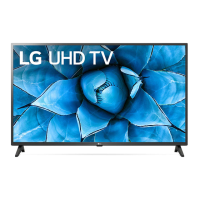
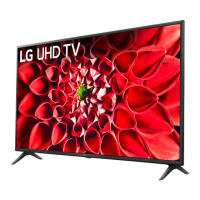
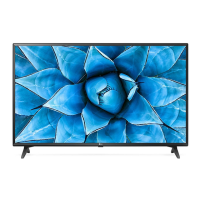
| Screen Size | 43 inches |
|---|---|
| Resolution | 3840 x 2160 |
| Display Type | LED |
| HDR Support | Yes |
| Smart TV | Yes |
| Operating System | webOS |
| HDMI Ports | 3 |
| USB Ports | 2 |
| Audio Output | 20W |
| Refresh Rate | 60Hz |
| Wi-Fi | Yes |
| Bluetooth | Yes |

 To Next Page