EasyManua.ls Logo

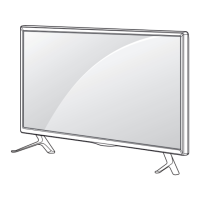
LG 47LB5610.AHK - User Manual

LG 47LB5610.AHK
44 pages
Print Icon
To Next Page IconTo Next Page
Loading...
Please read this manual carefully before operating
your set and retain it for future reference.
www.lg.com
OWNER’S MANUAL
LED TV
*
*LG LED TVs are LCD TVs with LED backlighting.
LB56**

Questions and Answers

  • W
    William MeyerAug 16, 2025
    What to do if the LG 47LB5610.AHK remote control is not working?
    • D
      Daniel HicksAug 16, 2025
      If you cannot control your LG LED TV with the remote, first check the remote control sensor on the TV and try again. Also, ensure there are no obstacles between the remote and the TV. Finally, verify that the batteries in the remote are working and properly installed.
  • L
    Laurie HallAug 19, 2025
    Why is my LG 47LB5610.AHK LED TV remote not working?
    • M
      Michael MeadowsAug 19, 2025
      If you cannot control your LG LED TV with the remote, there might be a simple fix. First, ensure that nothing is covering the receiver on the TV. Also, check for any obstacles between the remote and the TV. If neither of those solves the issue, try replacing the batteries in the remote with fresh ones.
  • J
    jesseowensAug 22, 2025
    Why does my LG 47LB5610.AHK LED TV turn off by itself?
    • J
      Jose HuertaAug 22, 2025
      If your LG LED TV turns off suddenly, it might be due to a few reasons. First, examine the power control settings in case the power supply is interrupted. Also, verify if the Off Time or Sleep Timer feature is enabled within the TIME settings. Lastly, the TV automatically shuts down after 15 minutes of inactivity if no signal is detected.
  • R
    rhodeschristopherAug 25, 2025
    How to fix LG LED TV remote control not working?
    • M
      Megan WeaverAug 26, 2025
      If your LG LED TV isn't responding to the remote, first, make sure nothing is blocking the remote's signal by covering the receiver on the TV. Then, check for any obstacles between the remote and the TV. If that doesn't work, try replacing the batteries in the remote with new ones.
  • J
    Jennifer Rivera PhDAug 28, 2025
    Why does my LG 47LB5610.AHK turn off suddenly?
    • T
      Tiffany MartinAug 28, 2025
      Your LG LED TV might be turning off suddenly due to several reasons. Check the power control settings to ensure the power supply isn't interrupted. Also, verify if the Sleep Timer or Off Time feature is activated in the TIME settings. If the TV is on but not receiving a signal, it will automatically turn off after 15 minutes of inactivity.
  • M
    Micheal VillaAug 31, 2025
    What to do if my LG 47LB5610.AHK has no image and sound?
    • R
      robinsonbenjaminAug 31, 2025
      If your LG LED TV shows no image and produces no sound, first ensure that the TV is turned on. Next, check that the power cord is properly connected to a working wall outlet. You can verify the outlet's functionality by connecting other products to it.
  • S
    Sydney NelsonSep 3, 2025
    What to do if my LG LED TV turns off by itself?
    • M
      Melissa DiazSep 3, 2025
      If your LG LED TV is turning off unexpectedly, there are a few things you can check. First, review the power control settings to make sure the power supply isn't being interrupted. Next, verify that the Off Time or Sleep Timer feature isn't activated in the TIME settings. Also, if the TV is left on without a signal, it will automatically turn off after 15 minutes of inactivity.
  • L
    loribeckSep 6, 2025
    What to do if LG 47LB5610.AHK LED TV remote is not working?
    • A
      Aaron DoyleSep 6, 2025
      If you're unable to control your LG LED TV with the remote, start by checking if anything, like tape, is covering the receiver. Ensure there are no obstructions between the remote and the TV. If the issue persists, replace the remote's batteries with new ones.
  • S
    Scott BarronSep 9, 2025
    What to do if my LG 47LB5610.AHK remote control is not working?
    • L
      lvillarrealSep 9, 2025
      If you cannot control your LG LED TV with the remote, first check the remote control sensor on the TV and try again. Ensure there are no obstacles between the remote and the TV. Also, verify that the batteries in the remote are working and properly installed.
  • C
    Charles BautistaSep 12, 2025
    How to fix ‘No signal’ or ‘Invalid Format’ on LG 47LB5610.AHK when connecting to PC (HDMI)?
    • N
      Nathaniel HarperSep 12, 2025
      If you see a ‘No signal’ or ‘Invalid Format’ message on your LG LED TV when connecting to a PC via HDMI, try turning the TV off and on using the remote control. If that doesn't work, reconnect the HDMI cable. As a final step, restart your PC while the TV is turned on.

LG 47LB5610.AHK Specifications

General IconGeneral
BrandLG
Model47LB5610.AHK
CategoryLED TV
LanguageEnglish

Related product manuals