EasyManua.ls Logo

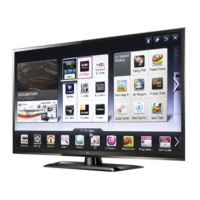
LG 47LM6400 - User Manual

LG 47LM6400
72 pages
Print Icon
To Next Page IconTo Next Page
Loading...
使用说明书
液晶体电视
使用电视之前
请仔细阅读本手册
并且妥善保管以供日後查阅
42/47LM6400
32/42LM6690
47/55LM6700
P/N
MFL63720152(1205-REV01) http://www.lg.com
中国印刷

Other manuals for LG 47LM6400

Questions and Answers

  • D
    Daniel RandallAug 8, 2025
    How to fix an LG LCD TV remote that is not working?
    • D
      David MartinAug 8, 2025
      If you're unable to control your LG LCD TV with the remote, start by checking the remote control sensor on the TV and try again. Make sure there are no obstructions between the remote and the TV. Also, ensure the batteries in the remote are working and correctly installed.
  • M
    michaelericksonAug 15, 2025
    What to do if my LG LCD TV turns off suddenly?
    • A
      April ThompsonAug 15, 2025
      If your LG LCD TV turns off suddenly, check the power control settings to ensure the power supply isn't interrupted. Also, verify if the Sleep Timer feature is activated in the Time settings. Note that the TV will turn off automatically after 15 minutes of inactivity if there is no signal while the TV is on.
  • D
    David LoweAug 25, 2025
    What to do if LG LCD TV remote control is not working?
    • J
      Jamie HernandezAug 25, 2025
      If you cannot control your LG LCD TV with the remote, first check the remote control sensor on the TV and try again. Ensure there are no obstacles between the remote and the TV. Finally, check if the batteries in the remote are working and properly installed.
  • C
    Charles HernandezAug 30, 2025
    Why does my LG 47LM6400 LCD TV turn off by itself?
    • R
      Randy MooreAug 30, 2025
      If your LG LCD TV is turning off unexpectedly, you should first check the power control settings to ensure the power supply isn't being interrupted. Also, verify that the Auto sleep feature is not enabled within the Time settings. Lastly, be aware that if the TV doesn't receive a signal for 15 minutes while it's on, it will automatically shut off.

Summary

Product Licenses and Trademarks

Open Source Software Notice

Safety Instructions and Precautions

3 D Viewing Safety

Safety guidelines for viewing 3D content, including time limits and user health.

3 D Viewing Symptoms and Age Guidance

Identifies symptoms requiring discontinuation and provides age-specific viewing guidance.

3 D Glasses Usage Precautions

Precautions for using LG 3D glasses, including care and proper usage.

Assembling and Preparing the TV

Installation Procedure

Step-by-step guide for unpacking, setting up the TV, and connecting devices.

Unpacking and Accessories

Instructions for unpacking the TV and checking included accessories.

Optional Accessories (Separate Purchase)

Information on optional accessories available for purchase and their compatibility.

Parts and Buttons Identification

Identification of TV's physical parts and control buttons with their functions.

Lifting and Moving the TV

Guidance on how to safely lift, move, and transport the TV to prevent damage.

Attaching the Stand

Instructions for attaching the TV stand for desktop placement.

Tabletop Mounting

Steps for placing and securing the TV on a table, including angle adjustment.

Wall Mounting

Instructions for securely mounting the TV on a wall using a bracket.

Cable Management

Guidance on organizing and securing cables for a tidy setup.

Making Connections to the TV

Antenna and Cable Connection

Connecting the TV to a wall antenna socket for broadcast reception.

HDMI Connection

Connecting external devices via HDMI for optimal video and audio quality.

DVI and RGB-PC Connections

Connecting PCs and devices using DVI or RGB video signals.

Analog Video Connections

Connecting devices using component and composite analog video cables.

Audio and USB Connections

Connecting external audio systems and USB devices for multimedia.

Remote Control Operations

Remote Control Overview

Description of the remote control buttons and their functions.

Magic Remote Control Functions

Operation and features of the Magic Remote Control, including battery replacement.

Magic Remote Control Setup and Usage

Steps for registering, using, and precautions for the Magic Remote Control.

Using the Built-in User Guide

How to access and navigate the TV's electronic user guide.

Maintenance and Troubleshooting

Cleaning the TV

Instructions for cleaning the TV screen, frame, cabinet, stand, and power cord.

Troubleshooting Common Issues

Solutions for common problems like remote control, no signal, or sudden shutdown.

Product Specifications

LG 47LM6400 Specifications

General IconGeneral
Screen Size47 inches
Display TypeLCD
Refresh Rate120 Hz
Backlight TypeLED
3D SupportYes
Smart TVYes
HDMI Ports4
USB Ports3
Wi-FiYes
EthernetYes
Audio Output20W
Operating SystemLG Smart TV
Resolution1920 x 1080

Related product manuals