EasyManua.ls Logo

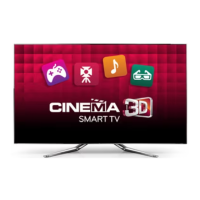
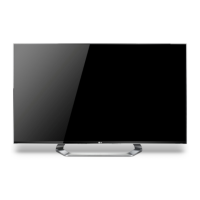
LG 47LM960V-ZB - User Manual

LG 47LM960V-ZB
262 pages
Print Icon
To Next Page IconTo Next Page
Loading...
Model Description
MODEL
BRAND
1.
Users Guide Specification
LG
JO KIM
12.02.16
HJ SHIN
12.02.16
YN PARK
12.02.16
관리자
47LM960V
ZB
MODEL
BRAND
Printing Specification
1. Trim Size (Format) : 182 mm x 257 mm
2Piti Cl
1 C l (BLACK)
Part No.
2.
SUFFIX
LG
MFL67441711
(1202-REV00)
Product Name
47LM960V
47LM960V
-
ZB
EU
2
.
P
r
i
n
ti
ng
C
o
l
ors :
1
C
o
l
or
(BLACK)
3. Stock (Paper)
-Cover : Coated paper, S/W 150 g/
-Inside : Uncoated paper, 백상지 60 g/
4. Printing Method : Off-set
5. Bindery : Perfect bind
6. Language : EN/ GE/ FR/ IT/ SP/ PO/ DU/ GR (8)
7. Number of pages : 260 pages
“This part contain Eco-hazardous substances (Pb, Cd, Hg, Cr6+, PBB, PBDE, etc.) within LG standard level,
Details should be followed Eco-SCM management standard[LG(56)-A-2524].
Especially, Part should be followed and controlled the following specification.
(1)Eco-hazardous substances test report should be submitted
N
O
T
E
Special Instructions
3.
when Part certification test and First Mass Production.
(2) Especially, Don’t use or contain lead(Pb) and cadmium(Cd) in ink.
E
S
(1) Origin Notification
* LGEIN : Printed in Indonesia * LGEWA : Printed in U.K.
* LGESP : Printed in Brazil * LGEMX : Printed in Mexico

Changes
4.
9
10
L
END : Printed in
hina
L
EIL : Printed in India
* LGEMA : Printed in Poland
4
5
7
6
8
REV.
NO.
MM/DD/YY CHANGE NO.
CHANGE CONTENTS
1
2
3
SIGNATURE

Table of Contents

Questions and Answers

  • A
    Andrea PadillaAug 7, 2025
    Why is my LG LCD TV remote not working?
    • A
      Andrew HarrisAug 7, 2025
      If you cannot control your LG LCD TV with the remote, ensure that there are no obstructions between the remote and the TV's sensor. Also, verify that the batteries in the remote are working correctly and are properly installed. Finally, check the remote control sensor on the TV.
  • A
    Angela VargasAug 11, 2025
    What to do if my LG 47LM960V-ZB LCD TV has no picture and sound?
    • S
      Shane SwansonAug 11, 2025
      If your LG LCD TV shows no image and produces no sound, first, ensure that the TV is turned on. Next, check that the power cord is properly connected to the wall outlet. Finally, test the wall outlet by connecting other products to see if the outlet is working correctly.
  • R
    Ray HancockAug 15, 2025
    Why does my LG 47LM960V-ZB LCD TV turn off by itself?
    • M
      Melissa MartinezAug 15, 2025
      If your LG LCD TV turns off suddenly, the power supply may be interrupted, so check the power control settings. Also, verify if the Auto sleep feature is activated in the Time settings. Note that the TV will turn off automatically after 15 minutes of inactivity if there is no signal while the TV is on.
  • J
    Justin CopelandAug 19, 2025
    Why does my LG LCD TV turn off suddenly?
    • T
      tcollinsAug 19, 2025
      If your LG LCD TV turns off suddenly, check your power control settings and make sure that the power supply is not interrupted. Also, verify if the Auto sleep feature is enabled within the Time settings. Note that the TV will automatically shut down after 15 minutes of inactivity if there is no signal.
  • A
    alicia18Aug 25, 2025
    How to fix LG LCD TV remote control not working?
    • N
      Nathan MartinezAug 25, 2025
      If you cannot control your LG LCD TV with the remote, first check the remote control sensor on the TV and try again. Then, ensure there are no obstructions between the remote and the TV. Lastly, check that the batteries in the remote are working and properly installed.
  • R
    russellhowardAug 28, 2025
    What to do if LG 47LM960V-ZB says no signal when connecting to PC?
    • S
      Shelby BrownAug 28, 2025
      If your LG LCD TV displays ‘No signal’ or ‘Invalid Format’ when connected to a PC (RGB/HDMI DVI), try turning the TV off and on using the remote. If that doesn't work, try reconnecting the RGB/HDMI cable. As a final step, restart your PC while the TV is powered on.
  • S
    scott90Sep 1, 2025
    How to fix ‘No signal’ on LG 47LM960V-ZB when connecting to PC?
    • M
      morrisgeorgeSep 1, 2025
      If you see a ‘No signal’ or ‘Invalid Format’ message on your LG LCD TV when connecting to a PC (RGB/HDMI DVI), try turning the TV off and then on again using the remote control. If that doesn't work, reconnect the RGB/HDMI cable. As another option, restart your PC while the TV is powered on.

LG 47LM960V-ZB Specifications

General IconGeneral
Screen Size47 inches
Display TypeLCD
3DYes
Smart TVYes
Backlight TypeLED
HDMI Ports4
USB Ports3
Wi-FiYes
Ethernet PortYes
Audio Output20W
Operating SystemLG Smart TV
Resolution1920 x 1080

Related product manuals