EasyManua.ls Logo

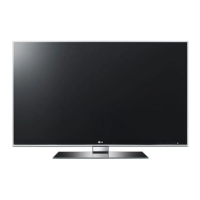
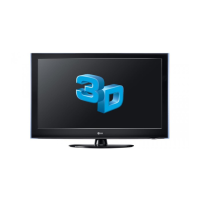
LG 47LW5600 - User Manual

LG 47LW5600
246 pages
Print Icon
To Next Page IconTo Next Page
Loading...
G
Ufe's Good
LED LCD
TV
/
LC
PLASMA
TV
TV
/
Please
read
this
manual
carefully
before
operating
your
set
and
retain
it
for
future
reference.
LED LCD
TV
MODELS
42LV3700 42LV5500 32LW5700
47LV3700 47LV5500 42LW5700
55LV3700 55LV5500 47LW5700
42LV5400 42LW5600 55LW5700
47LV5400 47LW5600 72LZ9700
55LV5400 55LW5600
PING:
MFL62882745
(l101-REVOO)
47LW6500
55LW6500
65LW6500
47LW7700
55LW7700
47LW9500
55LW9500
60LW9500
LCD
TV
MODELS
42LK530
47LK530
55LK530
42LK550
47LK550
PLASMA
TV
MODELS
50PZ750
60PZ750
50PZ950
60PZ950
50PZ950U
60PZ950U
www.lg.com

Table of Contents

Other manuals for LG 47LW5600

Questions and Answers

  • B
    Brian KellySep 23, 2025
    Why are subtitles not working on my LG TV?
    • P
      Patrick MatthewsSep 23, 2025
      If subtitles are not working on your LG TV, check if the file plays normally on a PC. Ensure the video and subtitle file names are the same and located in the same folder. Verify that the subtitle file and language are supported.
  • N
    Nicholas HarrellAug 23, 2025
    Why is there no sound on my LG TV but picture is fine?
    • M
      mortonkaylaAug 23, 2025
      If your LG TV displays no sound but shows images, first, press the VOL + or - button to adjust the volume. Check if the sound is muted by pressing the MUTE button. Try switching to other channels to rule out a broadcast issue. Ensure the audio cables are properly connected and verify that the TV Speaker feature is enabled in the menu.
  • J
    Janice ThomasAug 25, 2025
    LG TV screen is too dark, how to fix it?
    • D
      Denise JenningsAug 26, 2025
      If your LG TV screen appears extremely dark even when powered on, adjust the brightness and contrast settings in the menu option.
  • T
    Todd RodriguezAug 26, 2025
    What does 'No Signal' mean on LG TV and how to fix it?
    • A
      Antonio LawsonAug 27, 2025
      If your LG TV displays 'No Signal' on the screen, verify the signal cable is properly connected between the TV and other devices. Also, check the selected input source by pressing the INPUT button.
  • A
    Albert GillespieAug 27, 2025
    Why my LG TV has no image and sound?
    • A
      Alex DuarteAug 27, 2025
      If your LG TV has no image and no sound, ensure the TV is powered on and the power cord is securely connected to the wall outlet. To check if the wall outlet is working, connect another device to it.
  • A
    Andrea AlvarezSep 17, 2025
    What to do if my LG TV says 'This file is invalid'?
    • L
      Lauren JonesSep 18, 2025
      If your LG TV displays a message saying 'This file is invalid' or the audio works but the video doesn't, check if the file plays normally on a PC to ensure it's not damaged. Also, verify if the resolution, video/audio codec, and frame rate are supported.
  • E
    Edgar BaxterSep 14, 2025
    How to adjust phase setting on LG TV?
    • H
      Heather PriceSep 14, 2025
      If you see horizontal noises or blurred characters on your LG TV, adjust the Phase setting in the menu option.
  • Y
    Yolanda VegaSep 15, 2025
    Why doesn't a file appear on the Movie List of my LG TV?
    • J
      Jamie Myers DDSSep 15, 2025
      If a file does not appear on the Movie List of your LG TV, verify that the file extension is supported.
  • N
    Nicholas MccannSep 6, 2025
    Why is my LG TV making unusual sounds?
    • C
      Christina McgeeSep 6, 2025
      If your LG TV produces an unusual sound from inside, it may be due to changes in ambient humidity or temperature when the product turns on or off. This is normal and does not indicate a problem with your product.
  • S
    Sara WestSep 3, 2025
    How to fix horizontal or vertical bars on LG TV?
    • M
      Miguel BooneSep 3, 2025
      If you notice horizontal or vertical bars or blurring on your LG TV screen, check for local interferences from devices like electrical appliances or power tools.

Summary

IMPORTANT SAFETY INSTRUCTIONS

General Safety Precautions

Covers warning symbols, avoiding water exposure, proper cleaning, ventilation, heat sources, and plug usage.

Power and Cord Safety

Details protecting the power cord, safe unplugging, and handling damaged cords to prevent hazards.

Electrical Safety and Grounding

Instructions on preventing electric shock through proper grounding and disconnecting the device.

Product Handling and Disposal

Addresses screen care, sound generation, 3D viewing safety, and proper disposal of mercury-containing lamps.

WATCHING TV

Initial TV Setup and Operation

Guides users through first-time setup and basic TV controls.

ENTERTAINMENT

Network Connection and Setup

Details on connecting the TV to a wired or wireless network, including security and status.

3 D IMAGING (FOR 3 D TV)

TROUBLESHOOTING

General and Audio Problem Resolution

Addresses common issues with the TV, remote control, sound, and speakers.

Video and Movie Playback Issues

Troubleshooting image quality, signal, and file playback problems including subtitles.

LG 47LW5600 Specifications

General IconGeneral
Comb filter2D/3D
Display diagonal47 \
Native aspect ratio16:9
Supported video modes1080i, 1080p, 720p
Contrast ratio (dynamic)8000000:1
3DYes
Product colorBlack
Panel mounting interface400 x 400 mm
Tuner typeAnalog & digital
Analog signal format systemNTSC
Digital signal format systemATSC
Audio systemDolby
RMS rated power20 W
Number of speakers2
DVI portNo
HDMI ports quantity4
DVI-D ports quantity0
USB 2.0 ports quantityUSB 2.0 ports have a data transmission speed of 480 Mbps, and are backwards compatible with USB 1.1 ports. You can connect all kinds of peripheral devices to them.
Digital audio optical out1
On Screen Display (OSD) languagesENG, ESP, FRE, KOR
Teletext function-
AC input voltage100 - 220 V
AC input frequency50 - 60 Hz
Power consumption (standby)0.1 W
Power consumption (typical)165 W
Sustainability certificatesENERGY STAR
Package weight24584 g
Weight and Dimensions IconWeight and Dimensions
Depth (with stand)749.3 mm
Height (with stand)256.54 mm
Weight (with stand)20683 g
Depth (without stand)30.48 mm
Width (without stand)1115 mm
Height (without stand)683.26 mm
Weight (without stand)18506 g

Related product manuals