EasyManua.ls Logo

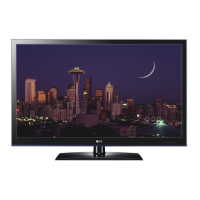
LG 47LW570Y - User Manual

LG 47LW570Y
115 pages
Print Icon
To Next Page IconTo Next Page
Loading...
LED LCD TV
SERVICE MANUAL
CAUTION
BEFORE SERVICING THE CHASSIS,
READ THE SAFETY PRECAUTIONS IN THIS MANUAL.
CHASSIS : LB12C
MODEL : 47LW5700 47LW5700-TA
MODEL : 47LW570Y 47LW570Y-TA
North/Latin America http://aic.lgservice.com
Europe/Africa http://eic.lgservice.com
Asia/Oceania http://biz.lgservice.com
Internal Use Only
Printed in KoreaP/NO : MFL67007017 (1103-REV00)

Questions and Answers

  • H
    Heather TaylorSep 15, 2025
    How to improve poor reception on my LG 47LW570Y?
    • B
      Blake ArnoldSep 16, 2025
      If the reception on some channels is poor on your LG LCD TV, try switching to other channels to rule out a broadcast issue. If the signal is weak, adjust the antenna's direction. Also, check for any nearby electrical appliances or power tools that might be causing interference.
  • C
    Cassandra WrightAug 25, 2025
    How to fix LG 47LW570Y LCD TV remote control not working?
    • D
      David RossAug 25, 2025
      If your LG LCD TV remote control isn't working, first check the remote control sensor on the TV and try again. Make sure there are no obstacles blocking the path between the remote and the TV. Also, verify that the batteries are working and correctly installed. Finally, ensure the appropriate input mode (like TV or VCR) is selected for remote use.
  • D
    Dennis JohnsonAug 25, 2025
    Why is there no sound on my LG 47LW570Y?
    • D
      Douglas AndersonAug 26, 2025
      If there's no sound from your LG LCD TV while images are displaying, try the following: 1. Press the + or - button to adjust the volume. 2. Check if the sound is muted by pressing the MUTE button. 3. Try other channels in case there's a broadcast problem. 4. Verify that the audio cables are properly connected. 5. Confirm that the TV Speaker feature is activated in the menu option.
  • T
    Thomas BrooksAug 26, 2025
    How to fix color issues on LG 47LW570Y LCD TV?
    • W
      William JohnsonAug 27, 2025
      If your LG LCD TV displays images in black and white or the color quality is poor, try adjusting the color setting in the menu. Also, ensure there's enough distance between the TV and other electronic devices. You can also try switching to other channels, as the problem might be with the broadcast itself.
  • B
    Brian HernandezSep 16, 2025
    Why does the image appear slowly on my LG 47LW570Y?
    • R
      Rhonda AndersonSep 16, 2025
      If your LG LCD TV displays images slowly when turned on, know that the image is muted during the startup process, which is normal. If the image doesn't appear after a few minutes, unplug the TV for 30 seconds and try again.
  • J
    Justin MccoySep 23, 2025
    Why are there black spots on my LG LCD TV screen?
    • J
      John EwingSep 23, 2025
      If black spots appear on the screen of your LG LCD TV, several pixels in red, green, white, or black may appear on the screen that can attribute to the characteristics of the panel. This is normal.
  • J
    Jose MurphySep 8, 2025
    What to do if my LG LCD TV screen says 'No Signal'?
    • S
      Sherry MorganSep 8, 2025
      If your LG LCD TV screen displays 'No Signal', verify that the signal cable is properly connected between the TV and other devices. Also, check the selected input source by pressing the INPUT button on your remote.
  • H
    Harry WoodSep 9, 2025
    Why is there no image and sound on my LG 47LW570Y?
    • J
      Jennifer OlsonSep 9, 2025
      If your LG LCD TV shows no image and produces no sound, first check if the TV is turned on. Then, ensure the power cord is properly connected to a wall outlet. To rule out a problem with the outlet, connect other devices to it.
  • C
    Christopher AvilaSep 2, 2025
    How to adjust display offset on LG LCD TV?
    • K
      Kelsey GrossSep 2, 2025
      To adjust the display offset on your LG LCD TV, go to the menu option and adjust the position setting. Also, check if the video card resolution and frequency are supported by the TV. If the frequency is out of range, set the display settings on the external device to the recommended resolution.
  • T
    trujillojoshuaSep 1, 2025
    Why does my LG 47LW570Y image appear slowly when turned on?
    • J
      James HayesSep 1, 2025
      If the image on your LG LCD TV appears slowly when you turn it on, this is normal as the image is muted during the product start-up process. If the image doesn't appear after a few minutes, unplug the TV for 30 seconds and try again.

LG 47LW570Y Specifications

General IconGeneral
BrandLG
Model47LW570Y
CategoryLCD TV
LanguageEnglish

Related product manuals