This document is an owner's manual for an LG LED TV, providing safety instructions, setup guidance, usage features, and technical specifications.
Function Description
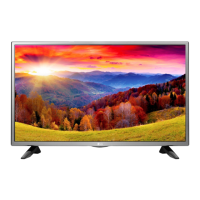
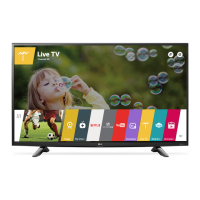
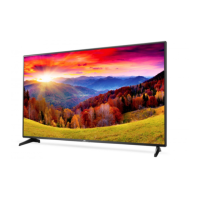
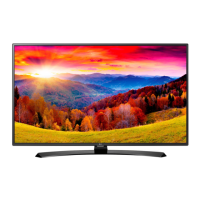
The LG LED TV is a display device that uses an LCD screen with LED backlights. It is designed for home entertainment, offering various input options for connecting external devices like HD receivers, DVD players, VCRs, audio systems, USB storage devices, PCs, and gaming consoles. The TV supports both digital and analogue TV signals, with specific models supporting DVB-T, DVB-T2, DVB-C, DVB-S, and DVB-S2. It also features SIMPLINK, which allows control and management of compatible multimedia devices using the TV's remote control. The TV includes an on-screen display (OSD) for navigating menus and adjusting settings.
Important Technical Specifications
CI Module:
- Size (W x H x D): 100.0 mm x 55.0 mm x 5.0 mm
Environment Conditions:
- Operating Temperature: 0 °C to 40 °C
- Operating Humidity: Less than 80%
- Storage Temperature: -20 °C to 60 °C
- Storage Humidity: Less than 85%
Television System:
- Satellite: DVB-S/S2* (Only DVB-T2/C/S2 support models)
- Digital TV (Terrestrial): DVB-T, DVB-T2*
- Digital TV (Cable): DVB-C
- Analogue TV (Terrestrial/Cable): PAL/SECAM B/G, D/K, I, SECAM L
Channel Coverage (Band):
- Satellite: 950 ~ 2150 MHz
- Digital TV (Terrestrial): VHF III: 174 ~ 230 MHz, UHF IV: 470 ~ 606 MHz, UHF V: 606 ~ 862 MHz, S Band II: 230 ~ 300 MHz, S Band III: 300 ~ 470 MHz
- Digital TV (Cable) & Analogue TV: 46 ~ 862 MHz
Maximum Number of Storable Programmes:
- Satellite: 6,000
- Digital TV: 2,000
External Antenna Impedance: 75 Ω
AC/DC Adapter (Model Dependent):
- 32LH51**, 32LH52**
- Input: AC 100 - 240 V ~ 50/60 Hz
- Output: DC 19V --- 2.1 A
- 43/49LH51**, 43/49LH52**
- Input: AC 100 - 240 V ~ 50/60 Hz
- Output: DC 19V --- 3.42 A
HDMI-DTV Supported Modes:
- Resolutions from 640 x 480 to 1920 x 1080, with various horizontal and vertical frequencies.
- Example: 1920 x 1080 @ 67.50 kHz (60.00 Hz) or 27.00 kHz (24.00 Hz).
HDMI-PC Supported Modes:
- Resolutions from 640 x 350 to 1920 x 1080, with various horizontal and vertical frequencies.
- Example: 1920 x 1080 @ 67.50 kHz (60.00 Hz).
My Media Supporting File (Maximum Data Transfer Rate): 20 Mbps
Supported Video Formats:
- Maximum: 1920 x 1080 @ 30p (Motion JPEG 640 x 480 @ 30p)
- File types include .asf, .wmv, .divx, .avi, .ts, .trp, .tp, .mts, .m2ts, .vob, .mp4, .m4v, .mov, .mkv, .mpg, .mpeg, .mpe, .dat, .flv, .3gp, .3gp2.
- Codecs: MPEG-1, MPEG-2, MPEG-4 Part2, DivX3.11, DivX4, DivX5, DivX6, XVID, H.264/AVC, VC1(WMV3, WVC1), MP43, H.265/HEVC, MJPEG, Sorenson H.263.
- Audio codecs: WMA Standard, WMA9(Pro), MP3, AAC, AC3, HE-AAC, LPCM, ADPCM, MPEG-1 Layer I, MPEG-1 Layer II, Dolby Digital, Dolby Digital Plus, AMR(NB/WB).
Supported Audio Formats:
- File types: .mp3, .aac, .m4a, .wma, .ogg, .wav.
- Bit rates and sample frequencies vary by format.
- Example: MP3 (32 Kbps - 320 Kbps, 16 kHz - 48 kHz), WMA (128 Kbps - 320 Kbps, 8 kHz - 48 kHz).
Supported Photo Formats:
- Category: 2D (jpeg, jpg, jpe, bmp, png).
- Photo sizes:
- JPEG: Minimum 64 x 64, Maximum (Normal Type) 15360 (W) x 8640 (H), Maximum (Progressive Type) 1920 (W) x 1440 (H).
- BMP: Minimum 64 x 64, Maximum 9600 x 6400.
- PNG: Minimum 64 x 64, Maximum (Interlace) 1200 x 800, Maximum (Non-Interlace) 9600 x 6400.
Usage Features
Basic Operation:
- Power On/Off: Press the power button to turn on, press and hold to turn off.
- Volume Control: Adjust with '<' and '>' buttons.
- Programmes Control: Navigate channels.
- Menu Navigation: Use navigation buttons (up/down/left/right) to scroll through menus and options. 'OK' selects, 'BACK' returns to previous level, 'EXIT' clears on-screen displays.
- Input Source: Change with the 'INPUT' button.
- Teletext: Access with 'TEXT' and 'T.OPT' buttons.
- Home Menu: Access with the 'HOME' button.
- Quick Menus: Access with 'Q.MENU'.
- Information: View current programme and screen info with 'INFO'.
- Recording: Start recording with 'REC/*' (Time Machine Ready models only).
- Media Control: Use control buttons (II, , ) for media content.
- Coloured Buttons: Access special functions in menus (Red, Green, Yellow, Blue).
- Subtitle: Recall preferred subtitle in digital mode with 'SUBTITLE'.
- Audio Descriptions (AD): Enable audio descriptions.
- Ratio: Resize an image.
- Programme List: Access saved programmes with 'LIST'.
- Q.VIEW: Return to previously viewed programme.
- Favourites: Access favourite programme list with 'FAV'.
- Guide: Show programme guide with 'GUIDE'.
- Mute: Mute all sounds with 'MUTE'.
- Page Navigation: Move to previous or next screen with 'PAGE'.
Mounting:
- Table Mount: Lift and tilt the TV into an upright position, ensuring a minimum 10 cm space from the wall for ventilation. Connect the power cord.
- Wall Mount: Attach an optional VESA standard wall mount bracket (LG's recommended bracket or a compatible one) to the rear of the TV and then to a solid wall. Ensure all cables are connected before installing fixed wall mounts. Use the provided adhesive label to protect openings from dust.
Connections:
- Antenna: Connect to a wall antenna socket (75 Ω RF cable). Use a signal amplifier for poor image quality.
- Satellite Dish: Connect to a satellite socket (75 Ω RF cable) for satellite models.
- CI Module: Insert into the PCMCIA card slot for encrypted (pay) digital TV services.
- Euro Scart: Connect external devices for video and audio signals.
- Wired Network: Connect an Ethernet cable to the LAN port for internet access. Configure network settings via the 'Settings' > 'NETWORK' > 'Network Setting' menu.
- HDMI: Connect external devices using HDMI cables. Use certified cables with the HDMI logo.
- USB: Connect USB storage devices. Use extension cables if needed. Safely eject USB devices before removal.
Picture Settings:
- Picture Mode: Select from Vivid, Standard, Eco/APS, Cinema/Game, Sports, Expert 1, 2.
- Fine-tuning: Adjust Backlight, Contrast, Brightness, Sharpness, Colour, Tint, and Colour Temperature.
- Advanced Controls/Expert Controls: Dynamic Contrast, Dynamic Colour, Preferred Colour, Gamma, Colour Gamut, Edge Enhancer, Colour Filter, White Balance, Colour Management System.
- Picture Options: Noise Reduction, MPEG Noise Reduction, Black Level, Real Cinema, Motion Eye Care.
- Picture Reset: Reset customized picture settings.
Energy Saving:
- Energy Saving Mode: Select Auto, Off, Minimum, Medium, Maximum.
- Screen Off: Turn off the screen while sound continues.
Eye Comfort Mode:
- Automatically adjusts screen color temperature to reduce eye strain (On/Off).
Sound Settings:
- Sound Mode: Select from Standard, Clear Voice, Music, Cinema, Sports, Game.
- Balance: Adjust volume of left and right speakers.
- Sound Effect: Virtual Surround, Equalizer, Reset.
- AV Sync Adjustment: Synchronize video and audio, with a Bypass option for no audio delay.
SIMPLINK (HDMI-CEC):
- Control compatible multimedia devices with the TV remote.
- Features: Direct Play, Main Power Off/On (Auto Power Sync), Speaker selection (for home theatre units).
- Requires high-speed HDMI® cables with CEC feature.
Password Setting:
- Set or change the TV password (initial '0000', '1234' for France).
Reset to Initial Settings:
- Deletes all stored information and resets TV settings. Requires password if Lock System is enabled.
Maintenance Features
Safety Precautions:
- Power Cord: Ensure the power cable plug is fully inserted into the wall socket and does not come into contact with hot objects. Do not place heavy objects on power cables. Do not touch with wet hands. Protect from physical abuse.
- Placement: Avoid direct sunlight, high humidity, heat sources, kitchen counters, humidifiers, rain, wind, water containers, and dusty areas. Do not place on unstable surfaces.
- Handling: Do not drop the product or let it fall over. Do not spray water or inflammable substances. Do not apply strong pressure to the panel. When moving, turn off power, unplug all cables, and hold the TV frame firmly (avoid transparent parts, speakers). For large TVs, use at least two people.
- Children Safety: Keep anti-moisture packing material out of reach. Do not let children climb or cling onto the TV. Dispose of used batteries carefully.
- External Objects: Do not drop metallic or inflammable objects into the product.
- Antenna Cable: Bend between inside and outside building to prevent water flow.
- Electrical Outlets: Do not plug too many devices into a single outlet.
- Adapter: Handle carefully to prevent external shocks.
- Repair: Do not disassemble, repair, or modify the product. Contact a service center for check, calibration, or repair.
- Thunder/Lightning: Never touch the product or antenna during a thunder or lightning storm.
- Gas Leakage: Never touch the wall outlet when there is leakage of gas.
- Ventilation: Ensure adequate distance from walls (more than 10 cm) and avoid placing in enclosed spaces like bookshelves or cupboards. Do not block air vents.
- Dust: Prevent dust from collecting on power plug pins or outlet.
- Batteries: Use only specified battery types. Do not mix new and old batteries. Keep away from excessive heat. Do not place non-rechargeable batteries in charging devices.
Cleaning:
- Unplug the power cord before cleaning.
- Wipe with a soft cloth.
- Do not use excessive force, water, wet cloths, glass cleaner, car/industrial shiner, abrasives, wax, benzene, or alcohol, as these can damage the product.
Troubleshooting:
- Remote Control Issues: Check sensor, obstacles, and battery installation.
- No Image/Sound: Check power, wall outlet, and if the TV is turned on.
- Sudden Turn Off: Check power control settings (Auto Power Off, Sleep Timer, Timer Power Off).
- PC Connection Issues ('No signal'/'Invalid Format'): Turn TV off/on, reconnect HDMI cable, restart PC.
General Maintenance:
- Long Periods of Non-Use: Unplug the TV from the AC mains wall socket to prevent dust accumulation and fire hazards.
- Cord Examination: Periodically examine the appliance cord for damage or deterioration. Unplug and discontinue use if damaged, and have it replaced by an authorized servicer.
- Still Images: Avoid displaying still images for prolonged periods to prevent image sticking.
- Cracking Noise: Normal due to plastic thermal contraction.
- Humming/Buzzing: Low level noise from high-speed switching circuit is normal.
- Cold Product Flicker: Small flicker when turned on is normal for cold products.
- Panel Pixels: Tiny black/coloured dots (1 ppm) are normal for advanced panels and not a malfunction.
- USB Storage Devices: Use FAT32 or NTFS file systems. For external HDDs, use devices with rated voltage less than 5 V and current less than 500 mA. Use USB memory sticks of 32 GB or less and HDDs of 2 TB or less. Back up important files as data loss is user's responsibility.

 Need help?

 To Next Page
 General