EasyManua.ls Logo

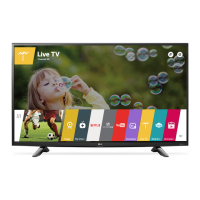
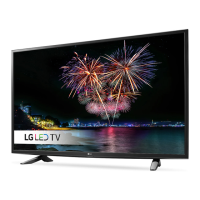
LG 49LH5700 - User Manual

LG 49LH5700
36 pages
Print Icon
To Next Page IconTo Next Page
Loading...
www.lg.com
Please read this manual carefully before operating
your TV and retain it for future reference.
Safety and Reference
LED TV*
* LG LED TVs are LCD TVs with LED backlighting.
OWNER’S MANUAL
32LH570B 43LH570A
43LH5700
49LH570A
49LH5700
55LH575A
55LH5750
P/NO : MFL69272417 (1602-REV01)
*MFL69272417*

Other manuals for LG 49LH5700

Questions and Answers

  • D
    Darren BarreraAug 8, 2025
    What to do if my LG 49LH5700 turns off suddenly?
    • C
      Christopher StaffordAug 8, 2025
      If your LG LED TV turns off suddenly, it might be due to a few reasons. First, the power supply could be interrupted, so check the power control settings. Also, the Sleep Timer or Timer Power Off feature might be activated in the Timers settings. Finally, if there's no signal while the TV is on, it will turn off automatically after 15 minutes of inactivity.
  • D
    duncanmelissaAug 14, 2025
    Why is my LG LCD TV remote not working?
    • J
      Jennifer SmithAug 14, 2025
      If you cannot control your LG LCD TV with the remote, there might be a simple fix. First, check to make sure nothing is covering the receiver on the TV. Also, ensure there are no obstructions between the remote and the TV. If those aren't the issue, try replacing the remote batteries with fresh ones.
  • G
    griveraAug 19, 2025
    What to do if my LG 49LH5700 has no image and sound?
    • M
      Michael GoldenAug 20, 2025
      If your LG LED TV isn't displaying an image and there's no sound, check a few things: Ensure the TV is turned on. Verify the power cord is securely connected to a working wall outlet. Test the wall outlet by plugging in other devices to see if it's functioning correctly.
  • J
    Jonathan SmithAug 26, 2025
    How to fix LG 49LH5700 remote control not working?
    • J
      john88Aug 27, 2025
      If you're unable to control your LG LED TV with the remote, try these steps: First, make sure nothing is covering the receiver on the TV. Second, ensure there are no obstacles blocking the path between the remote and the TV. Finally, replace the remote batteries with fresh ones.
  • A
    Anthony MillerSep 1, 2025
    What to do if my LG LCD TV turns off suddenly?
    • S
      Sarah PetersonSep 1, 2025
      If your LG LCD TV is turning off suddenly, here are a few things to check: First, the power supply may be interrupted, so check the power control settings. Next, verify that the Sleep Timer or Timer Power Off feature isn't activated in the Timers settings. Also, if the TV is on but not receiving a signal, it will automatically turn off after 15 minutes of inactivity.

Summary

Safety and Reference

General Safety Instructions

Essential precautions for safe operation and product longevity.

Electrical Hazard Warnings

Alerts regarding electric shock, water exposure, and proper ventilation.

Fire Prevention Measures

Guidelines to prevent fire, such as avoiding rain or moisture.

Power Cord Safety

Warnings about handling and using the power cord safely.

Grounding and Electrical Safety

Importance of proper grounding to prevent electric shock.

Moving and Handling the TV

Procedures for safely moving the television set.

Safety Alerts (Smoke, Water)

Actions to take if smoke, odors, or water enter the product.

Approved Power Accessories

Use only LG-approved power adapters and cords.

Adapter;Cord Integrity

Warning against disassembling power adapters or cords.

Installation and Mounting

Securing the TV to a Wall

Detailed steps for installing a wall mount bracket.

Troubleshooting and Specifications

Regulatory Information

Compliance statement for Class B digital devices in the USA.

WARNING! Critical Safety Precautions

Never place the TV in an unstable location to prevent falls.

Child Safety Guidelines

Educate children about climbing hazards related to TVs.

External Control Device Setup

Command Reference

A comprehensive list of commands for controlling TV functions.

Picture and Sound Controls

Commands for adjusting picture and sound settings.

Channel Tuning Commands

Commands for tuning analog and digital channels.

3 D Mode Commands

Commands to switch between different 3D viewing modes.

Other Control Commands

Command to automatically optimize picture settings.

LG 49LH5700 Specifications

General IconGeneral
Screen shapeFlat
Response time- ms
Display diagonal49 \
Display brightness- cd/m²
LED backlighting typeDirect-LED
Supported video modes1080p
Supported graphics resolutions1920 x 1080 (HD 1080)
Motion interpolation technology-
3DNo
Tuner typeAnalog & digital
Analog signal format systemNTSC
USB 2.0 ports quantityUSB 2.0 ports have a data transmission speed of 480 Mbps, and are backwards compatible with USB 1.1 ports. You can connect all kinds of peripheral devices to them.
Ethernet LAN (RJ-45) ports1
USB 3.2 Gen 1 (3.1 Gen 1) Type-A ports quantity0
Wi-Fi standardsWi-Fi 5 (802.11ac)
Audio decodersDolby Digital, Dolby Digital DTS
RMS rated power10 W
Sustainability certificatesENERGY STAR
Product colorMetallic
Panel mounting interface300 x 300 mm
AC input voltage100 - 240 V
AC input frequency50 - 60 Hz
Power consumption (standby)0.5 W
Package depth152 mm
Package width1197 mm
Package height760 mm
Package weight14100 g
Cables includedAC
Audio formats supportedAAC, AC3, HE-AAC, MP2, MP3, PCM, RA-Lossless, WMA
Number of OSD languages4
Weight and Dimensions IconWeight and Dimensions
Depth (with stand)208.7 mm
Height (with stand)696 mm
Weight (with stand)10900 g
Depth (without stand)69.5 mm
Width (without stand)1108 mm
Height (without stand)657 mm
Weight (without stand)10600 g

Related product manuals