ENGLISH
23
or
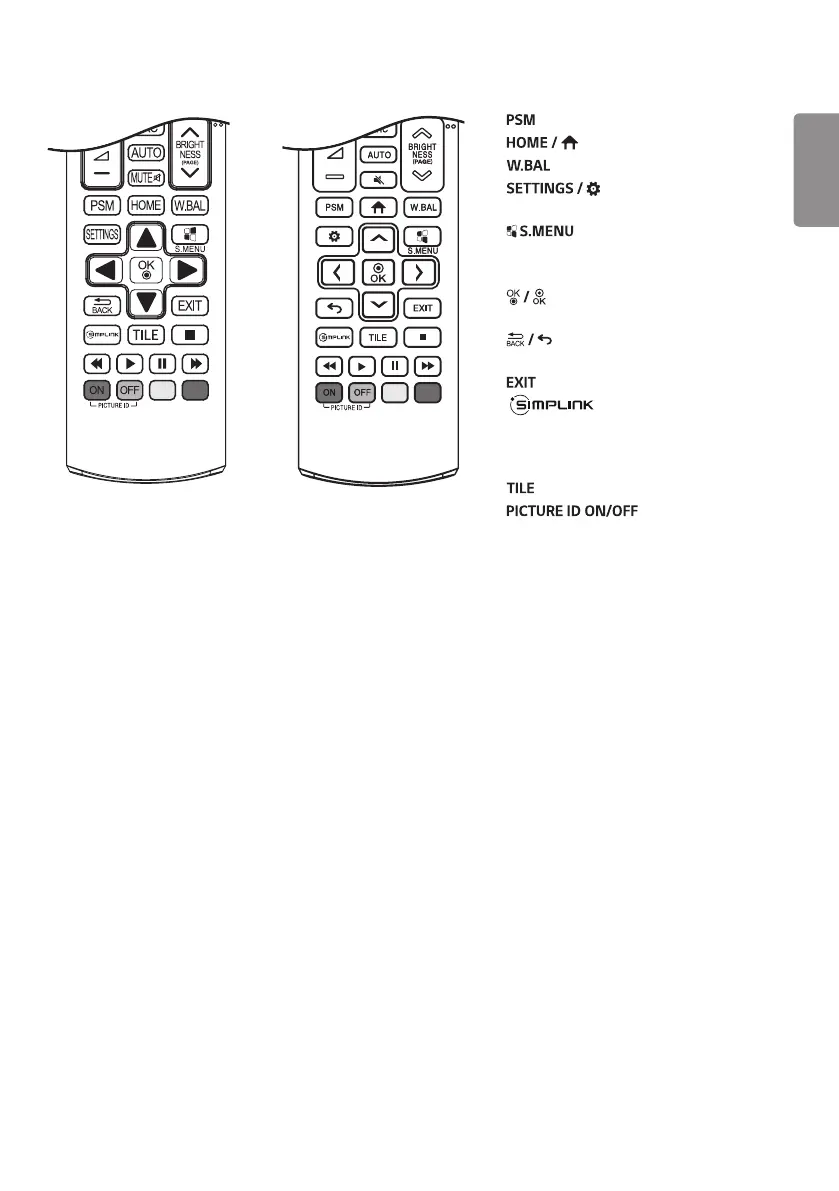
Selects the Picture Mode.
Activates the Launcher.
Enters the White Balance menu.
Accesses the main menus
or saves your input and exit menus.
SuperSign menu key.
Navigation Buttons Scrolls through menus
or options.
Selects menus or options and
confirms your input.
Allows you to move back one step
in the user interaction function.
Quit all OSD tasks and applications.
Allows you to control
various multimedia devices to enjoy
multimedia simply by using the remote
control through the SimpLink menu.
Selects the TILE Mode.
When the Picture ID
number matches the Set ID number, you
can control whichever monitor you want in
multi-display format.
USB Menu Control Buttons Controls
media playback.


 To Next Page