EasyManua.ls Logo

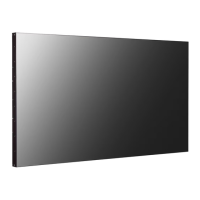
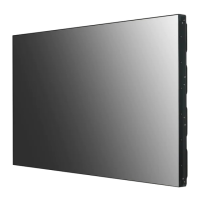
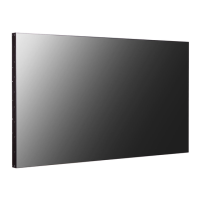
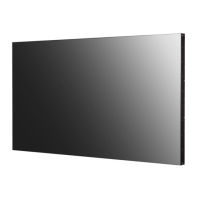
LG 49VL5B - User Manual

LG 49VL5B
24 pages
Print Icon
To Next Page IconTo Next Page
Loading...
www.lg.com
OWNER’S MANUAL
Please read this manual carefully before operating your set and retain it
for future reference.
49VL5B
LG Digital
Signage
(MONITOR SIGNAGE)

Other manuals for LG 49VL5B

Questions and Answers

Summary

Safety Precautions

Electrical Safety

Precautions related to electrical power usage, including cord, plug, and grounding safety.

Installation and Moving Safety

Guidelines for safely installing, moving, and operating the monitor to prevent damage or injury.

Usage, Cleaning, and Disposal

Best practices for using, cleaning, and disposing of the monitor safely and responsibly.

Licenses

Assembly and Preparation

Monitor Parts and Portrait Setup

Identifies monitor ports and provides instructions for portrait orientation.

Panel Protection Methods

Demonstrates correct and incorrect methods for storing the monitor panel.

Wall Mounting and Securing

Guides on installing the monitor on a wall and securing it properly.

Display Tiling and Joining

Instructions for setting up multi-monitor tiled displays, including mounting and joining.

Making Connections

Input Port Labeling

How to assign custom labels to external input ports for easy identification.

Connecting External Devices

Guidance on connecting PCs and other external devices like receivers and DVD players.

Daisy-Chaining Monitors

Explains how to connect multiple monitors in series using DVI-D output.

Troubleshooting and Maintenance

Image Display Issues

Solutions for common display problems like no image, dark screen, or invalid format.

Image Quality and Operation Issues

Troubleshooting steps for abnormal screen positions, noise, blur, color issues, and operational problems.

Image Sticking Prevention

Recommended conditions and explanation for preventing image sticking on the LCD panel.

Product Specifications

Video and Connectivity Specifications

Details screen type, resolution, frequencies, and available input/output ports.

Environmental and Power Specifications

Covers operating conditions, power consumption, and physical dimensions.

Signal Support Modes

Lists supported resolutions and frequencies for PC and DTV connections via various interfaces.

Summary

Safety Precautions

Electrical Safety

Precautions related to electrical power usage, including cord, plug, and grounding safety.

Installation and Moving Safety

Guidelines for safely installing, moving, and operating the monitor to prevent damage or injury.

Usage, Cleaning, and Disposal

Best practices for using, cleaning, and disposing of the monitor safely and responsibly.

Licenses

Assembly and Preparation

Monitor Parts and Portrait Setup

Identifies monitor ports and provides instructions for portrait orientation.

Panel Protection Methods

Demonstrates correct and incorrect methods for storing the monitor panel.

Wall Mounting and Securing

Guides on installing the monitor on a wall and securing it properly.

Display Tiling and Joining

Instructions for setting up multi-monitor tiled displays, including mounting and joining.

Making Connections

Input Port Labeling

How to assign custom labels to external input ports for easy identification.

Connecting External Devices

Guidance on connecting PCs and other external devices like receivers and DVD players.

Daisy-Chaining Monitors

Explains how to connect multiple monitors in series using DVI-D output.

Troubleshooting and Maintenance

Image Display Issues

Solutions for common display problems like no image, dark screen, or invalid format.

Image Quality and Operation Issues

Troubleshooting steps for abnormal screen positions, noise, blur, color issues, and operational problems.

Image Sticking Prevention

Recommended conditions and explanation for preventing image sticking on the LCD panel.

Product Specifications

Video and Connectivity Specifications

Details screen type, resolution, frequencies, and available input/output ports.

Environmental and Power Specifications

Covers operating conditions, power consumption, and physical dimensions.

Signal Support Modes

Lists supported resolutions and frequencies for PC and DTV connections via various interfaces.

LG 49VL5B Specifications

General IconGeneral
BrandLG
Model49VL5B
CategoryDigital Signage
LanguageEnglish

Related product manuals