EasyManua.ls Logo

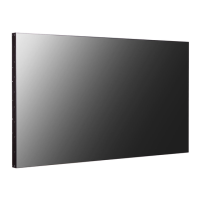
LG 49VL7D - User Manual

LG 49VL7D
25 pages
Print Icon
To Next Page IconTo Next Page
Loading...
49VL7D LG MFL69374202
MF SIGNAGE (1801-REV00)
1 Color (Black)
: In sid e
1 Color (Black)
Uncoated, wood-free paper 60 g/
: In sid e
Uncoated, wood-free paper 60 g/
Saddle stitching
:5. Num ber of pages
24
[Count ry Nam e]
LGERS/ LGEMX : Mexico
LGEKR: Korea
Changes t he Count ry nam e.
LGEMA/LGEWR: Poland
Print ed in [Count ry Nam e]
LGEND/LGESY: China
Others: Each Count ry nam e.
Checked :
Approved :
Print ing Specif ication
REV03
Signat ure
Change Cont ent s
ECO Num ber
N
O
T
E
This p ar t co n t ain s Eco -hazar d o u s su b st ances (Pb , Cd , Hg , Cr 6+ , PBB, PBDE, et c.) w it h in LG st an d ard level,
Det ails should be f ollow ed Eco-SCM m anagem ent standard[LG(56)-A-2524].
Especially, Part should be follow ed and cont rolled the follow ing specif icat ion.
(1) Eco-hazardous substances t est report should be subm it t ed w hen Part cert ification test and First Mass Product ion.
(2) Esp ecially, Don t use o r con t ain lead (Pb ) an d cad m iu m (Cd ) in in k.
REV01
REV02
Rev. Num ber
REV00
148 mm x 210 mm (A5)
ENG (1)
4. Origin Notification
5. Changes
3. St ock (Paper)
: Co ver
Seoungjune.Lee
Ungkee.Choi
:Part num ber
1. Model Description
:6. Language
:It em Nam e
:Suffix
:Brand nam e
:Product
:1. Trim size (Form at ) (W X H)
2. Print ing colors
: Co ver
:4. Bindery
(Revision num ber)
2. Printing Specification
Jongok. Kim
REV07
3. Pagination sheet
REV04
REV05
REV06
Front 2 3 4 5...
Back

Other manuals for LG 49VL7D

Questions and Answers

  • J
    Joshua RojasSep 23, 2025
    Why does my LG Monitor say 'Unknown Product'?
    • J
      jodibarronSep 23, 2025
      If an 'Unknown Product' message appears when your LG Monitor is connected, check your graphics card user manual to see if the Plug and Play function is supported.
  • W
    William ReidAug 25, 2025
    Why is my LG Monitor screen so dark even though the power is on?
    • C
      Chad GallegosAug 25, 2025
      If your LG Monitor's power is on but the screen is very dark, try adjusting the brightness and contrast settings. If the issue persists, the backlight may require repair.
  • J
    Jennifer PinedaAug 25, 2025
    Why does my LG Monitor power suddenly turn off?
    • D
      Douglas TorresAug 26, 2025
      If your LG Monitor suddenly turns off, check the power control settings and see if the sleep timer is enabled. Also, consider the possibility of a power interruption.
  • D
    darren53Aug 27, 2025
    How to fix no image on LG Monitor?
    • M
      Michael TaylorAug 27, 2025
      If your LG Monitor isn't displaying an image, ensure the power cord is securely connected to the outlet. Also, verify the signal cable connection and access the input menu to check the input signal. Adjust the brightness and contrast settings. If the issue persists, the backlight may require repair. If the signal from your PC's graphics card is outside the monitor's frequency range, adjust the frequency settings according to the manual's specifications.
  • M
    Mary LyonsAug 27, 2025
    How to check if the LG Monitor power cord is connected?
    • D
      Douglas Cohen Jr.Aug 27, 2025
      Ensure the power cord of your LG Monitor is properly connected to the power outlet.
  • P
    Pamela HarrisSep 14, 2025
    Why is my LG Monitor screen displaying abnormally?
    • A
      Allison SuttonSep 14, 2025
      If your LG Monitor screen is displaying abnormally, ensure the correct input signal is connected to the corresponding signal port. Use the appropriate signal cable that matches your source's input signal.
  • N
    Nicholas HunterSep 12, 2025
    How to fix horizontal noise on LG Monitor?
    • M
      Mathew AshleySep 12, 2025
      If you notice horizontal noise or blurred characters on your LG Monitor (using a D-Sub analog signal), press the AUTO button on the remote control to automatically optimize the screen. If this doesn't resolve the issue, navigate to [PICTURE] - [Screen] - [Phase] in the OSD menu.
  • J
    jameshardySep 13, 2025
    How to remove thin lines on LG Monitor background?
    • J
      Jordan ToddSep 13, 2025
      If you see thin lines on the background of your LG Monitor screen (using a D-Sub analog signal), press the AUTO button on the remote control to automatically select an optimal screen status. If adjustment is not satisfactory, select [PICTURE] - [Screen] - [Size] in the OSD menu.
  • J
    Jennifer Horne DVMSep 5, 2025
    Why does after-image appear on my LG 49VL7D Digital Signage?
    • D
      Daniel HansenSep 5, 2025
      If an after-image appears on your LG Digital Signage, it may be due to using a fixed image for a long time. Use the screen-saver function to prevent this.
  • P
    porterelizabethSep 2, 2025
    What to do if the screen image looks abnormal on my LG 49VL7D?
    • C
      Chris RamosSep 2, 2025
      If the screen image looks abnormal on your LG Digital Signage, try these steps: 1. Press the AUTO button on the remote control to automatically select the optimal screen status. 2. Select [PICTURE] - [Screen] - [Position] in the OSD menu. 3. Set to the recommended resolution in the Control Panel Display Setting menu. 4. Adjust the graphics card settings. 5. Connect the signal cable that matches with the source input signal, if the proper input signal is not connected to the signal port. 6. Also try [PICTURE] - [Screen] - [Size] and [PICTURE] - [Screen] - [Phase] in OSD menu.

LG 49VL7D Specifications

General IconGeneral
BrandLG
Model49VL7D
CategoryDigital Signage
LanguageEnglish

Related product manuals