EasyManua.ls Logo

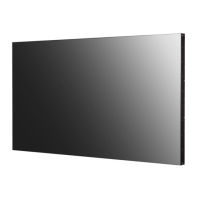
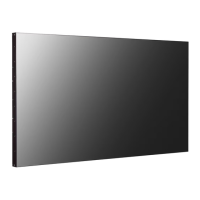
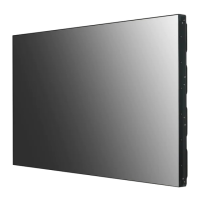
LG 49VL5F-A.AMA - User Manual

LG 49VL5F-A.AMA
32 pages
Print Icon
To Next Page IconTo Next Page
Loading...
OWNER’S MANUAL
LG Digital Signage
(MONITOR SIGNAGE)
www.lg.com
Copyright © 2019 LG Electronics Inc. All Rights Reserved.
49VL5F 49VL7F
Please read this manual carefully before operating your set and retain it for future
reference.

Questions and Answers

  • D
    Donna BradySep 8, 2025
    Why is the screen color unstable on my LG 49VL5F-A.AMA Digital Signage?
    • L
      linda06Sep 8, 2025
      If the screen color on your LG Digital Signage is unstable or appears mono-colored, check the connection status of the signal cable. Alternatively, try re-inserting the PC graphics card.
  • M
    Matthew CarlsonAug 23, 2025
    Why does the screen image look abnormal on my LG 49VL5F-A.AMA?
    • S
      Steven PowellAug 23, 2025
      If the screen image on your LG Digital Signage looks abnormal, press the button on the remote control to automatically select the optimal screen status for the current mode. If the adjustment isn't satisfactory, navigate to [PICTURE] ? [Screen] ? [POSITION] in the OSD menu. Also, ensure that the graphics card resolution and frequency are supported by the product. If the frequency is out of range, adjust to the recommended resolution in the Control Panel (Display) settings menu. You may also need to adjust the graphics card settings or connect the signal cable that matches the source input signal.
  • J
    Jonathan KhanAug 25, 2025
    Why is the screen color abnormal on my LG 49VL5F-A.AMA?
    • J
      Jerry MolinaAug 25, 2025
      If the screen color on your LG Digital Signage is abnormal, set the number of colors to more than 24 bits (true color) by selecting (Control Panel ? Display ? Settings ? Color Table) in Windows. Also, check the connection of the signal cable and re-insert the PC graphics card. Note that this can be attributable to the unique characteristics of the LCD panel and is not a malfunction.
  • S
    Shannon PhillipsAug 27, 2025
    What to do if after-image appears on LG 49VL5F-A.AMA Digital Signage?
    • J
      jaime89Aug 27, 2025
      If an after-image appears on your LG Digital Signage, use the screen-saver function to prevent pixel damage from fixed images displayed for extended periods. This is normal for LCD screen products.
  • C
    Cynthia ScottAug 27, 2025
    What to do if LG 49VL5F-A.AMA Digital Signage operation does not work normally?
    • M
      michaelowenAug 28, 2025
      If the operation of your LG Digital Signage does not work normally, check if the timer is set and review the power control settings. Also, verify if the power supply has been interrupted.
  • W
    wendypattersonSep 22, 2025
    How to fix poor color resolution on LG 49VL5F-A.AMA Digital Signage?
    • D
      Dr. Wesley GreenSep 22, 2025
      If your LG Digital Signage screen has poor color resolution (16 colors), set the number of colors to more than 24 bits (true color). In Windows, go to Control Panel ? Display ? Settings ? Color Table.
  • D
    Darrell MooreSep 16, 2025
    How to remove thin lines on LG 49VL5F-A.AMA Digital Signage screen?
    • R
      Robert FuentesSep 16, 2025
      If thin lines appear on the background screen of your LG Digital Signage, press the button on the remote control to automatically select an optimal screen status. If adjustment is not satisfactory, select [PICTURE] ? [Screen] ? [Size] in the OSD menu.
  • B
    Blake ThorntonSep 18, 2025
    What to do if my LG 49VL5F-A.AMA Digital Signage screen is displayed abnormally?
    • T
      taylorrhondaSep 18, 2025
      If the screen on your LG Digital Signage is displayed abnormally, connect the signal cable that matches with the source input signal, ensuring the proper input signal is connected to the signal port.
  • D
    Dustin GarrettSep 7, 2025
    Why is my LG 49VL5F-A.AMA Digital Signage screen so dark even though the power is on?
    • B
      Brandi CruzSep 7, 2025
      If the screen on your LG Digital Signage is very dark even when powered on, try adjusting the brightness and contrast settings. If the issue persists, the backlight may require repair.
  • T
    Tyler MarshallSep 4, 2025
    What to do if the 'No Signal' message appears on my LG 49VL5F-A.AMA?
    • A
      Angela WaltersSep 4, 2025
      If the 'No Signal' message appears on your LG Digital Signage, first, check the signal cable connecting your PC to the display. Also, access the input menu to ensure the correct input signal is selected.

LG 49VL5F-A.AMA Specifications

General IconGeneral
Screen Size49 inches
Brightness500 cd/m²
Contrast Ratio1200:1
Panel TypeIPS
Viewing Angle (H x V)178° x 178°
Response Time8 ms
Operating Temperature0°C to 40°C
Operating Humidity10% to 80%
Display TypeLCD
Resolution1920 x 1080
InputHDMI, DisplayPort, DVI-D
OutputAudio Out
External ControlRS-232C, RJ45
Operating SystemWebOS
ProcessorQuad Core
PortsHDMI, DisplayPort, DVI-D

Related product manuals