EasyManua.ls Logo

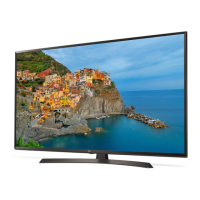
LG 49UB850V-ZD - User Manual

LG 49UB850V-ZD
56 pages
Print Icon
To Next Page IconTo Next Page
Loading...
OWNER’S MANUAL
LED TV*
Please read this manual carefully before operating your set
and retain it for future reference.
Click! User Guide
P/NO : MFL68066606 (1408-REV03)
Printed in Korea
www.lg.com
*MFL68066606*
*
LG LED TVs are LCD TVs with
LED backlighting.
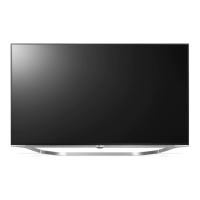
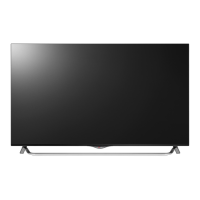
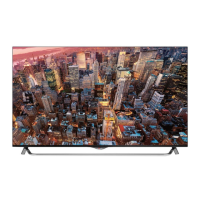
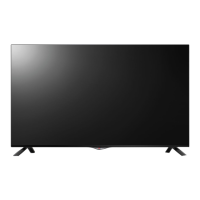
UB85** UB98**
UB93** UC97**
UB95**

Questions and Answers

  • T
    Tyler Kennedy DDSAug 15, 2025
    Why does my LG TV turn off suddenly?
    • J
      Jodi MathewsAug 15, 2025
      If your LG TV suddenly turns off, it might be due to a few reasons. First, the power supply could be interrupted, so check the power control settings. Also, the Automatic Standby, Sleep Timer, or Timer Power Off feature in the Timers settings might be enabled. Finally, if the TV doesn't receive a signal for 15 minutes, it will automatically turn off.
  • X
    xwalshAug 18, 2025
    How to fix LG TV remote not working?
    • E
      eric56Aug 18, 2025
      If you can't control your LG TV with the remote, first check the remote control sensor on the TV and try again. Make sure there isn't anything blocking the path between the remote and the TV. Also, verify that the batteries in the remote are working and installed correctly.
  • J
    Jamie MyersAug 21, 2025
    What to do if LG TV says no signal when connected to PC?
    • J
      Joan RodriguezAug 21, 2025
      If your LG TV displays ‘No signal’ or ‘Invalid Format’ when connected to a PC via HDMI or DVI, try turning the TV off and then on again using the remote control. If that doesn't work, try reconnecting the HDMI cable. As a final step, restart your PC while the TV is on.
  • C
    Caitlin FoleyAug 25, 2025
    How to fix LG 49UB850V-ZD remote not working?
    • R
      Robert NunezAug 25, 2025
      If you're unable to control your LG LED TV with the remote, first, ensure there are no obstructions between the remote and the TV's sensor. Next, check that the batteries are correctly installed ( to, to ) and still have power. Finally, try again by pointing the remote directly at the remote control sensor on the TV.
  • R
    Robert LeAug 27, 2025
    Why does my LG 49UB850V-ZD turn off suddenly?
    • J
      jeffreyjacobsAug 28, 2025
      If your LG LED TV suddenly turns off, there are a few things you can check. First, review your power control settings, as the power supply might be interrupted. Also, verify if the Automatic Standby, Sleep Timer, or Timer Power Off feature is activated in the Timers settings. Lastly, be aware that if the TV doesn't receive a signal while on, it will automatically turn off after 15 minutes of inactivity.
  • M
    Maria AustinAug 31, 2025
    Why does my LG 49UB850V-ZD LED TV turn off by itself?
    • C
      cruzbrookeAug 31, 2025
      If your LG LED TV is turning off unexpectedly, there might be a few reasons: * Check the power control settings to ensure the power supply isn't interrupted. * Examine the Timers settings to see if the Automatic Standby, Sleep Timer, or Timer Power Off feature is enabled. * Note that if the TV doesn't receive a signal for 15 minutes, it will automatically shut down.
  • L
    lisa95Sep 3, 2025
    What to do if my LG 49UB850V-ZD LED TV has no picture and sound?
    • K
      Kaitlin HodgesSep 3, 2025
      If your LG LED TV shows no image and produces no sound, start by verifying that the TV is powered on. Then, check that the power cord is securely connected to both the TV and the wall outlet. To rule out a faulty outlet, try plugging another device into the same outlet.
  • S
    Sara WheelerSep 6, 2025
    Why does my LG LED TV say no signal when connected to PC?
    • J
      jsawyerSep 7, 2025
      If you see a ‘No signal’ or ‘Invalid Format’ message when connecting your PC to your LG LED TV via HDMI/DVI, try the following: First, turn the TV off and then on again using the remote. If that doesn't work, reconnect the HDMI cable. As a final step, restart your PC while the TV is powered on.
  • C
    Catherine MayerSep 10, 2025
    What to do if my LG LED TV says ‘No signal’ when connected to PC?
    • T
      Terry RamseySep 10, 2025
      If your LG LED TV displays ‘No signal’ or ‘Invalid Format’ when connecting to a PC via HDMI/DVI, try the following: Turn the TV off and on using the remote control. Reconnect the HDMI cable. Restart the PC while the TV is on.

LG 49UB850V-ZD Specifications

General IconGeneral
Screen Size49 inches
Display TypeLED
Resolution3840 x 2160 (4K UHD)
HDRNo
Smart TVYes
HDMI Ports3
USB Ports3
Audio Output20W
3DYes
Refresh Rate100 Hz
Operating SystemwebOS
Built-in Wi-FiYes

Related product manuals