EasyManua.ls Logo

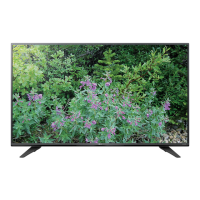
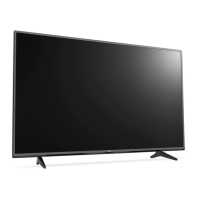
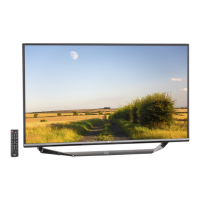
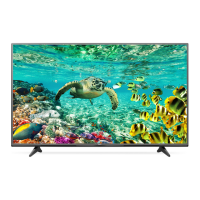
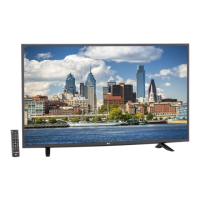
LG 49UF7700 - User Manual

LG 49UF7700
64 pages
Print Icon
To Next Page IconTo Next Page
Loading...
OWNER’S MANUAL
Safety and Reference
LED TV*
* LG LED TVs are LCD TVs with LED backlighting.
P/NO : MFL68741512 (1603-REV06)
www.lg.com
*MFL68741512*
Please read this manual carefully before operating your TV and retain
it for future reference.
43UF6800
49UF6800
55UF6800
65UF6800
49UH6230
55UH6230
43UF6900
49UF6900
70UF7300
40UF7700
43UF7700
49UF7700
55UF7700
60UF7700
65UF7700
70UF7700
79UF7700
58UF8300
49UF8500
55UF8500
60UF8500
65UF8500
55UF9500
65UF9500
79UF9500
55UG8700
65UG8700

Other manuals for LG 49UF7700

Questions and Answers

  • W
    William MartinAug 15, 2025
    Why is my LG LCD TV remote not working?
    • S
      Samuel DyerAug 15, 2025
      If you cannot control your LG LCD TV with the remote, first ensure that nothing is covering the receiver on the TV. Then, check for any obstacles between the remote and the TV. Finally, try replacing the batteries in the remote with new ones.
  • H
    hthompsonAug 18, 2025
    How to fix LG 49UF7700 LED TV remote control not working?
    • B
      Brian RiosAug 18, 2025
      If you're unable to control your LG LED TV with the remote, first, make sure that nothing is covering the receiver on the TV. Next, ensure there are no obstructions between the remote and the TV. Finally, try replacing the batteries in the remote with fresh ones.
  • B
    Brandon SmithAug 21, 2025
    What to do if LG LED TV remote control is not working?
    • J
      justingarrettAug 21, 2025
      If you're having trouble controlling your LG LED TV with the remote, there are a few things to check. First, make sure that nothing is blocking the remote's signal, such as tape over the receiver on the TV or any obstacles between you and the TV. If the path is clear, try replacing the remote batteries with a fresh set.
  • A
    asimsAug 25, 2025
    Why does my LG 49UF7700 LED TV turn off by itself?
    • T
      Tamara JonesAug 26, 2025
      If your LG LED TV is turning off unexpectedly, it could be due to a few reasons. The power supply might be interrupted, so check your power control settings. Also, the Sleep Timer or Timer Power Off feature in the Timers settings may be activated. Finally, if the TV doesn't receive a signal for 15 minutes, it will automatically turn off.
  • J
    Janet JonesAug 28, 2025
    Why does my LG 49UF7700 turn off suddenly?
    • A
      Alan HobbsAug 28, 2025
      If your LG LED TV suddenly turns off, first check your power control settings, as the power supply might be interrupted. Also, verify if the Sleep Timer or Timer Power Off feature is enabled within the Timers settings. Finally, be aware that the TV is designed to turn off automatically after 15 minutes of inactivity if no signal is detected.
  • N
    Nicholas VillegasAug 31, 2025
    Why does my LG LED TV keep turning off?
    • S
      Sandra SanchezAug 31, 2025
      Your LG LED TV might be turning off suddenly due to a few reasons. First, the power supply may be interrupted, so check the power control settings. Second, the Sleep Timer or Timer Power Off feature may be activated in the Timers settings. Finally, if the TV doesn't receive a signal for 15 minutes, it will automatically turn off.
  • W
    whitejamesSep 4, 2025
    How to troubleshoot no image and sound on LG LED TV?
    • J
      Jared SmithSep 4, 2025
      If your LG LED TV shows no image and produces no sound, start by ensuring that the TV is powered on. Then, verify that the power cord is securely connected to both the TV and the wall outlet. To rule out a faulty outlet, try plugging another device into the same outlet to see if it works.
  • C
    Christopher BurkeSep 7, 2025
    What to do if my LG 49UF7700 LED TV has no image and sound?
    • C
      Cindy JonesSep 7, 2025
      If your LG LED TV shows no image and produces no sound, ensure the TV is powered on and properly connected to a functioning wall outlet. To confirm the outlet's functionality, test it by plugging in another device.
  • D
    David SimpsonSep 12, 2025
    What to do if my LG LCD TV turns off suddenly?
    • C
      Charles FullerSep 12, 2025
      If your LG LCD TV turns off suddenly, check the power control settings to ensure the power supply is not interrupted. Also, verify if the Sleep Timer or Timer Power Off feature is activated in the Timers settings. Note that if there is no signal while the TV is on, it will turn off automatically after 15 minutes of inactivity.

Summary

Safety and Reference

Important Safety Instructions

Critical warnings and precautions for safe operation and to prevent hazards.

General Safety Precautions

Essential safety guidelines for preventing electric shock, fire, and product damage.

Preparation, Handling, and Installation

Optional Extras and Maintenance

Information on optional accessories and routine cleaning instructions for the TV.

Moving and Operating the TV

Procedures for safely moving the TV and operating basic functions using the joystick.

Installation and Menu Adjustment

Guidance on adjusting the TV menu and installing the TV on a table or wall.

Connectivity and Remote Control

Connections and Signal Input

Information on connecting external devices, antennas, and cables for optimal TV reception.

Magic Remote Functions

Detailed explanation of the Magic Remote's buttons and their functions.

Technical Information and Setup

External Control Device Setup

Guide on setting up external devices to control the TV functions via USB or RS-232C connections.

Model Specifications

Technical specifications including dimensions, weight, and power consumption for specific LG TV models.

LG 49UF7700 Specifications

General IconGeneral
Screen Size49 inches
Resolution3840 x 2160 (4K UHD)
Display TypeLED
HDR SupportYes
Smart TVYes
Wi-FiYes
HDMI Ports3
USB Ports3
Audio Output20W
3DNo
Operating SystemwebOS
BluetoothNo
Refresh Rate120Hz

Related product manuals