EasyManua.ls Logo

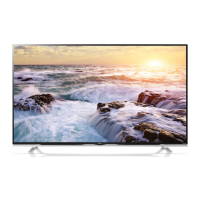
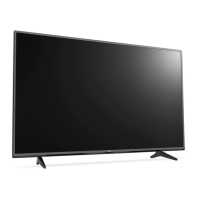
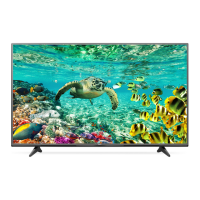
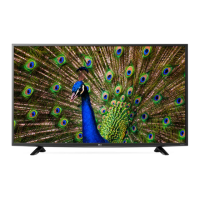
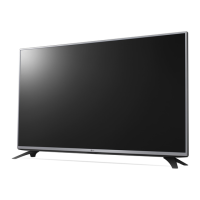
LG 49UF852V.AEU - User Manual

LG 49UF852V.AEU
192 pages
Print Icon
To Next Page IconTo Next Page
Loading...
Please read this manual carefully before operating your set and
retain it for future reference.
www.lg.com
Safety and Reference
OWNER’S MANUAL
LED TV*
* LG LED TV applies LCD screen with LED backlights.
*MFL68780132*
P/NO : MFL68780132 (1504-REV03)
Printed in Korea

Table of Contents

Questions and Answers

  • B
    bryan38Sep 8, 2025
    Why is there no picture or sound on my LG 49UF852V.AEU LED TV?
    • P
      Peter WaltonSep 8, 2025
      If your LG LED TV has no image and no sound, start by checking if the TV is powered on. Next, confirm that the power cord is securely connected to a working wall outlet. To ensure the outlet is functioning correctly, test it by plugging in another device.
  • D
    Donna AndrewsAug 23, 2025
    Why is my LG LED TV remote not working?
    • G
      Gregory MillsAug 23, 2025
      If you're unable to control your LG LED TV with the remote, first ensure that there are no obstructions between the remote and the TV. Next, verify that the remote control sensor on the TV is unobstructed. Finally, check that the batteries in the remote are working correctly and properly installed.
  • M
    martinmaryAug 25, 2025
    Why does my LG 49UF852V.AEU keep turning off?
    • S
      Stephen McgeeAug 25, 2025
      Your LG LED TV might be turning off suddenly due to a few reasons. First, check the power control settings in case the power supply is interrupted. Also, verify that the Automatic Standby, Sleep Timer, or Timer Power Off features are not activated in the Timers settings. Lastly, if the TV doesn't receive a signal for 15 minutes, it will automatically turn off.
  • I
    Isaiah Greene Jr.Aug 27, 2025
    Why does my LG LCD TV turn off suddenly?
    • R
      reedmichaelAug 27, 2025
      Your LG LCD TV might be turning off suddenly due to a few reasons. The power supply could be interrupted, so check your power control settings. Also, Automatic Standby, Sleep Timer, or Timer Power Off might be activated in the Timers settings. Finally, if the TV doesn't receive a signal for 15 minutes, it will turn off automatically.
  • R
    Robin WarrenAug 27, 2025
    How to fix LG 49UF852V.AEU remote control not working?
    • L
      Lawrence HolderAug 27, 2025
      If your LG LED TV remote isn't working, first ensure there are no obstructions blocking the path between the remote and the TV's sensor. Then, check the remote's batteries to confirm they are correctly installed and still have power.
  • D
    Daisy HurstSep 22, 2025
    What to do if LG 49UF852V.AEU LED TV says no signal when connected to PC?
    • G
      Gregory KellySep 22, 2025
      If your LG LED TV displays ‘No signal’ or ‘Invalid Format’ when connected to a PC via HDMI, try turning the TV off and then on again using the remote. If that doesn't work, try reconnecting the HDMI cable. As a final step, restart your PC while the TV is powered on.
  • D
    David EwingSep 16, 2025
    Why does my LG LCD TV turn off by itself?
    • A
      Amber MarshSep 16, 2025
      If your LG LCD TV turns off suddenly, it could be due to a few reasons. The power supply might be interrupted, so check the power control settings. Also, verify if the Automatic Standby, Sleep Timer, or Timer Power Off is activated in the Timers settings. If the TV doesn't receive a signal for 15 minutes, it will automatically turn off.
  • R
    Rachel SheltonSep 18, 2025
    How to fix ‘No signal’ or ‘Invalid Format’ on LG LCD TV when connecting to PC (HDMI)?
    • R
      Ruth FarrellSep 18, 2025
      If you see a ‘No signal’ or ‘Invalid Format’ message on your LG LCD TV when connecting to a PC via HDMI, try turning the TV off and on using the remote control. If that doesn't work, reconnect the HDMI cable. As another option, restart your PC while the TV is on.
  • J
    Jessica LoganSep 7, 2025
    Why does my LG 49UF852V.AEU turn off by itself?
    • R
      Robert CordovaSep 7, 2025
      If your LG LED TV suddenly turns off, examine your power settings to ensure they are correctly configured. Also, verify if the Automatic Standby, Sleep Timer, or Timer Power Off features are enabled within the TV's timer settings. Note that the TV will automatically shut down after 15 minutes of inactivity if no signal is detected.
  • K
    Kimberly BushSep 4, 2025
    What to do if my LG LCD TV remote control is not working?
    • L
      Larry HicksSep 4, 2025
      If you cannot control your LG LCD TV with the remote control, first check the remote control sensor on the TV and try again. Ensure there are no obstacles between the remote control and the TV. Also, verify that the batteries in the remote are working and properly installed.

LG 49UF852V.AEU Specifications

General IconGeneral
Screen Size49 inches
Display TypeLED
Resolution3840 x 2160 (4K UHD)
Smart TVYes
Operating SystemwebOS
HDR SupportYes
Wi-FiYes
HDMI Ports3
USB Ports3
Audio Output20W
3DNo
Refresh Rate100 Hz
BluetoothNo
Weight14.5 kg

Related product manuals