EasyManua.ls Logo

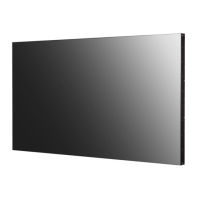
LG 49UH5F - User Manual

LG 49UH5F
40 pages
Print Icon
To Next Page IconTo Next Page
Loading...
OWNER’S MANUAL
LG Digital Signage
(MONITOR SIGNAGE)
www.lg.com
Copyright © 2019 LG Electronics Inc. All Rights Reserved.
Please read this manual carefully before operating your set and retain it for future
reference.
43UM3F
43UH5F
43UM3DF
49UM3F
49UH5F
49UM3DF
49UH7F
55UM3F
55UH5F
55UM3DF
55UH7F
65UM3F
65UH5F
65UM3DF
65UH7F
*MFL71435706*
(2003-REV03)

Questions and Answers

  • S
    sbrownJul 28, 2025
    Why is there no image on my LG Digital Signage?
    • S
      Stephanie ThompsonJul 28, 2025
      If no image is displayed on your LG Digital Signage, ensure the power cord is correctly plugged into the power outlet. Also, check the signal cable and access the input menu to check the input signal. If the signal from the PC (Graphics card) is out of the vertical or horizontal frequency range of the product, adjust the frequency range by referring to the Specifications in this manual.
  • T
    Timothy MurrayJul 31, 2025
    What to do if the screen image looks abnormal on my LG 49UH5F Digital Signage?
    • A
      Amy CantrellAug 1, 2025
      If the screen image looks abnormal on your LG Digital Signage, check if the graphics card resolution and frequency are supported by the product. If the frequency is out of range, set to the recommended resolution in the “Display” settings in Control Panel. Also, ensure the proper input signal is connected to the signal port; connect the signal cable that matches with the source input signal.
  • Z
    Zachary HolmesAug 5, 2025
    Why is the screen color abnormal on my LG Digital Signage?
    • N
      nathanmaciasAug 5, 2025
      If the screen color is abnormal on your LG Digital Signage, set the number of colors to more than 24 bits (true color) by selecting Control Panel - Display - Settings - Color Table menu in Windows. Check the connection status of the signal cable and re-insert the PC graphics card. Note that several pixels (red, green, white, blue or black color) may appear on the screen, which is not a malfunction of the LCD, but attributable to its unique characteristics.
  • R
    Ryan RobertsAug 9, 2025
    What to do if the audio function does not work on LG 49UH5F?
    • N
      Nicole BoydAug 10, 2025
      If the audio function does not work on your LG Digital Signage, verify that the audio cable is connected properly. Adjust the volume and ensure the sound is set properly. Also, select the appropriate equalizer sound and check the volume level.
  • B
    Brittany NewmanAug 14, 2025
    What to do if after-image appears on the LG 49UH5F?
    • C
      Christine NavarroAug 14, 2025
      If an after-image appears on your LG Digital Signage, use the screen-saver function, especially if you use a fixed image for a long time, as the pixels may be damaged. When a dark image is displayed on the screen after an image with high contrast (black and white or gray), this may cause image sticking, which is normal for LCD screen products.
  • M
    masseynicholasAug 18, 2025
    What to do if the operation does not work normally on LG 49UH5F?
    • R
      rwestAug 18, 2025
      If the operation does not work normally on your LG Digital Signage, check if the Timer is set. Also, review the power control settings and check for any power interruptions.
  • M
    Mary SullivanAug 22, 2025
    What to do if the 'Unknown Product' message appears when connecting LG 49UH5F?
    • T
      Terry HawkinsAug 22, 2025
      If the 'Unknown Product' message appears when connecting your LG Digital Signage, check if the function is supported by referring to the graphics card user manual.

Summary

Safety Precautions

Precautions In Installing the Product

Guidelines for safely installing the product to prevent hazards.

Precautions to the AC Adapter and Electrical Power

Warnings and guidelines for using power cords and adapters safely.

Precautions In Moving the Product

Steps and warnings for safely moving the monitor to avoid damage or injury.

Precautions In Using the Product

General safety guidelines for operating the monitor to prevent damage or accidents.

Mounting on a Wall

Instructions and precautions for securely mounting the monitor on a wall.

Assembly and Preparation

Optional Accessories

List and description of optional accessories available for the product.

Parts and Buttons

Identification and function of the monitor's physical buttons and parts.

Connecting the Stand

Step-by-step instructions for attaching the product's stand.

Connecting the IR Sensor

Guide for connecting the IR sensor for remote control functionality.

Portrait Layout

Instructions for orienting the monitor in a portrait display mode.

Using Kensington Lock

How to use the Kensington security lock for anti-theft protection.

Attaching and removing the LG Logo Bracket

Procedure for attaching or removing the decorative LG logo bracket.

Assembling the Memory Cover

Instructions for securing the memory cover to prevent theft.

Installing on a Wall

Detailed steps and safety considerations for wall mounting the monitor.

Remote Control

Making Connections

Connecting to a PC

Guide for connecting a computer to the monitor for display.

External Device Connection

Instructions for connecting other external devices like DVD players.

Connecting Multiple Monitors

How to connect multiple monitors in a daisy-chain configuration.

Troubleshooting

No image is displayed

Solutions for issues where the screen remains blank or shows no image.

The Unknown Product message appears when the product is connected

Steps to resolve issues with unrecognized product messages during connection.

The screen image looks abnormal

Troubleshooting steps for distorted or abnormal display quality.

After-image appears on the product

Advice on preventing and resolving image retention or ghosting effects.

The audio function does not work

Steps to fix problems with the monitor's audio output.

Screen color is abnormal

Solutions for color display issues such as poor resolution or instability.

The operation does not work normally

General troubleshooting for unexpected operational failures or power issues.

Product Specifications

Licenses

To See the Web Manuals (Software User Guide; Installation Manual)

LG 49UH5F Specifications

General IconGeneral
Panel life50000 h
Response time8 ms
Display diagonal49 \
Display brightness500 cd/m²
Display technologyIPS
Native aspect ratio16:9
Contrast ratio (typical)1100:1
Display diagonal (metric)123 cm
HDMI ports quantity3
DVI-D ports quantity1
VGA (D-Sub) input ports0
OrientationHorizontal/Vertical
Product colorBlack
Product designDigital signage flat panel
Bezel width (side)9.9 mm
Placement supportedIndoor
Bezel width (bottom)14.4 mm
Panel mounting interface300 x 300 mm
Cables includedAC, HDMI, RS-232
Tilt angle range0 - 30 °
PurposeUniversal
TV tuner integrated-
Operating hours (hours/days)24/7
International Protection (IP) codeIP5X
AC input voltage100 - 240 V
AC input frequency50 - 60 Hz
Energy efficiency scaleA to G
Power consumption (standby)0.5 W
Power consumption (typical)79 W
Computer system typeSystem on Chip (SoC)
Operating system installedWeb OS
Package depth162 mm
Package width1197 mm
Package height740 mm
Package weight18800 g
Operating temperature (T-T)0 - 40 °C
Operating relative humidity (H-H)10 - 80 %
Sustainability certificatesENERGY STAR
Weight and Dimensions IconWeight and Dimensions
Depth39.9 mm
Width1098.6 mm
Height644.5 mm
Weight15400 g

Related product manuals