EasyManua.ls Logo

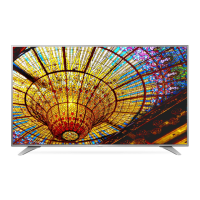
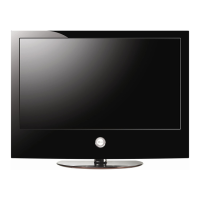
LG 49UV770M - User Manual

LG 49UV770M
123 pages
Print Icon
To Next Page IconTo Next Page
Loading...
LG First Use Wizard
pages 1718
Custom Master TV Setup
pages 5557
Cloning Procedures
pages 5864
EXPERIENCED INSTALLER
Commercial Mode Setup Guide
Note: Selected features shown in this guide may not be available on all models.
Hospital Grade Interactive Pro:Centric 
®
TVs
© Copyright 2017 LG Electronics U.S.A., Inc.
P/N: 206-4324 (Rev A)
43UV770M
49UV770M
55UV770M

Table of Contents

Other manuals for LG 49UV770M

Questions and Answers

  • D
    Donna GeorgeAug 11, 2025
    Why does my LG TV have no picture?
    • K
      Kevin BensonAug 11, 2025
      There are several reasons why your LG TV might not be displaying a picture. First, ensure that the TV is turned on and check for any power failures. Also, verify that the antenna or cable is properly connected to the TV. Check all connections on the TV to make sure they are correct. If applicable, ensure the MPI cable is connected to the MPI device. The channel might be encrypted, so try another channel. Finally, the tuning band might be incorrect; in that case, adjust the Installer Menu settings.
  • J
    Joseph FoxAug 17, 2025
    What to do if LG 49UV770M TV remote doesn’t work?
    • L
      Lisa BurnsAug 17, 2025
      If your LG TV remote isn’t working, try these steps: Ensure the remote is in TV Mode by using the MODE key, if applicable. Point the remote directly at the IR receiver on the TV. Move closer to the TV with the remote, remove any obstacles, and dim the room if it's too bright. Replace the batteries, making sure the ‘+’ and ‘-’ are correctly aligned. If applicable, connect the MPI cable to the MPI device. Also, ensure the Installer Remote is compatible and that the IR codes match the settings in the TV.
  • J
    johnsonreginaldAug 25, 2025
    Why does my LG 49UV770M have normal picture but no sound?
    • J
      Jordan SullivanAug 25, 2025
      If your LG TV has a picture but no sound, first check if the audio is muted. Press the MUTE button or use the Volume Up key. If that's not the issue, the problem may be with the broadcast itself, so try changing to a different channel. Also, verify that the Pillow/TV speaker is configured correctly by checking the Installer Menu items 020 FEATURE LEVEL and 027 HOSPITAL MODE. If applicable, select TV Speaker in the Audio Menu.
  • D
    davisjasminAug 28, 2025
    What to do if there are no channels present after Express Script on LG TV?
    • S
      sullivanjosephAug 29, 2025
      If no channels are present after running the Express Script on your LG TV, it is likely that Auto Tuning was not run. Refer to the Express Script procedure to run Auto Tuning, which is necessary to populate the channel lineup. To reactivate the Express Script, restore the TV to a factory default condition.
  • E
    Edward ScottSep 4, 2025
    How to direct enter channel number on LG TV?
    • Z
      Zachary BushSep 4, 2025
      If you cannot directly enter a channel number on your LG TV, it could be due to one of two reasons. If the TV is in Pass-through Mode, the Installer Menu item 028 CH. OVERIDE might be set to 0 (disabled). To enable direct keypad entry, set CH. OVERIDE to 1. Alternatively, if the TV is not in Pass-through Mode, the channel you're trying to enter might not be included in the current Channel Map. If necessary, modify the Channel Map using the appropriate application or content editor.

LG 49UV770M Specifications

General IconGeneral
BrandLG
Model49UV770M
CategoryTV
LanguageEnglish

Related product manuals