Need help?
Do you have a question about the LG 50PG200R and is the answer not in the manual?
This document outlines the service procedures for an LG Plasma TV, specifically models within the 50PG200R series, utilizing the PP81B chassis. It serves as a comprehensive guide for technicians, covering everything from safety precautions to detailed adjustment instructions and troubleshooting.
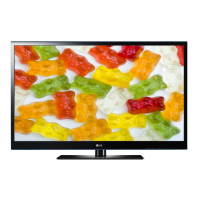
The LG Plasma TV is designed to provide a wide-color display experience, functioning as a primary entertainment device. It supports various broadcasting systems, including PAL-BG/I/DK and SECAM, and can receive signals across VHF/UHF and CATV channels. The television offers multiple input options to accommodate diverse external devices. These include two SCART inputs (one full, one half), one video input, one S-Video input, one component input (Y/Cb/Cr, Y/Pb/Pr), one RGB-PC input, and two HDMI inputs (REAR HDMI(2)). For audio, it provides five input options: PC Audio, three AV inputs, and one Side AV input, with L/R inputs available for PC, component, rear, and side AV. The display module is a 50-inch Wide Color Display Plasma Display Panel with a 16:9 aspect ratio, utilizing a PDP50PG1 module and a glass filter for RGB closed-type display.
The television is equipped with features that allow for precise calibration and adjustment to optimize picture and sound quality. Users or technicians can perform ADC calibration for both PC and component inputs to ensure accurate color and signal processing. The adjustment instruction section details how to perform auto RGB gain/offset adjustment for PC input, using specific patterns from a pattern generator to achieve optimal display. Similarly, component gain/offset adjustment is outlined, ensuring proper color bar display for various resolutions.
Software programming and EDID (Extended Display Identification Data) download capabilities are integral for maintaining and updating the TV's functionality. The EDID download process ensures proper communication between the TV and connected display sources, facilitating plug-and-play functionality. This involves using a dedicated ISP tool program and specific cables to write EDID data for both RGB and HDMI inputs.
White balance adjustment is a critical feature for achieving accurate color temperature. The manual describes two modes: Medium (Vivid) and Warm, with Cool data automatically calibrated from Medium data. This adjustment can be performed manually using a remote controller and a color analyzer, or automatically with specialized equipment. The process involves setting target color coordinates and adjusting R/G/B gain and offset values to match the desired temperature.
The TV also includes a default value setting for white balance and a "CH write" condition for automatic configuration upon AC power-on. Power PCB assembly voltage adjustment for Va and Vs voltages is also a key feature, ensuring stable operation of the plasma display panel.
The service manual emphasizes several maintenance features and safety precautions to ensure the longevity and safe operation of the television.
 General
| Screen Size | 50 inches |
|---|---|
| Resolution | 1366 x 768 |
| Display Technology | Plasma |
| HDMI Ports | 2 |
| Contrast Ratio | 30000:1 |
| Brightness | 1500 cd/m² |
| Weight | 75.4 lbs |
| Response Time | 0.001 ms |
| Component Video Input | 1 |
| Composite Video Input | 1 |
| S-Video Input | 1 |
| PC Input | 1 |
| Audio Output | 2 x 10W |
| Aspect Ratio | 16:9 |
| Inputs | HDMI, Component, Composite, S-Video, PC |
| Speakers | 2 |


 To Next Page