EasyManua.ls Logo

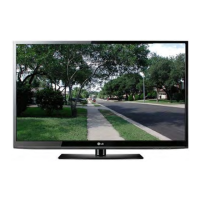
LG 50PV450 - User Manual

LG 50PV450
160 pages
Print Icon
To Next Page IconTo Next Page
Loading...
Training Manual
50PV450 50PV450 Plasma Plasma
DisplayDisplay
A
dvanced Single Scan Troubleshooting
50" Class Full HD 1080p Plasma TV
(49.9" diagonally)
Published May 13
th
, 2011

Table of Contents

Other manuals for LG 50PV450

Questions and Answers

  • R
    Richard GuerraAug 7, 2025
    How to clean LG Plasma TV screen?
    • J
      James GriffinAug 7, 2025
      To clean your LG Plasma TV screen, wet a soft cloth in a mixture of lukewarm water and a little fabric softener or dish washing detergent. Wring the cloth until it’s almost dry, and then use it to wipe the screen. Ensure excess water is off the screen, and allow it to air-dry completely before turning the TV back on.
  • A
    allisonpalmerAug 16, 2025
    How to clean LG 50PV450 cabinet?
    • C
      chelseagoodwinAug 17, 2025
      To clean the cabinet of your LG Plasma TV, use a soft, dry, lint-free cloth to wipe away any dirt or dust. Avoid using a wet cloth.
  • M
    martinezdavidAug 27, 2025
    What to do if leaving LG 50PV450 for extended absence?
    • A
      Anna LeonAug 27, 2025
      If you plan to leave your LG Plasma TV unused for an extended period, such as during a vacation, unplug the power cord. This protects your TV from potential damage due to lightning strikes or power surges.

Summary

Overview of Topics to be Discussed

Preliminary

Covers initial setup, contact information, and specifications.

Troubleshooting

Details circuit board operation, troubleshooting, and alignment steps.

IMPORTANT SAFETY NOTICE

CAUTION

Crucial safety warnings regarding personal injury and equipment handling.

Basic Troubleshooting Steps

Define, Localize, Isolate and Correct

A systematic methodology for diagnosing and resolving faults.

SWITCH MODE POWER SUPPLY SECTION

Power Supply Basic Operation

Explains how the SMPS operates and its voltage outputs.

Y-SUS BOARD SECTION (Overview)

Y-SUS Board Troubleshooting Y-Drive

Guides on troubleshooting the Y-SUS board's interaction with the Y-Drive.

Z-SUS SECTION

Z-SUS Board Component Identification

Identifies components and test points on the Z-SUS board.

CONTROL BOARD SECTION

Control Board Component Identification

Identifies components and connectors on the Control board.

X BOARD (LEFT, RIGHT and CENTER) SECTION

X Board Additional Information

Provides details on X-board function and connections to TCPs.

MAIN BOARD SECTION

Main Board Layout and Identification

Overview of the Main board's layout and key components.

INTERCONNECT DIAGRAM (11 X 17 Foldout) SECTION

50 PV450 (50 R3 Panel) CIRCUIT INTERCONNECT DIAGRAM

A detailed diagram showing interconnections between all boards.

LG 50PV450 Specifications

General IconGeneral
Screen Size50 inches
Display TypePlasma
Resolution1024 x 768
Aspect Ratio16:9
HDMI Ports3
USB Ports1
Component Video Input1
Composite Video Input1
Refresh Rate600Hz
InputsHDMI, USB, Component, Composite
Smart TVNo
3D CapableNo
Contrast Ratio3, 000, 000:1

Related product manuals