EasyManua.ls Logo

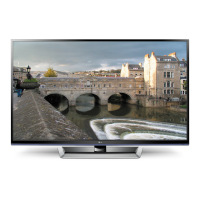
LG 50PM4700 - User Manual

LG 50PM4700
232 pages
Print Icon
To Next Page IconTo Next Page
Loading...
www.lg.com
OWNER’S MANUAL
PLASMA TV
Please read this manual carefully before operating your set and retain it
for future reference.
P/NO : MFL67468602 (1205-REV03)
42PM4700
50PM4700
50PM9700
60PM9700
50PM6700
60PM6700

Other manuals for LG 50PM4700

Questions and Answers

  • G
    Gina BuchananAug 19, 2025
    Why does my LG 50PM4700 Plasma TV turn off suddenly?
    • J
      jamieandersonAug 19, 2025
      If your LG Plasma TV turns off unexpectedly, it could be due to a few reasons. First, examine the power control settings to ensure the power supply isn't being interrupted. Secondly, check if the Auto sleep feature is enabled in the Time settings. Lastly, if the TV doesn't receive a signal while it's on, it will automatically shut down after a period of inactivity.
  • S
    Steven StokesAug 21, 2025
    What to do if my LG 50PM4700 Plasma TV has no image and sound?
    • A
      Angela AndersonAug 21, 2025
      If your LG Plasma TV shows no image and produces no sound, start by verifying that the TV is powered on. Next, confirm that the power cord is securely connected to a working wall outlet. To ensure the wall outlet is functioning correctly, try plugging in another device.
  • K
    kylegambleAug 23, 2025
    Why does my LG 50PM4700 Plasma TV turn off by itself?
    • T
      Tyler ShortAug 25, 2025
      Your LG Plasma TV might be turning off suddenly due to power control settings, an activated Auto sleep feature, or automatic shutdown after 15 minutes of inactivity when there is no signal. Check these settings to resolve the issue.
  • K
    Karen StephensAug 26, 2025
    What to do if my LG 50PM4700 turns off suddenly?
    • W
      William StephensAug 27, 2025
      If your LG Plasma TV turns off unexpectedly, examine the power control settings to ensure the power supply isn't interrupted. Also, verify if the Auto sleep feature is enabled within the Time settings. Note that the TV will automatically shut down after 15 minutes of inactivity if no signal is detected while it's on.
  • V
    vincentchangAug 28, 2025
    How to fix no signal on LG Plasma TV when connecting to PC RGB HDMI?
    • D
      Daniel AndersonAug 28, 2025
      If you're encountering a 'no signal' or 'invalid format' message when connecting your PC to your LG Plasma TV via RGB HDMI, try these steps: Turn off the TV, then reconnect the RGB HDMI cable. After that, restart your PC while the TV is powered on.
  • E
    ernestcastilloAug 30, 2025
    How to fix LG Plasma TV screen when Pentouch doesn’t look normal?
    • C
      crystaladamsAug 30, 2025
      If the image on your LG Plasma TV screen doesn't look normal when using Pentouch, ensure that the computer is correctly connected to the TV and that you're using the optimal resolution. Also, set the aspect ratio on the TV to Just Scan.
  • N
    Noah SavageSep 2, 2025
    What to do if my LG Plasma TV displays ‘No Signal’ or ‘Invalid Format’ when connecting to PC?
    • J
      Jasmine SummersSep 2, 2025
      If your LG Plasma TV shows a ‘No Signal’ or ‘Invalid Format’ message when connected to a PC via RGB/HDMI DVI, try turning the TV off and then on again. If that doesn't work, reconnect the RGB/HDMI cable. As a final step, restart your PC while the TV is powered on.
  • D
    Donna ScottSep 4, 2025
    Why is my LG Plasma TV remote not working?
    • E
      elizabeth14Sep 4, 2025
      If your LG Plasma TV isn't responding to the remote, first, ensure there's nothing blocking the sensor on the TV itself. Then, check for any obstructions between the remote and the TV. Finally, make sure the remote batteries are working and correctly installed.
  • M
    Mario RodriguezSep 6, 2025
    How to fix LG Plasma TV remote control not working?
    • G
      gordonrebeccaSep 6, 2025
      There are a few things to check if your LG Plasma TV remote isn't working. First, ensure there are no obstacles blocking the path between the remote and the TV's sensor. Then, check the batteries in the remote to make sure they are properly installed and still have power. Finally, check the remote control sensor on the product and try again.
  • C
    Christopher SalazarSep 8, 2025
    What to do if the touch pen does not work with my LG 50PM4700 Plasma TV?
    • P
      Patricia KennedySep 8, 2025
      If the touch pen isn't working with your LG Plasma TV, first ensure you've entered Pentouch mode using the remote. Check that the Pentouch dongle is connected to the computer and the red LED is on. Also, verify the touch pen is powered on by pressing the power button, and that it's paired for use. Finally, set the computer screen to display only on the TV.

Summary

IMPORTANT SAFETY INSTRUCTIONS

Electrical and General Handling Safety

Guidelines for safe electrical connections, handling, cleaning, and ventilation.

Device Operation and Maintenance Safety

Precautions for power cord, servicing, image burn-in, and sound.

3 D Viewing Health and Safety

Health warnings and viewing distance recommendations for 3D content.

INSTALLATION PROCEDURE

ASSEMBLING AND PREPARING

Steps for unpacking, setting up, and preparing the TV for use.

Setting up the TV

Procedures for setting up the TV, including stand attachment and mounting.

MAKING CONNECTIONS

HDMI Connection

Instructions for establishing a connection using HDMI cables.

Connecting to a PC

Methods for connecting a computer to the TV for display.

REMOTE CONTROL

Magic Remote Control Functions

Explains the features and operation of the Magic Remote Control.

Registering Magic Remote Control

Procedure for pairing the Magic Remote Control with the TV.

How to Use Magic Remote Control

Guidance on operating the TV using the Magic Remote Control's features.

TROUBLESHOOTING

General Troubleshooting

Common problems and their solutions for general TV operation.

EXTERNAL CONTROL DEVICE SETUP

RS-232 C Setup

Instructions for connecting and configuring RS-232C control.

MAINTENANCE

LG 50PM4700 Specifications

General IconGeneral
Screen Size50 inches
Display TypePlasma
Resolution1024 x 768
Aspect Ratio16:9
Contrast Ratio3, 000, 000:1
Refresh Rate600 Hz
HDMI Ports3
USB Ports1
Component Video Input1
Composite Video Input1
Smart TVNo
3D CapableNo
HDTV CompatibilityYes
InputsHDMI, USB, Component, Composite
Refresh Rate Sub-field Driving600Hz

Related product manuals