EasyManua.ls Logo

LG 50PN4500UA - User Manual

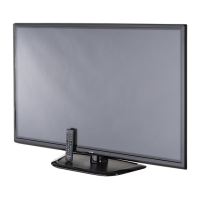
LG 50PN4500UA
74 pages
Print Icon
To Next Page IconTo Next Page
Loading...
Order Number
: GETEC-C1-12-328
FCC Part 15 subpart B
Test Report Number
: GETEC-E3-12-114
Page 1 / 1
EUT Type: PLASMA TV/MONITOR
FCC ID.: BEJ50PN4500UA
APPENDIX G
: USERS MANUAL

Questions and Answers

  • C
    Christine NguyenSep 12, 2025
    Why is the reception poor on some channels on my LG 50PN4500UA Plasma TV?
    • L
      Leah DonovanSep 12, 2025
      If the reception on some channels is poor on your LG Plasma TV, try tuning to other channels as there may be a broadcast issue. The station signal might be weak, so try adjusting the antenna direction. Also, check for any local interference from electrical appliances or power tools.
  • S
    Sheila HoustonAug 25, 2025
    What to do if my LG 50PN4500UA Plasma TV has no image and no sound?
    • C
      Clifford FordAug 25, 2025
      If your LG Plasma TV has no image and no sound, first check if the TV is turned on. Then, make sure the power cord is securely connected to a working wall outlet. You can test the outlet by plugging in another device.
  • M
    Maureen LesterAug 25, 2025
    Why does my LG 50PN4500UA Plasma TV turn off suddenly?
    • C
      Claudia SmithAug 26, 2025
      If your LG Plasma TV turns off suddenly, first examine the power control settings to ensure that the power supply isn't being interrupted. Also, check if the Auto sleep feature is enabled within the Time settings. If the TV doesn't receive a signal while it's on, it will automatically shut down after 15 minutes of inactivity.
  • T
    Tammy YoderSep 23, 2025
    Why do black spots appear on my LG 50PN4500UA Plasma TV screen?
    • A
      Amanda OrrSep 23, 2025
      Several pixels in red, green, white, or black may appear on the screen that can attribute to the characteristics of the panel. This is normal.
  • J
    Julie RosarioSep 12, 2025
    What to do if my LG 50PN4500UA screen is too dark?
    • K
      kimberlyklineSep 12, 2025
      If your LG Plasma TV has the power on but the screen appears extremely dark, adjust the brightness and contrast settings in the menu.
  • K
    krystaltapiaSep 17, 2025
    What to do if “No Signal” appears on LG Plasma TV screen?
    • M
      Matthew NormanSep 17, 2025
      If your LG Plasma TV displays “No Signal”, verify that the signal cable is correctly connected between the TV and the device. Also, check the selected input source by pressing the INPUT button on your remote.
  • L
    Lisa CoxSep 5, 2025
    What are afterimages (ghosts) on LG 50PN4500UA?
    • F
      frobertsSep 5, 2025
      If you see afterimages (ghosts) on your LG Plasma TV when it turns off, use a screen saver to prevent pixel damage.
  • D
    dustin02Sep 6, 2025
    Why are there black spots on my LG 50PN4500UA screen?
    • J
      Joshua KnoxSep 6, 2025
      If you notice black spots on your LG Plasma TV screen, it could be due to a few pixels in red, green, white, or black, which is normal and attributes to the characteristics of the panel.
  • W
    williemartinSep 18, 2025
    How to troubleshoot no sound on LG 50PN4500UA?
    • M
      Michelle ThomasSep 18, 2025
      If there's no sound from your LG Plasma TV while images are displaying, first press the VOL + or - button. Check if the sound is muted by pressing the MUTE button. Try switching to other channels to rule out a broadcast issue. Ensure the audio cables are properly connected and verify that the TV Speaker feature is activated in the menu.
  • W
    wliuAug 30, 2025
    Why is there no sound on my LG 50PN4500UA Plasma TV but the image is fine?
    • J
      Joe PriceAug 30, 2025
      If you see images but hear no sound on your LG Plasma TV, try the following: 1. Press the VOL + or - button to increase the volume. 2. Check if the sound is muted by pressing the MUTE button. 3. Try other channels to rule out a broadcast issue. 4. Make sure the audio cables are securely connected. 5. Verify that the TV Speaker feature is activated in the menu.

LG 50PN4500UA Specifications

General IconGeneral
Screen Size50 inches
Display TypePlasma
Resolution1024 x 768
Aspect Ratio16:9
Contrast Ratio3, 000, 000:1
Refresh Rate600Hz
HDMI Ports2
USB Ports1
Speakers2 x 10W
Sound Output10W x 2
InputsHDMI, USB, Component, Composite
Weight52.9 lbs

Related product manuals