EasyManua.ls Logo

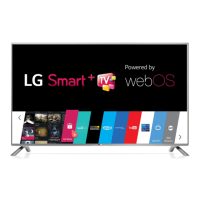
LG 55LB5800 - User Manual

LG 55LB5800
35 pages
Print Icon
To Next Page IconTo Next Page
Loading...
P/NO : MFL68027912 (1401-REV00)
Please read this manual carefully before operating your set and retain it
for future reference.
OWNER’S MANUAL
LED TV*
*LG LED TV applies LCD screen with LED backlights.
www.lg.com
32LB5800
39LB5800
42LB5800
55LB5800
47LB6100
50LB6100
55LB6100
60LB6100
65LB6190
32LB580B
*MFL68027912*

Questions and Answers

  • D
    Debra HuntAug 17, 2025
    Why does my LG 55LB5800 turn off by itself?
    • B
      burnsalexisAug 17, 2025
      If your LG LED TV is turning off unexpectedly, there are a few potential causes. Examine the power control settings to ensure the power supply isn't being interrupted. Also, verify that the Sleep Timer or Off Time function isn't enabled within the TV's TIME settings. Finally, if the TV doesn't receive a signal for 15 minutes, it will automatically shut down.
  • A
    Ana WhiteAug 20, 2025
    Why does my LG LED TV turn off suddenly?
    • N
      Nina WoodwardAug 20, 2025
      If your LG LED TV suddenly turns off, there might be a few reasons. First, the power supply could be interrupted, so check the power control settings. Also, the Sleep Timer or Off Time function in the TIME settings might be activated. Finally, if the TV doesn't receive a signal for 15 minutes, it will automatically turn off.
  • W
    warnersusanAug 22, 2025
    What to do if my LG 55LB5800 LED TV has no image and sound?
    • M
      millsshannonAug 23, 2025
      If your LG LED TV isn't showing an image or producing sound, here are a few things to check: First, ensure that the TV is actually powered on. Next, verify that the power cord is securely connected to a functioning wall outlet. To confirm the outlet is working, try plugging in another device.
  • W
    William SpencerAug 25, 2025
    How to fix LG LED TV remote control not working?
    • S
      Samantha MolinaAug 26, 2025
      If you're unable to control your LG LED TV with the remote, try these steps: First, check the remote control sensor on the TV and try again. Second, make sure there are no obstructions between the remote and the TV. Finally, ensure the batteries in the remote are working and properly installed.
  • E
    Elizabeth WalkerAug 28, 2025
    What to do if my LG LCD TV has no image and sound?
    • S
      Susan ThomasAug 28, 2025
      If your LG LCD TV isn't displaying an image and there's no sound, first, make sure the TV is actually turned on. Then, verify that the power cord is securely connected to a working wall outlet. Try plugging another device into the same outlet to check if the outlet itself is the problem.
  • M
    Melissa GarciaAug 30, 2025
    Why can't I control my LG LCD TV with the remote?
    • T
      Thomas AndradeAug 30, 2025
      If you're unable to control your LG LCD TV with the remote, try these steps: First, check the remote control sensor on the TV and try again. Second, make sure there are no obstacles blocking the path between the remote and the TV. Finally, check the batteries in the remote to ensure they are working and properly installed ( to , to ).
  • A
    Albert BakerSep 2, 2025
    Why is my LG LCD TV remote not working?
    • K
      Katelyn CoxSep 2, 2025
      If you cannot control your LG LCD TV with the remote, first check the remote control sensor on the TV and try again. Also, ensure there are no obstacles between the remote and the TV. Finally, check that the batteries in the remote are working and properly installed.
  • Q
    qgomezSep 5, 2025
    Why does my LG LCD TV have no image and sound?
    • J
      Jeffrey ChavezSep 5, 2025
      If your LG LCD TV shows no image and produces no sound, ensure that the TV is turned on. Next, check if the power cord is properly connected to a wall outlet. To rule out any issues with the outlet itself, connect other products to the same outlet to see if they work.
  • M
    Miguel HawkinsSep 8, 2025
    How to fix an LG LCD TV that turns off suddenly?
    • W
      William MitchellSep 8, 2025
      If your LG LCD TV is turning off suddenly, there are a few things you can check. First, review the power control settings on your TV, as the power supply may be interrupted. Next, verify that the Sleep Timer or Off Time is not activated in the TIME settings. Finally, remember that if the TV is on but not receiving a signal, it will turn off automatically after 15 minutes of inactivity.
  • W
    warrenlisaSep 10, 2025
    What to do if my LG LCD TV turns off suddenly?
    • S
      Stephanie LyonsSep 10, 2025
      If your LG LCD TV turns off suddenly, it could be due to a few reasons. First, check the power control settings, as the power supply may be interrupted. Also, verify if the Automatic Standby, Sleep Timer, or Time Power Off is activated in the TIME settings. Finally, if the TV is on but there is no signal, it will turn off automatically after 15 minutes of inactivity.

Summary

IMPORTANT SAFETY INSTRUCTIONS

ASSEMBLING AND PREPARING

Parts and buttons

Identification and explanation of TV components and remote control buttons.

Using the joystick button

Guide on operating the TV using the integrated joystick button for various functions.

Adjusting the menu

Steps to navigate and adjust TV settings using the menu system.

Setting up the TV

Instructions for attaching the stand or preparing for wall mounting.

MAKING CONNECTIONS

REMOTE CONTROL

MAINTENANCE; TROUBLESHOOTING

TROUBLESHOOTING

Common problems and their solutions for TV operation and remote control issues.

CHILD SAFETY: PROPER TELEVISION PLACEMENT MATTERS

TUNE IN TO SAFETY

Essential safety tips for TV placement and use to prevent accidents.

SMART TV Quick Setup Guide

Wireless Network Connection

Steps to connect the TV to a wireless network for smart features.

Wired Network Connection

Instructions for connecting the TV to a wired network via LAN cable.

NETWORK SETTING

Troubleshooting Network Problems

LCD; LED Television Limited Warranty - USA

WARRANTY PERIOD

Details the duration of labor and parts coverage for the TV warranty.

HOW SERVICE IS HANDLED

Explains the process for obtaining warranty service and required documentation.

BEFORE CALLING FOR SERVICE

Preparation steps to ensure efficient warranty service and avoid unnecessary charges.

LG 55LB5800 Specifications

General IconGeneral
Screen Size55 inches
Display TypeLED
Resolution1920 x 1080
Refresh Rate120 Hz
Smart TVYes
HDMI Ports3
USB Ports3
Audio Output20W
Wi-FiYes

Related product manuals