EasyManua.ls Logo

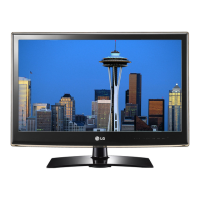
LG 55LV5300 - User Manual

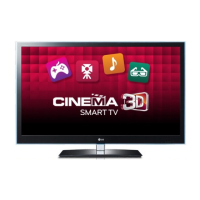
LG 55LV5300
142 pages
Print Icon
To Next Page IconTo Next Page
Loading...
Order Number
: GETEC-C1-11-121
FCC Part 15 subpart B
Test Report Number
: GETEC-E3-11-047
Page 1 / 1
EUT Type: LED LCD TV/Monitor
FCC ID.: BEJ42LW5300UC
APPENDIX G
: USERS MANUAL

Other manuals for LG 55LV5300

Questions and Answers

  • S
    Sheila HughesSep 10, 2025
    What to do if my LG LCD TV says no signal?
    • T
      Terri WeeksSep 10, 2025
      If your LG LCD TV displays a 'No Signal' message, ensure the signal cable is properly connected between the TV and any external devices. Also, verify that you've selected the correct input source by pressing the INPUT button on your remote.
  • B
    Brooke MorganAug 25, 2025
    How to fix thin lines on LG 55LV5300 LCD TV screen?
    • V
      vcookAug 25, 2025
      If you see thin lines in the background of the screen on your LG LCD TV, check the video cable connections to ensure they are properly connected.
  • J
    John MannAug 25, 2025
    How to fix lines or streaks on LG 55LV5300 LCD TV images?
    • K
      Kimberly HopkinsAug 26, 2025
      If you notice lines or streaks on the images of your LG LCD TV, check the antenna connection and ensure it's aimed in the proper direction.
  • C
    Charles CaseySep 23, 2025
    Why are subtitles not working on my LG 55LV5300?
    • T
      Tanner KeySep 23, 2025
      If subtitles are not working on your LG LCD TV, first, check if the file is playing normally on a PC to ensure it is not damaged. Also, verify that the video file and subtitle file have the same name and are located in the same folder. Finally, confirm that the subtitle file and language are supported by the TV.
  • D
    Dennis LongSep 12, 2025
    Why is there no sound on my LG 55LV5300?
    • A
      Amy CrawfordSep 12, 2025
      If you're not getting any sound from your LG LCD TV while images are displaying, first, try pressing the VOL + or - button to increase the volume. Next, check if the sound is muted by pressing the MUTE button. You can also try switching to other channels, as the issue might be with the broadcast. Finally, ensure that the TV Speaker feature is enabled in the menu options.
  • C
    Casey PottsSep 15, 2025
    Why do afterimages appear on my LG LCD TV?
    • C
      Claudia WebsterSep 16, 2025
      If you see afterimages (ghosts) on your LG LCD TV screen when it's turned off, it might be due to pixels damaged from displaying a fixed image for an extended period (image burn). To prevent this, use a screen saver.
  • A
    Angel SmithSep 4, 2025
    How to fix horizontal noises or blurred characters on LG 55LV5300 LCD TV?
    • J
      Jason OrrSep 4, 2025
      If you are experiencing horizontal noises or blurred characters on your LG LCD TV, adjust the Phase setting in the menu option.
  • K
    kfrancisSep 5, 2025
    Why do black spots appear on my LG LCD TV screen?
    • C
      Christina RoweSep 5, 2025
      The appearance of several pixels in red, green, white, or black on your LG LCD TV screen is normal and relates to the characteristics of the panel.
  • C
    Charles TaylorSep 23, 2025
    Why are there black spots on my LG LCD TV screen?
    • T
      Tina WebbSep 23, 2025
      The black spots that appear on your LG LCD TV screen are due to the characteristics of the panel, and this is normal.
  • E
    Elizabeth AnthonyAug 30, 2025
    Why does my LG 55LV5300 image appear slowly when turned on?
    • S
      Stephanie SanchezAug 30, 2025
      The image may appear slowly when the TV turns on because the image is muted during the product startup process, which is normal. If the image does not appear in a few minutes, unplug the TV for 30 seconds and try again.

Summary

LICENSES

IMPORTANT SAFETY INSTRUCTIONS

Disposal (Hg lamp only used in LCD TVs)

Instructions for safe disposal of specific lamp types.

ASSEMBLING AND PREPARING

Unpacking

Checking the product box for included items.

Optional Extras

Information about compatible accessories and their availability.

Parts and buttons

Identification and function of TV components and controls.

Lifting and moving the TV

Guidelines for safely handling and transporting the television.

Attaching the stand

Step-by-step instructions for assembling the TV stand.

Mounting on a table

Instructions for securely placing the TV on a flat surface.

Securing the TV to a wall (optional)

Procedures for wall-mounting the television for safety.

Tidying cables

Methods for organizing and securing TV cables.

REMOTE CONTROL

WATCHING TV

Connecting to an antenna or cable

Guide for connecting TV to broadcast sources.

Turning the TV on for the first time

Initial setup steps for powering on and configuring the TV.

Setting up channels

Procedures for automatically or manually tuning TV channels.

Editing your channel list

Options for managing, adding, or deleting TV channels.

Using favorite channels

How to set up and access preferred channels.

Checking current program info

Accessing details about the currently playing program.

Adjusting aspect ratio

Options for resizing images to fit the screen display.

Using the input list

Selecting and managing external device sources.

Locking the buttons on the TV (Child Lock)

How to activate and use the child lock feature.

3 D IMAGING (FOR 3 D TV)

When watching 3 D imaging

Guidelines and precautions for viewing 3D content.

Viewing 3 D Imaging

How to switch between 3D and 2D viewing modes.

ENTERTAINMENT

Connecting USB storage devices

Connecting external media devices for playback.

Browsing files

Navigating and selecting media files from storage devices.

Viewing Videos

Playing video files from connected USB storage.

Viewing Photos

Displaying photo files from USB storage devices.

Listening to music

Playing audio files from USB storage devices.

CUSTOMIZING TV SETTINGS

The Main Menus

Overview of the TV's primary menu categories.

CHANNEL Settings

Options for managing and tuning TV channels.

PICTURE Settings

Adjusting image quality parameters like brightness and contrast.

AUDIO Settings

Configuring sound quality, effects, and volume settings.

TIME Settings

Setting the TV's clock, timers, and daylight saving.

LOCK Settings

Features for blocking channels, movies, or parental controls.

OPTION Settings

Customizing general settings like language and captioning.

MAKING CONNECTIONS

Connection Overview

Diagram showing various external device connection ports.

Connecting to a HD receiver, DVD or VCR player

Instructions for connecting common media playback devices.

HDMI Connection

Guide for establishing a digital video and audio connection via HDMI.

Component Connection

Connecting analog video and audio signals using component cables.

Connecting to a PC

Connecting the TV to a computer for display.

RGB Connection

Connecting to a PC using RGB signal cables.

Connecting to a USB

Connecting USB storage devices for media playback.

SIMPLINK Connection

Enabling and using the SIMPLINK feature for device control.

MAINTENANCE

Cleaning Your TV

Procedures for cleaning the TV screen and body.

Preventing “Image burn” or “Burn-in” on your TV screen

Tips to avoid screen burn-in from static images.

TROUBLESHOOTING

General

Common problems and their resolutions.

Audio

Troubleshooting audio-related issues.

Video

Troubleshooting video display problems.

SPECIFICATIONS

Video Supported Formats

List of supported video file types and their parameters.

IR CODES

Remote Control IR Codes

Technical details about the remote control's infrared signal.

EXTERNAL CONTROL DEVICE SETUP

RS-232 C Setup

Instructions for connecting and controlling via RS-232C port.

Command reference list

A list of commands for controlling the TV externally.

OPEN SOURCE LICENSE

GNU General Public License

The terms and conditions of the GNU GPL.

Regulatory Information cont.

FCC Compliance Statement

Compliance information regarding FCC regulations.

CE Conformity Notice (for Europe)

CE marking compliance details for European market.

Low Radiation Compliance (MPR II)

Compliance with guidelines for low radiation emissions.

LG 55LV5300 Specifications

General IconGeneral
Screen Size55 inches
Resolution1920 x 1080
Display TypeLCD
Backlight TypeLED
Refresh Rate60 Hz
USB Ports2
Smart TVNo
Built-in Wi-FiNo
Audio Output20W (10W x 2)

Related product manuals