EasyManua.ls Logo

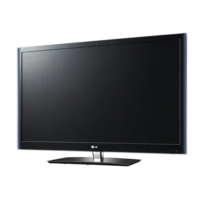
LG 55LV5500 - User Manual

LG 55LV5500
246 pages
Print Icon
To Next Page IconTo Next Page
Loading...
G
Ufe's Good
LED LCD
TV
/
LC
PLASMA
TV
TV
/
Please
read
this
manual
carefully
before
operating
your
set
and
retain
it
for
future
reference.
LED LCD
TV
MODELS
42LV3700 42LV5500 32LW5700
47LV3700 47LV5500 42LW5700
55LV3700 55LV5500 47LW5700
42LV5400 42LW5600 55LW5700
47LV5400 47LW5600 72LZ9700
55LV5400 55LW5600
PING:
MFL62882745
(l101-REVOO)
47LW6500
55LW6500
65LW6500
47LW7700
55LW7700
47LW9500
55LW9500
60LW9500
LCD
TV
MODELS
42LK530
47LK530
55LK530
42LK550
47LK550
PLASMA
TV
MODELS
50PZ750
60PZ750
50PZ950
60PZ950
50PZ950U
60PZ950U
www.lg.com

Table of Contents

Other manuals for LG 55LV5500

Questions and Answers

  • W
    williehunterSep 4, 2025
    Why do afterimages (ghosts) appear when my LG LED TV turns off?
    • S
      Sydney MathewsSep 5, 2025
      Afterimages (ghosts) may appear when your LG LED TV turns off because pixels may have been damaged from a fixed image displayed for a long time. Use a screen saver to prevent pixel damage.
  • E
    Erika TorresAug 25, 2025
    How to fix no sound on LG LED TV but picture is fine?
    • R
      Renee BryantAug 25, 2025
      If your LG LED TV displays images but produces no sound, try pressing the VOL + or - button. Check if the sound is muted by pressing MUTE. Try switching to other channels as there might be a problem with the broadcast. Ensure that the audio cables are connected properly. Also, check if the TV Speaker feature is activated in the menu option.
  • J
    Jill WalkerAug 25, 2025
    How to fix no output from one of the speakers of LG LED TV?
    • N
      Nicole ParrishAug 26, 2025
      If there is no output from one of the speakers on your LG LED TV, adjust the Balance in the menu option.
  • K
    Katelyn GarciaSep 12, 2025
    How to fix wrong display offset on LG TV?
    • A
      ashleytannerSep 12, 2025
      To correct a wrong display offset on your LG TV, adjust the position setting in the Picture menu. Check if the video card resolution and frequency are supported. If the frequency is out of range, set to the recommended resolution using the display settings on the external device.
  • J
    Jaime MillerSep 22, 2025
    Why are there black spots on my LG 55LV5500 screen?
    • A
      Alicia Martinez DVMSep 22, 2025
      Several pixels in red, green, white, or black may appear on the screen of your LG LCD TV, which is attributed to the characteristics of the panel. This is normal.
  • D
    David BarberSep 8, 2025
    Why is my LG TV showing black and white or poor color?
    • J
      jenniferjohnsonSep 8, 2025
      If your LG TV shows an image in black and white or with poor color quality, adjust the color settings in the menu. Ensure there's sufficient distance between the TV and other electronic devices. Try changing channels to see if the issue is with the broadcast.
  • H
    Heather GordonSep 1, 2025
    Why is there no sound on my LG 55LV5500 LCD TV but there is a picture?
    • J
      James YoungSep 1, 2025
      If your LG LCD TV displays images but produces no sound, first press the VOL + or - button to adjust the volume. Also, check that the sound is not muted by pressing the MUTE button. Try switching to other channels, as the broadcast itself may have an issue. Ensure the audio cables are correctly connected and that the TV Speaker feature is enabled in the menu.
  • B
    Brittany JonesSep 23, 2025
    Why is the file not appearing on the Movie List of my LG LCD TV?
    • S
      sanchezdavidSep 23, 2025
      If the file does not appear on the Movie List of your LG LCD TV, check whether the extension is supported.
  • M
    Matthew VazquezSep 16, 2025
    Why is my LG 55LV5500 LCD TV showing black and white or poor color?
    • A
      Amber BurnsSep 16, 2025
      If the image on your LG LCD TV is black and white or the color quality is poor, try adjusting the color settings in the menu. Also, ensure there's sufficient distance between the TV and other electronic devices. Try switching to other channels, as the broadcast might be the source of the problem.
  • L
    Larry CampbellAug 28, 2025
    Why my LG LED TV has no image and sound?
    • R
      Robert WhiteAug 28, 2025
      If your LG LED TV shows no image and produces no sound, first, ensure that the TV is turned on. Next, check that the power cord is properly connected to a wall outlet. Finally, test the wall outlet by connecting other products to see if there's a problem with the outlet itself.

LG 55LV5500 Specifications

General IconGeneral
Screen Size55 inches
Resolution1920 x 1080
Display TypeLCD
Backlight TypeLED
HDMI Ports4
USB Ports2
Wi-FiYes
Audio Output20W
3D TechnologyNo
Refresh Rate120Hz
Ethernet PortYes
Smart TVYes
Energy Star CertifiedYes

Related product manuals