EasyManua.ls Logo

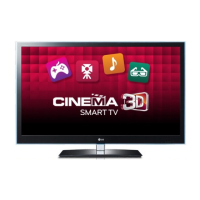
LG 55LW5600-UA - User Manual

LG 55LW5600-UA
84 pages
Print Icon
To Next Page IconTo Next Page
Loading...
Order Number : GETEC-C1-10-249 FCC Part 15 subpart B
Test Report Number : GETEC-E3-10-140 Page 1 / 1
EUT Type: LCD TV/Monitor
FCC ID.: BEJ42LK530UC
APPENDIX G
: USER’S MANUAL

Other manuals for LG 55LW5600-UA

Questions and Answers

  • S
    Stephanie AndersenSep 23, 2025
    Why are subtitles not working on my LG TV?
    • M
      Monica OdonnellSep 23, 2025
      If subtitles are not working on your LG TV, check if the file plays normally on a PC. Ensure the video and subtitle file names are the same and located in the same folder. Verify that the subtitle file and language are supported.
  • J
    Jennifer PenaAug 23, 2025
    Why is there no sound on my LG TV but picture is fine?
    • K
      Karen DanielsAug 23, 2025
      If your LG TV displays no sound but shows images, first, press the VOL + or - button to adjust the volume. Check if the sound is muted by pressing the MUTE button. Try switching to other channels to rule out a broadcast issue. Ensure the audio cables are properly connected and verify that the TV Speaker feature is enabled in the menu.
  • A
    Alexandra French MDAug 25, 2025
    LG TV screen is too dark, how to fix it?
    • A
      Amanda DavisAug 26, 2025
      If your LG TV screen appears extremely dark even when powered on, adjust the brightness and contrast settings in the menu option.
  • R
    Richard HenryAug 27, 2025
    What does 'No Signal' mean on LG TV and how to fix it?
    • J
      Jeffrey TaylorAug 27, 2025
      If your LG TV displays 'No Signal' on the screen, verify the signal cable is properly connected between the TV and other devices. Also, check the selected input source by pressing the INPUT button.
  • A
    Amanda SanchezAug 27, 2025
    Why my LG TV has no image and sound?
    • Q
      qlynchAug 28, 2025
      If your LG TV has no image and no sound, ensure the TV is powered on and the power cord is securely connected to the wall outlet. To check if the wall outlet is working, connect another device to it.
  • E
    Eric AlexanderSep 17, 2025
    What to do if my LG TV says 'This file is invalid'?
    • S
      Shannon PattersonSep 18, 2025
      If your LG TV displays a message saying 'This file is invalid' or the audio works but the video doesn't, check if the file plays normally on a PC to ensure it's not damaged. Also, verify if the resolution, video/audio codec, and frame rate are supported.
  • A
    Adam LarsonSep 14, 2025
    How to adjust phase setting on LG TV?
    • D
      Destiny SaundersSep 14, 2025
      If you see horizontal noises or blurred characters on your LG TV, adjust the Phase setting in the menu option.
  • J
    Joanna PottsSep 15, 2025
    Why doesn't a file appear on the Movie List of my LG TV?
    • A
      avasquezSep 16, 2025
      If a file does not appear on the Movie List of your LG TV, verify that the file extension is supported.
  • C
    Carla BishopSep 6, 2025
    Why is my LG TV making unusual sounds?
    • A
      Andrea BallSep 6, 2025
      If your LG TV produces an unusual sound from inside, it may be due to changes in ambient humidity or temperature when the product turns on or off. This is normal and does not indicate a problem with your product.
  • L
    Linda LevySep 3, 2025
    How to fix horizontal or vertical bars on LG TV?
    • E
      Elizabeth MccallSep 3, 2025
      If you notice horizontal or vertical bars or blurring on your LG TV screen, check for local interferences from devices like electrical appliances or power tools.

LG 55LW5600-UA Specifications

General IconGeneral
Screen Size55 inches
Resolution1920 x 1080
Display TechnologyLCD
Backlight TypeLED
Refresh Rate120 Hz
HDMI Ports4
USB Ports2
Smart TVYes
3DYes
Built-in Wi-FiYes
Audio Output20W
Dimensions (W x H x D)1.2 inches

Related product manuals