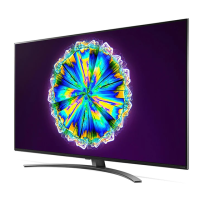
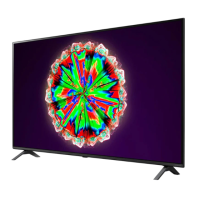
This document is the owner's manual for an LG LED TV, which uses an LCD screen with LED backlights. It provides essential information regarding safety, setup, usage, and maintenance of the television.
Function Description:
The LG LED TV serves as a display device for various video and audio content. It can connect to external devices such as Blu-ray players, HD receivers, DVD players, VCRs, audio systems, USB storage devices, PCs, and gaming devices. It supports digital and analogue TV broadcasting and can display encrypted (pay) services via a CI module. The TV can be operated using either its physical buttons or a Magic Remote Control (for supported models), offering features like power on/off, volume adjustment, channel scrolling, input source selection, and access to various menus and streaming services.
Important Technical Specifications:
- Display Type: LCD screen with LED backlights.
- Connectivity: HDMI, USB, Antenna/Cable (RF 75 Ω), Satellite dish (RF 75 Ω), CI module (PCMCIA card slot).
- HDMI Audio Formats (depending on model): True HD (48 kHz), Dolby Digital / Dolby Digital Plus (32 kHz / 44.1 kHz / 48 kHz), PCM (32 kHz / 44.1 kHz / 48 kHz / 96 kHz / 192 kHz).
- USB Support: USB 2.0 (for USB cable or USB memory stick).
- Wireless Module Specifications (LGSBWAC02/LGSBWAC92, depending on model):
- Wireless LAN (IEEE 802.11a/b/g/n/ac):
- Frequency Range: 2400 to 2483.5 MHz, Output Power: 17 dBm (LGSBWAC02), 18 dBm (LGSBWAC92).
- Frequency Range: 5150 to 5725 MHz, Output Power: 19 dBm (LGSBWAC02), 18 dBm (LGSBWAC92).
- Frequency Range: 5725 to 5850 MHz, Output Power: 10.5 dBm (LGSBWAC02), 12 dBm (LGSBWAC92).
- Bluetooth:
- Frequency Range: 2400 to 2483.5 MHz, Output Power: 8.5 dBm (LGSBWAC02), 8 dBm (LGSBWAC92).
- Note: As band channels can vary per country, the user cannot change or adjust the operating frequency. This product is configured for the regional frequency table. For consideration of the user, this device should be installed and operated with a minimum distance of 20 cm between the device and the body. IEEE 802.11ac is not available in all countries.
- Broadcasting Specifications (depending on country):
- Digital TV: DVB-S/S2, DVB-T/T2, DVB-C.
- Channel Coverage: DVB-S/S2 (950-2150 MHz), DVB-C (46-890 MHz), DVB-T/T2 (VHF III: 174-230 MHz, UHF IV: 470-606 MHz, UHF V: 606-862 MHz, S Band II: 230-300 MHz, S Band III: 300-470 MHz).
- Analogue TV: PAL/SECAM B/G/I/D/K, SECAM L.
- Channel Coverage: 46-862 MHz.
- Maximum number of storable programmes: 6000 (Digital TV), 3000 (Analogue TV).
- External antenna impedance: 75 Ω.
- CI Module Dimensions: 100.0 mm x 55.0 mm x 5.0 mm.
- Environment Condition:
- Operating Temperature: 0 °C to 40 °C.
- Operating Humidity: Less than 80 %.
- Storage Temperature: -20 °C to 60 °C.
- Storage Humidity: Less than 85 %.
- VESA Wall Mount Standards:
- For 43/50/49/55NANO79*, 49NANO80*, 49NANO81*, 49NANO86*, 55NANO80*, 55NANO81*, 55NANO86*, 55NANO90*, 55NANO91*: 200 x 200 mm (M6 screws, 4 screws) or 300 x 300 mm (M6 screws, 4 screws).
- For 65NANO79*, 65NANO80*, 65NANO81*, 65NANO86*, 65NANO90*, 65NANO91*, 75NANO79*, 75NANO90*, 75NANO91*, 86NANO90*, 86NANO91*: 300 x 300 mm (M6 screws, 4 screws) or 600 x 400 mm (M8 screws, 4 screws).
Usage Features:
- Initial Setup: The TV may take a few minutes to display an image for the first time after being shipped from the factory.
- Ventilation: Proper ventilation is crucial; avoid installing in confined spaces, on carpets, or covering the product. Maintain a minimum 10 cm space from the wall when mounting on a table.
- Power Cord Protection: Protect the power cord from physical abuse and ensure it is not damaged or loosely fitting. Always grasp the plug when unplugging.
- Magic Remote Control (MR20GA): For supported models, the Magic Remote allows intuitive control. It requires two 1.5 V AA batteries, inserted with correct polarity. The remote can be registered by pointing it at the TV and pressing the Wheel (OK) button. Deregistration involves pressing BACK and HOME buttons simultaneously for five seconds.
- On-Screen Display (OSD): The OSD may differ slightly from the manual depending on the model.
- External Device Connection: Connect external devices to the TV using appropriate cables (HDMI for best quality). Ensure devices are turned off and unplugged before connecting HDMI cables.
- USB Hubs: Some USB Hubs may not work; connect USB devices directly to the TV.
- PC Mode: In PC mode, adjust resolution, refresh rate, brightness, and contrast to optimize picture quality. A CAT 7 cable is recommended for wired LAN connections.
- ULTRA HD Content: For ULTRA HD content played on a PC, video or audio may be disrupted intermittently depending on PC performance. This TV cannot receive ULTRA HD broadcasts directly in locations not supported with ULTRA HD broadcasting.
- Quick Settings: Access various settings quickly via the Q. Settings button on the Magic Remote.
- Voice Recognition: Requires a network connection and is activated by pressing and holding the voice recognition button on the Magic Remote.
- Accessibility: Access the [Accessibility] menu via the MUTE button.
- Set-top Box Control: The Magic Remote can be used to turn the set-top box on/off and display its Home menu.
Maintenance Features:
- Cleaning: Unplug the power cord before cleaning. Wipe gently with a soft/dry cloth. Do not spray water or other liquids directly on the TV. Avoid using chemicals like glass cleaner, air fresheners, insecticides, lubricants, wax, abrasives, thinners, benzene, or alcohol, as these can damage the product or panel.
- Battery Handling: Store batteries out of reach of children. Do not short circuit, disassemble, overheat, or dispose of batteries in fire. Replace with the correct type to avoid fire or explosion risk.
- Moving the TV:
- It is recommended to move the TV in its original packaging.
- Disconnect power cord and all cables before moving.
- Hold the TV by the top and bottom frame, with the screen facing away from you. Avoid holding transparent parts or speaker grills.
- For larger TVs, at least two people are required.
- Avoid jolts, excessive vibration, and tilting the TV. Keep it upright.
- Do not apply excessive pressure to the frame to prevent screen damage.
- Be careful not to damage protruding buttons.
- Screen Protection: Avoid touching the screen to prevent damage. When attaching the stand, place the screen face down on a cushioned, flat surface.
- Wall Mounting:
- Remove the stand before wall mounting.
- Attach VESA standard mounting interface (optional parts) to the back of the product.
- Ensure screws are inserted correctly and fastened securely without over-tightening.
- Do not hang power and signal cables on the back of the TV.
- Do not install in areas exposed to oil or oil mist.
- Cover the stand hole with tape to prevent dust and insects when wall mounting.
- Troubleshooting: The manual provides guidance for common issues such as remote control problems, no image/sound, sudden power off, and no signal from PC (HDMI). It also explains normal display phenomena like minor flickering upon startup and tiny black/colored dots (1 ppm) on the panel.
- Image Sticking: Avoid displaying still images for prolonged periods to prevent image sticking.
- Open Source Software: Information on obtaining source code under GPL, LGPL, MPL, and other open source licenses is available at http://opensource.lge.com. LG Electronics also provides source code on CD-ROM for a charge.

 Need help?

 To Next Page
 General