This document is an owner's manual for an LG LED TV, providing essential information for safe operation, setup, and maintenance.
Function Description:
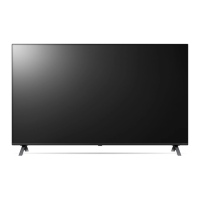
The LG LED TV is a display device that utilizes an LCD screen with LED backlights. It is designed for home entertainment, offering various functionalities for viewing broadcast television, connecting external devices, and accessing smart features. The TV can be operated using a physical button on the unit or a Magic Remote Control, which offers advanced interaction capabilities including voice recognition and a pointer function. It supports multiple broadcasting specifications, including Digital TV (DVB-S/S2, DVB-T/T2, DVB-C) and Analogue TV (PAL/SECAM B/G/I/D/K, SECAM L), depending on the region. The TV allows for the connection of various external devices such as Blu-ray players, HD receivers, DVD players, VCRs, audio systems, USB storage devices, PCs, and gaming devices through HDMI and USB ports. It also supports CI modules for viewing encrypted (pay) services in digital TV mode.
Important Technical Specifications:
- Display Technology: LCD screen with LED backlights.
- Broadcasting Specifications:
- Digital TV: DVB-S/S2, DVB-T/T2, DVB-C.
- Analogue TV: PAL/SECAM B/G/I/D/K, SECAM L.
- Channel Coverage (Band):
- DVB-S/S2: 950-2,150 MHz.
- DVB-C: 46-890 MHz.
- DVB-T/T2: VHF III (174-230 MHz), UHF IV (470-606 MHz), UHF V (606-862 MHz), S Band II (230-300 MHz), S Band III (300-470 MHz).
- Analogue TV: 46-862 MHz.
- Maximum Number of Storable Programmes: 6,000 (DVB-S/S2), 3,000 (DVB-C, DVB-T/T2, Analogue TV).
- External Antenna Impedance: 75 Ω.
- CI Module Dimensions (W x H x D): 100.0 mm x 55.0 mm x 5.0 mm.
- Wireless Module (LGSBWAC95/LGSBWAC03) Specifications:
- Wireless LAN (IEEE 802.11a/b/g/n/ac):
- Frequency Range: 2,400 to 2,483.5 MHz, 5,150 to 5,725 MHz, 5,725 to 5,850 MHz.
- Output Power (Max.): 19 dBm, 18 dBm, 13.5 dBm (LGSBWAC95); 18.5 dBm, 19.5 dBm, 11.5 dBm (LGSBWAC03).
- Bluetooth:
- Frequency Range: 2,400 to 2,483.5 MHz.
- Output Power (Max.): 9 dBm.
- HDMI Audio Format Support: True HD (48 kHz), Dolby Digital / Dolby Digital Plus (32 kHz / 44.1 kHz / 48 kHz), PCM (32 kHz / 44.1 kHz / 48 kHz / 96 kHz / 192 kHz).
- HDMI Deep Colour Support (4K):
- 50/60 Hz (4:4:4, 4:2:2, 4:2:0).
- <3,4 port Only> 100/120 Hz (4:4:4, 4:2:2, 4:2:0) for specific models.
- USB Port Dimensions (Optimal Connection): Bezels less than 10 mm thick, 18 mm width, 8 mm wire diameter.
- Environmental Conditions:
- Operating Temperature: 0 °C to 40 °C.
- Operating Humidity: Less than 80%.
- Storage Temperature: -20 °C to 60 °C.
- Storage Humidity: Less than 85%.
Usage Features:
- Turning On/Off: The TV can be turned on or off by pressing the power button on the unit or the remote control. Pressing and holding the button will turn off the TV, closing all running apps and stopping any recordings.
- Menu Control: A single button on the TV allows access to and adjustment of menu items. Pressing the button once brings up the menu, and pressing and holding it allows for menu selection.
- Magic Remote Control: This remote offers advanced features including a pointer, voice recognition, and quick access buttons.
- Registration: To use, insert batteries, point at the TV, and press the Wheel (OK) button.
- Deregistration: Press and hold the Back and Home buttons simultaneously for five seconds. Alternatively, press and hold Home and Q. Settings for more than 5 seconds to disconnect and re-register.
- Voice Recognition: Requires a network connection and is activated by pressing and holding the voice recognition button.
- Pointer Function: Appears when the Magic Remote is shaken left or right, allowing for intuitive navigation.
- External Device Connectivity:
- HDMI: Connect external devices. Ensure the TV and external devices are turned off and unplugged before connecting HDMI cables. Use certified Ultra High Speed HDMI®/™ cables (3 m or less) for optimal performance, especially for Deep Colour content.
- USB: Connect USB storage devices. Some USB hubs may not work, so direct connection to the TV's USB port is recommended if issues arise.
- Antenna/Cable: Connect to a wall antenna socket with an RF cable (75 Ω). A signal splitter can be used for multiple TVs. A signal amplifier may be needed for poor image quality.
- Satellite Dish: Connect to a satellite socket with a satellite RF cable (75 Ω).
- CI Module: Insert into the COMMON INTERFACE slot for encrypted services.
- Troubleshooting: The manual provides solutions for common issues such as remote control malfunction, no image/sound, sudden TV shutdown, and no signal detected from PC (HDMI). It also explains normal operational noises and display characteristics like tiny black/colored dots (1 ppm) and brightness/color variations based on viewing position.
Maintenance Features:
- Battery Replacement: When the "Magic Remote battery is low" message appears, replace the 1.5 V AA batteries, ensuring correct polarity. Do not mix old and new batteries, or expose them to excessive heat.
- Cleaning:
- Unplug the power cord before cleaning.
- Wipe gently with a soft/dry cloth.
- Do not spray water or other liquids directly onto the TV.
- Avoid using chemicals like glass cleaner, air fresheners, insecticides, lubricants, wax, abrasives, thinner, benzene, or alcohol, as these can damage the product or panel.
- Ensure the cloth is wrung out to prevent excess water/cleaner from entering gaps between the panel and guide panel.
- Moving the TV:
- Turn off, unplug, and remove all cables.
- It is recommended to use the original packing material.
- Hold the TV by the top and bottom frame, avoiding transparent parts, speakers, or speaker grill areas.
- For larger TVs, at least two people should carry it.
- Keep the TV upright during transport, avoiding jolts or excessive vibration.
- Do not apply excessive pressure to the frame chassis or screen.
- Ventilation: Ensure proper ventilation by installing the TV in an open space, away from confined areas like bookcases, carpets, or cushions. Do not block or cover ventilation openings.
- Power Cord Protection: Protect the power cord from physical damage (twisting, kinking, pinching). Grasp the plug, not the cord, when unplugging.
- Safety Precautions:
- Keep candles or open flames away from the product.
- Avoid placing the TV in direct sunlight, high humidity, near heat sources, or in excessively dusty places.
- Do not expose the TV to dripping or splashing liquids, and do not place liquid-filled objects on it.
- Do not insert metallic or flammable objects into the product.
- If any damage, smoke, or unusual odors occur, unplug the product immediately and contact customer service.
- Do not modify the product without authorization.
- Use only LG-approved attachments/accessories.

 Need help?




 To Next Page
 General