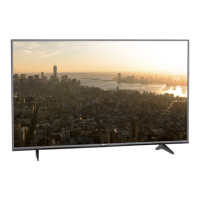
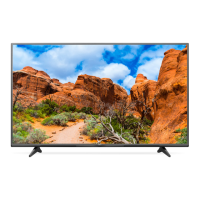
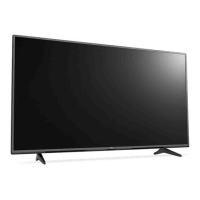
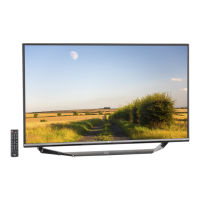
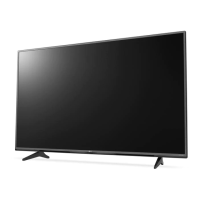
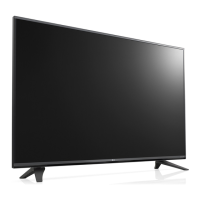
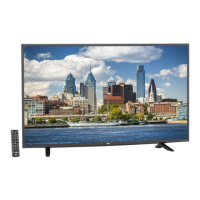
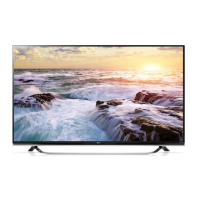
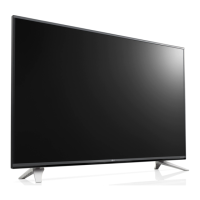
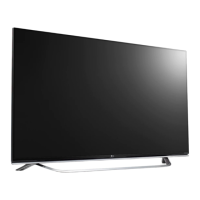
This document is a user manual for an LG LED TV, model 43UF640T-TA (product name 43UF640T), with part number MFL68702232. The manual provides detailed information on safety instructions, setup, operation, maintenance, and troubleshooting.
Function Description:
The LG LED TV is a display product designed for home entertainment, offering various functionalities including digital TV reception, external device connectivity (HDMI, USB), and smart features. It supports 3D imaging on compatible models and offers a range of picture and sound settings. The TV can be controlled via a joystick button on the unit itself or through a remote control, including a Magic Remote for enhanced interaction.
Important Technical Specifications:
- Model: 43UF640T-TA (Suffix AU)
- Part Number: MFL68702232 (Revision 1505-REV00)
- Printing Specification:
- Trim Size: 148 mm x 210 mm (A5)
- Printing Colors: 1 Color (Black) for both cover and inside pages.
- Stock (Paper): Uncoated, wood-free paper 60 g/m² for both cover and inside pages.
- Bindery: Saddle stitching.
- Language: ENG (1).
- Number of Pages: 20.
- Environmental Conditions:
- Operating Temperature: 0 °C to 40 °C
- Operating Humidity: Less than 80%
- Storage Temperature: -20 °C to 60 °C
- Storage Humidity: Less than 85%
- CI Module Size: 100.0 mm x 55.0 mm x 5.0 mm
- Television System:
- Digital TV (Depending on Country): DVB-T/T2, DVB-T/T2/C/S/S2. Programme coverage includes VHF, UHF, C-Band, Ku-Band.
- Analogue TV (Depending on Country): PAL B/B, PAL B/G, PAL D/K, PAL-I, SECAM B/G, SECAM D/K, NTSC-M. Programme coverage includes VHF, UHF, CATV.
- Maximum Number of Storable Programmes: DVB-T/T2 & Analogue TV: 1,500; DVB-S/S2: 6,000.
- External Antenna Impedance: 75 Ω.
- USB Connection: Supports USB 2.0. For optimal connection, USB devices should have bezels less than 10 mm thick and 18 mm width. An extension cable supporting USB 2.0 may be needed.
- HDMI Connection: Use certified HDMI cables with the HDMI logo attached. Recommended types are High-Speed HDMI/™ Cable (3m or less) and High-Speed HDMI®/™ Cable with Ethernet (3m or less). For ULTRA HD Deep Colour, the TV supports 4K @ 50/60 Hz (4:4:4, 4:2:2, 4:2:0).
- Wireless Module (LGSBW41) Specification:
- Wireless LAN Standard: IEEE 802.11a/b/g/n.
- Wireless LAN Frequency Range: 2400 to 2483.5 MHz, 5150 to 5250MHz, 5725 to 5850 MHz (for Non EU).
- Wireless LAN Output Power (Max.): 802.11a: 13 dBm; 802.11b: 15 dBm; 802.11g: 14 dBm; 802.11n-2.4GHz: 16 dBm; 802.11n-5GHz: 16dBm.
- Bluetooth Standard: Bluetooth Version 4.0.
- Bluetooth Frequency Range: 2400 to 2483.5 MHz.
- Bluetooth Output Power (Max.): 10 dBm or Lower.
- Eco-hazardous substances: The product contains Eco-hazardous substances (Pb, Cd, Hg, Cr6+, PBB, PBDE, etc.) within LG standard level, adhering to Eco-SCM management standard [LG(56)-A-2524]. Users are advised not to use or contain lead (Pb) and cadmium (Cd) in ink.
Usage Features:
- Joystick Button Control: Allows basic TV operations like power on/off, volume adjustment, and programme scrolling by pressing or moving the joystick button. It also provides access to menu items and quick settings.
- Remote Control: The manual details the functions of a standard remote control, including power, TV/Radio selection, input source, quick settings, ratio adjustment, subtitle recall, number buttons, programme guide, volume control, favourite list, info display, mute, and programme scrolling.
- Magic Remote Control (Depending on model): Offers advanced control with voice recognition, 3D viewing functions, and a pointer for on-screen interaction. Registration and deregistration procedures are provided.
- 3D Imaging (Only 3D models): Guidelines for 3D viewing, including recommended viewing time (5-15 minute breaks every hour), precautions for individuals with photosensitive seizures or chronic illnesses, and symptoms that require discontinuation of 3D content viewing. Specific cautions for using 3D glasses are also included.
- Mounting Options:
- Table Mounting: Instructions for placing the TV on a table, ensuring proper ventilation and stability.
- Securing to a Wall (Not available for all models): Steps for attaching eye-bolts or TV brackets to the TV and wall, connecting them with a rope for stability.
- Wall Mounting: Detailed instructions for attaching an optional wall mount bracket to the TV and a solid wall, emphasizing the use of LG-approved brackets and qualified professional installers. VESA standard screw specifications are provided for various models.
- Connections:
- External Devices: Connects various external devices like HD receivers, DVD players, VCRs, audio systems, USB storage devices, PCs, and gaming devices via HDMI and USB ports.
- Antenna Connection: Connects the TV to a wall antenna socket with an RF cable (75 Ω). Recommendations for signal quality improvement are given.
- Satellite Dish Connection (Only satellite models): Connects the TV to a satellite dish with a satellite RF cable.
- CI Module Connection (Depending on model): For viewing encrypted (pay) services in digital TV mode, with instructions on proper insertion and troubleshooting.
- Eco-Friendly Features: The TV is designed to meet BEE Star labeling requirements for energy efficiency in 'Home' Mode. Users are advised on settings that can reduce power consumption.
- Open Source Software: Information on obtaining source code under GPL, LGPL, MPL, and other open source licenses.
Maintenance Features:
- Cleaning:
- General Cleaning: Advises regular cleaning of the TV to maintain performance and extend lifespan. Users should turn off the TV and disconnect power before cleaning.
- Screen, Frame, Cabinet, and Stand: Recommends using a dry, clean, soft cloth for light dirt and a soft cloth dampened with clean water or mild detergent for major dirt. Warnings against touching the screen forcefully, using harsh chemicals, or spraying liquid directly onto the surface are provided.
- Power Cord: Advises regular removal of accumulated dust or dirt from the power cord.
- Safety Precautions: Extensive safety instructions cover:
- Placement: Avoid direct sunlight, high humidity, heat sources, areas exposed to steam/oil, rain/wind, or excessive dust.
- Power Connection: Use grounded AC mains sockets, ensure power cable is fully inserted, avoid contact with hot objects, do not place heavy objects on cables, and do not touch with wet hands.
- Product Handling: Do not drop the product, avoid strong impacts, do not insert metallic or inflammable objects, do not spray water or use inflammable substances, prevent children from climbing on the TV.
- Disassembly/Repair: Do not disassemble, repair, or modify the product; contact a service center.
- AC Adapter/Power Cord: Use only authorized LG AC adapters and power cords; do not disassemble them.
- Antenna: Ensure sufficient distance from power lines; bend antenna cable to prevent water ingress.
- Wall Mounting: Install securely on a solid wall; avoid unstable or inclined surfaces.
- Water Contact: Disconnect power and contact service if water enters the TV.
- External Devices: Use long enough cables to prevent the TV from falling.
- Overheating: Maintain at least 10 cm distance from walls, avoid placing in enclosed spaces, and ensure air vents are not blocked.
- Batteries: Use specified battery types, do not mix old and new batteries, keep away from excessive heat, and dispose of used batteries carefully.
- Power Plug/Outlet: Prevent dust accumulation.
- Screen Protection: Avoid pressing strongly on the panel, touching the screen for long periods, or using sharp objects.
- Moving the TV: Turn off and unplug all cables, work in pairs due to weight, and hold the frame firmly.
- Service: Refer all servicing to qualified personnel if the apparatus is damaged.
- Troubleshooting: Provides guidance for common issues such as remote control not working, no image/sound, sudden TV shutdown, and 'No signal'/'Invalid Format' when connecting to a PC.
- Environmental Information (India region only): Details on disposal of old appliances as per e-waste Management and Handling Rules, 2011, including dos and don'ts, hazards of improper handling, and contact information for collection centers.


 To Next Page
 General