EasyManua.ls Logo

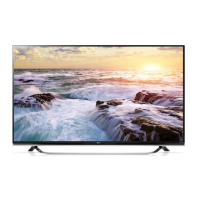
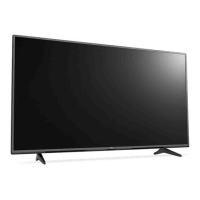
LG 55UF8500 - User Manual

LG 55UF8500
40 pages
Print Icon
To Next Page IconTo Next Page
Loading...
OWNER’S MANUAL
Safety and Reference
LED TV*
* LG LED TVs are LCD TVs with LED backlighting.
P/No : MFL68741502 (1505-REV03)
www.lg.com
*MFL68741502*
Please read this manual carefully before operating your TV and retain
it for future reference.
43UF7600
49UF7600
55UF7600
60UF7650
65UF7650
70UF7650
60UF7690
65UF7690
60UF7700
65UF7700
70UF7700
79UF7700
50UF8300
58UF8300
55UF8500
60UF8500
65UF8500
55UF8600
65UF8600
55UF9500
65UF9500
79UF9500
55UG8700
65UG8700

Other manuals for LG 55UF8500

Questions and Answers

  • P
    Paul WiseAug 20, 2025
    What to do if my LG LCD TV has no image and no sound?
    • M
      Megan ColonAug 20, 2025
      If your LG LCD TV isn't displaying an image or producing sound, first ensure the TV is powered on. Next, verify that the power cord is securely connected to a functioning wall outlet. You can test the outlet by plugging in another device to see if it works.
  • A
    Amy KingAug 22, 2025
    Why is my LG LCD TV remote not working?
    • E
      Erica JenkinsAug 22, 2025
      If you cannot control your LG LCD TV with the remote, first ensure that nothing is covering the receiver on the TV. Then, check for any obstacles between the remote and the TV. Finally, try replacing the batteries in the remote with new ones.
  • A
    Andrew HartAug 25, 2025
    How to fix LG 55UF8500 LED TV remote control not working?
    • A
      Adam GrayAug 25, 2025
      If you're unable to control your LG LED TV with the remote, first, make sure that nothing is covering the receiver on the TV. Next, ensure there are no obstructions between the remote and the TV. Finally, try replacing the batteries in the remote with fresh ones.
  • V
    Veronica ReynoldsAug 26, 2025
    What to do if LG LED TV remote control is not working?
    • M
      Mario HansonAug 26, 2025
      If you're having trouble controlling your LG LED TV with the remote, there are a few things to check. First, make sure that nothing is blocking the remote's signal, such as tape over the receiver on the TV or any obstacles between you and the TV. If the path is clear, try replacing the remote batteries with a fresh set.
  • S
    Sheila BrownAug 28, 2025
    Why does my LG LED TV turn off by itself?
    • S
      susan61Aug 28, 2025
      If your LG LED TV is turning off unexpectedly, it could be due to a few reasons. The power supply might be interrupted, so check your power control settings. Also, the Sleep Timer or Timer Power Off feature in the Timers settings may be activated. Finally, if the TV doesn't receive a signal for 15 minutes, it will automatically turn off.
  • K
    kerrimorenoAug 29, 2025
    Why does my LG LED TV turn off suddenly?
    • B
      Bridget CampbellAug 30, 2025
      If your LG LED TV suddenly turns off, first check your power control settings, as the power supply might be interrupted. Also, verify if the Sleep Timer or Timer Power Off feature is enabled within the Timers settings. Finally, be aware that the TV is designed to turn off automatically after 15 minutes of inactivity if no signal is detected.
  • K
    Krystal BrownSep 1, 2025
    Why does my LG LCD TV turn off suddenly?
    • L
      Linda OlsonSep 1, 2025
      If your LG LCD TV turns off unexpectedly, here are a few things to check: First, review the power control settings to ensure the power supply isn't being interrupted. Also, verify if the Sleep Timer or Timer Power Off feature is enabled within the Timers settings. Lastly, be aware that the TV will automatically shut down after 15 minutes of inactivity if no signal is detected.
  • K
    Katherine GeorgeSep 3, 2025
    How to fix LG LCD TV remote control not working?
    • A
      Andrew LewisSep 3, 2025
      Check the following: * Make sure nothing is covering the remote receiver on the LG LCD TV, such as tape. * Ensure there are no obstructions between the remote control and the TV. * Try replacing the remote batteries with new ones.
  • N
    Nathaniel ObrienSep 5, 2025
    Why does my LG 55UF8500 keep turning off?
    • G
      George NolanSep 5, 2025
      Your LG LED TV might be turning off suddenly due to a few reasons. First, the power supply may be interrupted, so check the power control settings. Second, the Sleep Timer or Timer Power Off feature may be activated in the Timers settings. Finally, if the TV doesn't receive a signal for 15 minutes, it will automatically turn off.
  • K
    Kevin MartinezSep 7, 2025
    How to troubleshoot no image and sound on LG 55UF8500 LED TV?
    • H
      howardtheresaSep 7, 2025
      If your LG LED TV shows no image and produces no sound, start by ensuring that the TV is powered on. Then, verify that the power cord is securely connected to both the TV and the wall outlet. To rule out a faulty outlet, try plugging another device into the same outlet to see if it works.

Summary

Important Safety Instructions

Electrical Safety and Fire Prevention

Covers risks from electricity, water, and fire hazards, including opening covers and exposure to moisture.

General Usage Precautions

Covers safe operation, cleaning, ventilation, heat sources, plugs, cords, and accessories.

Grounding and Installation

Electrical and Antenna Grounding

Details on grounding for electrical safety and outdoor antenna installation requirements.

Product Placement and Ventilation

Guidelines on where to place the TV for proper ventilation and avoiding direct sunlight.

Product Handling and Display Quality

Safe Product Handling

Covers avoiding damage from external equipment, noise, heat, and direct screen contact.

Preventing Image Burn-in

Instructions to avoid screen damage from static images displayed for extended periods.

FCC Compliance Notice

Information regarding FCC rules and potential radio frequency interference.

Regulatory Compliance Information

RF Interference and Exposure Statements

FCC and IC statements on radio frequency interference and exposure limits.

Cable;TV Installer Guidance

Notes for CATV system installers regarding grounding.

LG Recycling Policy

Information on LG's environmental e-waste takeback and recycling program.

Viewing 3 D Content Safely

3 D Viewing Environment and Health

Guidelines for safe viewing distance, time, and health precautions for 3D content.

Age Restrictions and Glasses Usage

Recommendations for different age groups and proper usage of 3D glasses.

Preparing Your TV

Setup and Connection Guidelines

Notes on manual differences, features, cable specifications, and optional extras.

Installation Precautions

Cautions on unapproved items, screen handling, and stand installation.

Maintenance and Moving

Cleaning and Care Instructions

How to clean the TV, screen, frame, cabinet, stand, and power cord.

Safe Lifting and Moving Procedures

Steps and precautions for safely moving the TV to prevent scratches or damage.

TV Operation and Installation

Using the Joystick Button

Functions and menu navigation using the TV's joystick button.

Table and Wall Mounting

Instructions for setting up the TV on a table or securing it to a wall.

Wall Mounting Details

Wall Mounting Safety and Standards

Safety, VESA standards, and general installation advice for wall mounting.

VESA Mounting Specifications

Table of VESA dimensions and screw types for different TV models.

Connecting External Devices

Device Connectivity and Recording

Connecting various external devices and tips for recording TV programs.

PC Mode and Antenna;Cable Connections

Notes on PC input, antenna, cable hookups, and USB hub compatibility.

Other Connections

Recommendations for connecting devices via HDMI and general connection advice.

Advanced TV Features

HDMI Deep Color Setting

Explanation of the HDMI ULTRA HD Deep Color feature and its requirements.

Magic Remote Functions and Battery

Operation, battery replacement, and button descriptions for the Magic Remote.

Magic Remote Operation and Precautions

Remote Pairing and Usage

Steps for registering, deregistering, and using the Magic Remote pointer.

Remote Usage Precautions

Guidelines on distance, interference, battery life, and handling the Magic Remote.

Manual Information and Troubleshooting

Licenses and Open Source Software

Information on product licenses and how to access open source software code.

Troubleshooting Common Issues

Guidance for remote control, image/sound, and sudden power off problems.

Product Specifications

Details on TV system, environment conditions, and wireless module.

Wireless Module Specifications

Wi-Fi and Bluetooth Module Details

Technical specifications for the TV's Wi-Fi and Bluetooth wireless components.

Child Safety Guidelines

TV Placement and Installation Safety

General safety advice for TV setup, placement, and securing furniture.

Mounting and Moving Safety

Precautions for wall mounting and special considerations for moving older CRT TVs.

Product Information and Support

Declaration of Conformity

Manufacturer and product compliance details, including responsible party.

Customer Support and Registration

Contact information for LG customer service and product registration.

External Control Device Setup

Key Codes Reference

List of remote control key codes used for external device control.

Connecting External Control Devices

USB to Serial Converter Connection

Procedure for connecting the TV to a control device via a USB to serial adapter.

RS-232 C Connection Setup

Procedure for connecting the TV to a control device via RS-232C serial interface.

External Control Device Setup Details

Phone Jack Connection and RS-232 C Configurations

Connection types and wiring details for serial control via phone jack or RS-232C.

Setting the TVs Set ID

Steps to assign a unique Set ID to the TV for external control.

External Control Communication

Communication Parameters and Command List

Protocol details including baud rate, and a reference list of control commands.

Control Command Categories

Groups commands by function, covering Power, Audio, Picture, and advanced settings.

Serial Communication Protocols

Transmission and Receiving Protocol Formats

Structure of commands sent to the TV and acknowledgement formats.

Data Mapping and Error Handling

Methods for data conversion (Hex to Decimal) and error reporting.

External Control Commands

Power, Display, and Volume Control Commands

Commands for controlling basic TV functions like power, mute, and volume.

External Control Commands

Picture and Sound Adjustment Commands

Commands for adjusting picture settings like Tint, Sharpness, and sound like Bass, Treble.

Advanced Control Commands

Commands for OSD, remote lock, color temperature, ISM method, and equalizer settings.

External Control Commands

Energy Saving and Channel Tuning Commands

Commands for power saving features and selecting TV channels.

Channel Tuning Examples

Illustrations and examples of using channel tuning commands for various types.

External Control Commands

Channel Management and Key Input Commands

Commands for managing channels (skip/add) and simulating remote key presses.

Backlight and Control Panel Commands

Commands for adjusting the TV's backlight and control panel illumination.

External Control Commands

Input Source and 3 D Mode Commands

Commands for selecting input sources and controlling 3D viewing modes.

Extended 3 D Options Control

Commands for advanced 3D features like picture correction, depth, and viewpoint.

External Control Commands

Auto Picture Configuration Command

Command for automatically adjusting picture position and image shaking in PC mode.

Quick Setup Guide

Package Contents and Assembly

Visual guide to included items and initial assembly steps for setting up the TV.

Getting Help

Accessing Help Information on TV

Illustrates how to use the TV's built-in help feature via the remote control.

Connection Ports Diagram

USB and HDMI Port Connections

Visual diagram showing how to connect devices to the TV's USB and HDMI ports.

Rear Panel Connections Diagram

AV, Component, and Antenna;Cable Inputs

Diagram illustrating all rear input/output jacks including AV, Component, and Antenna.

Model Specifications

79 UF9500 Dimensions and Weight

Physical specifications including dimensions, weight, and power requirements for the 79UF9500 model.

ENERGY STAR Program Information

ENERGY STAR Compliance and Settings

Details on the product's ENERGY STAR qualification and how settings affect consumption.

LG 55UF8500 Specifications

General IconGeneral
Screen shapeFlat
Display diagonal55 \
Native aspect ratio16:9
LED backlighting typeEdge-LED
Screen format adjustments4:3, 14:9, 16:9, Zoom
3DYes
Supported 3D technologiesFPR 3D
Tuner typeAnalog & digital
Analog signal format systemNTSC M, PAL DK, PAL I
Digital signal format system-
Smart modesVivid, Sports, Photo, Cinema, Game, Energy saving, Standard
Operating system version2.0
Operating system installedWeb OS
Audio formats supportedAAC, HE-AAC, RA-Lossless, MP2, MP3, WMA, AC3, PCM
Image formats supportedJPG, MPO, JPS
Video formats supportedRMVB, DIVX HD
Sound modesGame, Music, News, Sports, Standard
Audio decodersDolby Digital, DTS
RMS rated power20 W
Number of speakers2
BluetoothNo
HDMI ports quantity3
DVI-D ports quantity0
USB 2.0 ports quantityUSB 2.0 ports have a data transmission speed of 480 Mbps, and are backwards compatible with USB 1.1 ports. You can connect all kinds of peripheral devices to them.
Consumer Electronics Control (CEC)SimpLink
USB 3.2 Gen 1 (3.1 Gen 1) Type-A ports quantity1
Product colorBlack, Silver
Panel mounting interface300 x 300 mm
AC input voltage100 - 240 V
AC input frequency50 - 60 Hz
Power consumption (standby)0.3 W
Power consumption (typical)140 W
Weight and Dimensions IconWeight and Dimensions
Depth (with stand)260.6 mm
Height (with stand)781.6 mm
Weight (with stand)20400 g
Depth (without stand)50.8 mm
Width (without stand)1234.8 mm
Height (without stand)727.3 mm
Weight (without stand)19300 g

Related product manuals