EasyManua.ls Logo

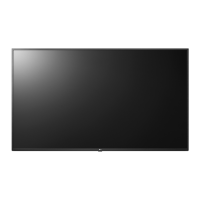
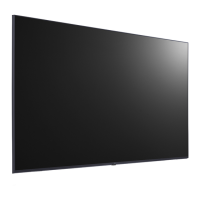
LG 55UL3G-B.AEU - User Manual

LG 55UL3G-B.AEU
117 pages
Print Icon
To Next Page IconTo Next Page
Loading...
Please read this manual carefully before operation and retain it for future
reference.
webOS 4.1
www.lg.com
USER MANUAL
LG Digital
Signage
(MONITOR SIGNAGE)

Table of Contents

Questions and Answers

  • R
    Richard DuncanSep 10, 2025
    How to remove stripes in the background on LG 55UL3G-B.AEU?
    • D
      Douglas StephensSep 10, 2025
      If stripes appear in the background of your LG Digital Signage, and you are using a D-Sub analog signal, press the button on the remote control to automatically select the optimal screen status that fits into the current mode. If the adjustment is not satisfactory, adjust the display settings manually in the OSD menu.
  • C
    Christina McmillanAug 23, 2025
    Why is the screen's brightness dark on my LG 55UL3G-B.AEU?
    • J
      Johnathan FerrellAug 23, 2025
      If your LG Digital Signage screen's brightness seems dark, try adjusting the brightness and contrast settings. If the internal temperature of the enclosure rises, the screen’s brightness may darken, so clean the heat exchanger or filter in the enclosure periodically. Backlight may need repair.
  • R
    Ruben SmithAug 25, 2025
    What to do if my LG 55UL3G-B.AEU power suddenly turned off?
    • S
      Sandra CopelandAug 25, 2025
      If your LG Digital Signage suddenly turned off, first check if the auto-off function is activated in the time-related settings. Ensure the product's power cord is properly connected and check the power control settings. If the internal temperature of the enclosure rises, the power may shut down, so clean the heat exchanger or filter periodically. Also, check if the fan is working properly by viewing the fan status in (SETTINGS) [General] [System Information] [Fan Status].
  • B
    bethsingletonAug 26, 2025
    What does it mean when my LG Digital Signage says 'No signal'?
    • M
      michaelsantiagoAug 26, 2025
      If your LG Digital Signage displays a 'No signal' or 'Invalid Format' message, check the signal cable connection between the PC and the product to ensure it's stable. Access the input menu to verify the input signal. If the signal from the PC (Graphics card) is out of the product's vertical or horizontal frequency range, adjust the frequency range by referring to the specifications in this manual.
  • A
    Ashley MeyerAug 27, 2025
    Why is my LG 55UL3G-B.AEU Digital Signage screen displayed abnormally?
    • M
      Mark OneillAug 28, 2025
      If your LG Digital Signage screen is displayed abnormally, connect the signal cable that matches the source input signal. Condensation may appear on the screen, but it will disappear in a certain period of time after the product is powered on. When connecting the panel and the Signage box, check their serial numbers to ensure they match. If they match, unplug the power cord and plug it in again to run the Clear Panel Noise feature, or run the feature in (Settings) [Display] [Advanced Settings] [OLED Panel Settings] [Clear Panel Noise] menu.
  • M
    Michael HigginsAug 29, 2025
    How to troubleshoot no sound output on LG 55UL3G-B.AEU Digital Signage?
    • A
      ahernandezAug 29, 2025
      If your LG Digital Signage has no sound output, check if the audio cable is connected properly. Adjust the volume of the product or external device. Also, verify that the sound settings are configured correctly.
  • E
    Erika DavisSep 18, 2025
    Why do black spots appear on my LG Digital Signage screen?
    • S
      Shelly WhiteSep 18, 2025
      Black spots or bright spots are visible on the screen due to the unique characteristics of the display panel, this is not a malfunction of the LG Digital Signage product.
  • R
    Ryan WebbSep 12, 2025
    How to resolve horizontal noise or blurred characters on LG 55UL3G-B.AEU Digital Signage?
    • M
      Megan HolderSep 12, 2025
      If horizontal noise appears or the characters look blurred on your LG Digital Signage, and you are using a D-Sub analog signal, press the button on the remote control to automatically select the optimal screen status that fits into the current mode. If the adjustment is not satisfactory, adjust the display settings manually in the OSD menu.
  • B
    Brad MataSep 8, 2025
    How to display the PC BIOS configuration screen correctly on LG 55UL3G-B.AEU Digital Signage?
    • J
      jamesjesusSep 8, 2025
      If the PC BIOS configuration screen is not displayed correctly on your LG Digital Signage, connect a standard aspect ratio (4:3 or 16:9) monitor to access the PC BIOS configuration screen, then perform the BIOS configuration. This is because the atypical aspect ratio is not supported before the graphics card driver is configured.
  • M
    Michelle CarpenterSep 5, 2025
    How to fix dull sound on LG 55UL3G-B.AEU?
    • B
      Brendan PaceSep 5, 2025
      If the sound from your LG Digital Signage is too dull, select the appropriate equalizer sound.

LG 55UL3G-B.AEU Specifications

General IconGeneral
Screen Size55 inches
Contrast Ratio1200:1
Viewing Angle (H x V)178° x 178°
Response Time8 ms
Refresh Rate60 Hz
Operating SystemwebOS
OrientationLandscape / Portrait
Display TypeLED
Operating Temperature0°C to 40°C
Storage Temperature-20°C to 60°C
Humidity10% to 80%
Panel TechnologyIPS
Resolution3840 x 2160
ConnectivityHDMI, USB, RS-232C, RJ45
Bezel Width12.9 mm

Related product manuals