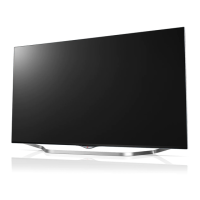
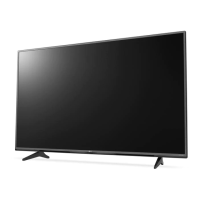
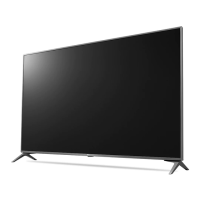
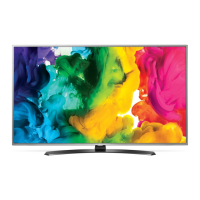
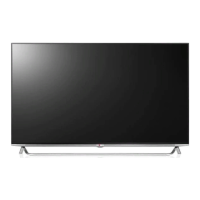
This document describes an LG LED TV, covering its setup, usage, and technical specifications.
Function Description
The LG LED TV is a display device designed for home entertainment and commercial use. It supports various input sources, including HDMI, USB, antenna/cable, satellite, and external speakers. The TV can be controlled via a remote control or buttons on the unit itself. It offers features such as energy saving, picture and audio adjustments, and network connectivity for accessing online content or server-based services. The TV is also compatible with Kensington security systems for theft prevention.
Important Technical Specifications
The manual provides specifications for several models, including 43UT661H*, 43UT665H*, 49UT661H*, 49UT665H*, 55UT661H*, 55UT665H*, 49UT761H*, and 55UT761H*.
Dimensions and Weight (with stand):
- 43UT661HOGA/43UT665HOVA: 973 mm (W) x 626 mm (H) x 303 mm (D), 11.2 kg
- 49UT661HOGA/49UT665HOVA: 1110 mm (W) x 705 mm (H) x 303 mm (D), 14.3 kg
- 55UT661HOGA/55UT665HOVA: 1244 mm (W) x 780 mm (H) x 303 mm (D), 17.5 kg
- 49UT761HOTA/49UT761HOGA: 1096 mm (W) x 697 mm (H) x 303 mm (D), 17.2 kg
- 55UT761HOTA/55UT761HOGA: 1232 mm (W) x 773 mm (H) x 303 mm (D), 20.4 kg
Power Requirement: AC 100-240 V~, 50/60 Hz.
Broadcasting Specifications:
- Digital TV: DVB-T/T2, DVB-T/T2/C/S/S2 (depending on model/country).
- Analogue TV: PAL B/B, B/G, D/K, I; SECAM B/G, D/K; NTSC-M (depending on model/country).
- Programme Coverage: VHF, UHF, C-Band, Ku-Band, CATV.
- Maximum Storable Programmes: 3,000 (DVB-T/T2 & Analogue TV), 6,000 (DVB-S/S2).
- External Antenna Impedance: 75 Ω.
- CI Module (W x H x D): 100.0 mm x 55.0 mm x 5.0 mm.
Wireless Module (LGSBWAC92) Specifications:
- Wireless LAN (IEEE 802.11a/b/g/n/ac):
- Frequency Range: 2,400 to 2,483.5 MHz (Output Power: 18 dBm / 17.5 dBm in Vietnam)
- Frequency Range: 5,150 to 5,725 MHz (Output Power: 18 dBm / 17.5 dBm in Vietnam)
- Frequency Range: 5,725 to 5,850 MHz (Output Power: 12 dBm)
- Bluetooth:
- Frequency Range: 2,400 to 2,483.5 MHz (Output Power: 8 dBm)
- For user consideration, the device should be installed and operated with a minimum distance of 20 cm between the device and the body.
Environment Condition:
- Operating Temperature: 0 °C to 40 °C
- Operating Humidity: Less than 80%
- Storage Temperature: -20 °C to 60 °C
- Storage Humidity: Less than 85%
- Extensions: .asf, .wmv, .avi, .mp4, .m4v, .mov, .3gp, .3g2, .mkv, .ts, .trp, .tp, .mts, .mpg, .mpeg, .dat, .vob, .rm, .rmvb.
- Codecs: VC-1, WMA Standard, Xvid, H.264/AVC, Motion Jpeg, MPEG-4, MPEG-1 Layer I/II/III (MP3), Dolby Digital, LPCM, ADPCM, DTS, AAC, AMR-NB, AMR-WB, VP8, VP9, HEVC, RV30, RV40, Realaudio6 (cook).
- ULTRA HD Video: 3840 x 2160, 4096 x 2160.
- Extensions: .mp3, .wav, .ogg, .wma, .flac.
- Codecs: MPEG1, MPEG2, PCM, Vorbis, WMA, FLAC.
- Bit rates and Sample Frequencies: Vary by format, e.g., 32-320 Kbps for MP3, 8-96 kHz for WAV.
Supported External Subtitles:
- .smi, .srt, .sub, .ass, .ssa, .txt, .psb, .dcs.
- Embedded Subtitles: Matroska (mkv): Sub Station Alpha (SSA), Advanced Sub Station Alpha (ASS), SRT; MP4: Timed Text.
HDMI-DTV Supported Modes: Resolutions from 640 x 480p to 4096 x 2160p, with various horizontal and vertical frequencies.
HDMI-PC Supported Modes: Resolutions from 640 x 350 to 4096 x 2160, with various horizontal and vertical frequencies. PC audio is not supported. HDMI IN 1 is recommended for PC mode.
Usage Features
- Initial Setup: Involves attaching the stand (if not wall-mounted) and connecting the power cord.
- Mounting: The TV can be mounted on a table or wall. Wall mounting requires a VESA-standard bracket and appropriate screws. Instructions are provided for safe lifting and moving of the TV.
- Connections:
- HDMI IN/ARC: For connecting Blu-ray players, HD receivers, DVD players, PCs, and gaming devices. Supports various audio formats including DTS, Dolby Digital, and PCM. UHD models support HDMI ULTRA HD Deep Colour for clearer pictures.
- USB IN: For connecting USB storage devices and webcams. USB 1 port is recommended for webcams. USB hubs or HDDs with external power supply are recommended.
- PCMCIA CARD SLOT: For CI modules to view encrypted digital TV services.
- ANTENNA/CABLE IN: For connecting to a wall antenna socket.
- Satellite IN: For connecting to a satellite dish.
- OPTICAL DIGITAL AUDIO OUT: For connecting to audio systems.
- EXTERNAL SPEAKER OUT: For connecting external speakers.
- RS-232C IN (CONTROL&SERVICE): For external control devices like computers or A/V control systems.
- H/P OUT: For headphones/earphones.
- CLOCK: For clock synchronization.
- AUX LAN/LAN: For wired network connection to a Pro:Centric server, modem, or router.
- AV IN/COMPONENT IN: For connecting older devices using RCA cables, supporting various video and audio signals.
- Remote Control: The manual details the functions of each button on the remote control, including power, energy saving, input selection, volume, channel navigation, smart features, and media controls. Battery replacement instructions are also provided (1.5 V AAA).
- On-Unit Buttons: Basic functions like power on/off, input source change, channel scrolling, and volume adjustment can be performed using the button on the TV.
- Adjusting TV Angle: Some models allow swiveling the TV 20 degrees left or right for optimal viewing.
- RS-232C Command Reference: A detailed list of commands for external control via RS-232C, including power, aspect ratio, screen mute, volume, picture settings (contrast, brightness, colour, tint, sharpness), OSD select, remote control lock, balance, colour temperature, auto configuration, tune command, programme skip/add, key, backlight, and input select.
- Software Download: For UT64* models, SuperSign Software & Manual can be downloaded from partner.lge.com.
Maintenance Features
- Safety Instructions: Emphasizes precautions against electric shock, fire, and injury. Users are warned not to open the TV, expose it to rain or moisture, or place flammable objects near it. Proper ventilation is crucial. The power cord should be protected from damage, and the TV should not be moved while plugged in. Children should not climb on the TV. Outdoor antennas must be properly grounded.
- Battery Safety: Do not mix old and new batteries, short circuit, disassemble, or expose batteries to excessive heat or fire. Dispose of batteries according to local regulations.
- Moving the TV: Always turn off and unplug the TV, remove all cables, and have at least two people carry larger TVs. Avoid pressing or stressing the front panel.
- Cleaning: Unplug the power cord before cleaning. Use a soft, dry cloth. Do not spray water or liquids directly on the TV. Avoid using chemicals like glass cleaner, air fresheners, insecticides, lubricants, wax, abrasives, thinners, benzene, or alcohol, as these can damage the product or panel. Ensure no liquid enters the gaps between the panel and guide panel.
- Troubleshooting: Provides solutions for common issues such as the remote control not working, no image/sound, sudden TV shutdown, or no signal detected when connecting to a PC. It also addresses abnormal display phenomena like "flicker," tiny black/colored dots on the panel, varying brightness/color depending on viewing position, and image sticking. Explanations for generated sounds like "cracking" noise and electrical circuit humming/panel buzzing are also provided.
- Software Updates: The software version can be updated for performance improvement, ensuring compatibility with LGE software.

 Need help?

 To Next Page
 General