EasyManua.ls Logo

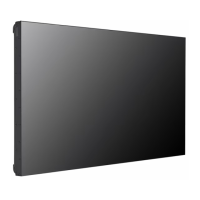
LG 55VH7B - User Manual

LG 55VH7B
106 pages
Print Icon
To Next Page IconTo Next Page
Loading...
www.lg.com
Please read this manual carefully before operating your set and
retain it for future reference.
55VH7B
55VM5B
OWNER’S MANUAL
LG Digital
Signage
(MONITOR SIGNAGE)
Copyright © 2018 LG Electronics Inc. All Rights Reserved.

Table of Contents

Other manuals for LG 55VH7B

Questions and Answers

  • M
    Molly TerrySep 23, 2025
    What to do if 'Unknown Product' message appears on LG 55VH7B?
    • K
      Kristin MillerSep 23, 2025
      If the 'Unknown Product' message appears when your LG Digital Signage is connected, check if the Plug and Play function is supported by referring to the graphics card user manual.
  • J
    jamesgrahamAug 25, 2025
    What to do if the audio function does not work on my LG Monitor?
    • L
      Lori WallaceAug 25, 2025
      If the audio function on your LG Monitor isn't working, check that the audio cable is properly connected. Also, make sure the volume of the external device is adjusted appropriately and that the sound settings are correctly configured. Try selecting the appropriate equalizing sound on the external device.
  • K
    Kevin JohnsonAug 25, 2025
    Why is the screen color on my LG Monitor abnormal?
    • R
      Reginald FisherAug 26, 2025
      If the screen color on your LG Monitor appears abnormal, first, set the color depth to more than 24 bits (true color) via Control Panel - Display - Settings - Color Table in Windows. Also, check the connection status of the signal cable and try re-inserting the PC video card. Note that the appearance of a few red, green, white, or black pixels is normal for LCD panels and not a malfunction.
  • J
    Jennifer HuffmanAug 27, 2025
    Why does the screen image look abnormal on my LG Monitor?
    • N
      Nicole LoveAug 27, 2025
      If the screen image looks abnormal on your LG Monitor, check that the video card resolution and frequency are supported by the monitor. If the frequency is out of range, set the resolution to the recommended setting in the Control Panel Display Setting menu. Also, ensure you are using the correct signal cable that matches the source input signal.
  • K
    kelly88Aug 27, 2025
    What to do if after-image appears on my LG Monitor?
    • K
      Kyle SwansonAug 27, 2025
      If you notice an after-image on your LG Monitor, and you've been using a fixed image for an extended period, it may cause pixel damage. To prevent this, use the screen-saver function. If a dark image is displayed after a high-contrast image, image sticking can occur, which is normal for LCD screens.
  • J
    Joshua PittmanSep 14, 2025
    How to prevent after-image on LG 55VH7B Digital Signage?
    • F
      fieldsshawnSep 14, 2025
      If an after-image appears on your LG Digital Signage, use the screen-saver function to prevent pixel damage due to prolonged use of a fixed image. Image sticking may occur when a dark image is displayed after an image with high contrast. This is normal for LCD screen products.
  • S
    Stephanie WilliamsSep 12, 2025
    What to do if the screen image looks abnormal on my LG Digital Signage?
    • E
      Erik MillerSep 12, 2025
      If the screen image looks abnormal on your LG Digital Signage, verify that the graphics card resolution and frequency are supported by the product. If the frequency is out of range, set the resolution to the recommended setting in the Control Panel Display Setting menu. Also, ensure the correct input signal is connected to the signal port; connect the signal cable that corresponds to the source input signal.
  • R
    Ronald HamiltonSep 13, 2025
    What to do if the audio function doesn't work on LG Digital Signage?
    • S
      Steven CarterSep 13, 2025
      If the audio function does not work on your LG Digital Signage, check if the audio cable is connected properly. Adjust the volume of the external device and ensure the sound is set appropriately. Also, select the appropriate equalizing sound on the external device and adjust its volume.
  • T
    Tasha DoyleSep 5, 2025
    What to do if the audio function does not work on LG 55VH7B?
    • D
      Danielle RobinsonSep 5, 2025
      If your LG Digital Signage's audio function isn't working, check if the audio cable is properly connected. Also, verify and adjust the volume of the external device and ensure the sound settings are correctly configured. Selecting the appropriate equalizing sound on the external device may also resolve the issue.
  • P
    Paul Davis DVMSep 2, 2025
    Why is the screen color abnormal on my LG 55VH7B?
    • J
      Janet HumphreySep 2, 2025
      If the screen color on your LG Digital Signage appears abnormal, set the number of colors to more than 24 bits (true color) via Control Panel - Display - Settings - Color Table in Windows. Also, check the connection status of the signal cable and re-insert the PC graphics card. Note that the appearance of several pixels (red, green, white, or black) is normal for LCD panels and not a malfunction.

Summary

Important Precautions

Electrical Power Related Precautions

Precautions related to electrical power supply and connections.

Precautions in Installing the Product

Safety guidelines for installing the display unit.

Precautions in Moving the Product

Safety guidelines for handling and moving the product.

Precautions in Using;Cleaning the Product

Guidelines for safe operation and maintenance of the product.

ASSEMBLY AND PREPARATION

Installing on a Wall

Securing the Monitor to a Wall (Optional)

EXTERNAL EQUIPMENT SETUP

REMOTE CONTROL

MAKING CONNECTIONS

TROUBLESHOOTING

LG 55VH7B Specifications

General IconGeneral
Panel TechnologyIPS
Brightness500 cd/m²
Viewing Angle (H x V)178° x 178°
Response Time8 ms
Operating Hours24/7
Operating Temperature0°C to 40°C
Storage Temperature-20°C to 60°C
Standby Power Consumption0.5W
Frequency50/60 Hz
VESA Mount400 x 400 mm
Built-in SpeakerYes
Commercial UseYes
Screen Size55"
Resolution1920 x 1080
Input PortsHDMI, USB, DVI
Output PortsDP, Audio Out
OrientationPortrait / Landscape
External ControlRS-232C
Input Voltage100-240 V

Related product manuals