ENGLISH
12
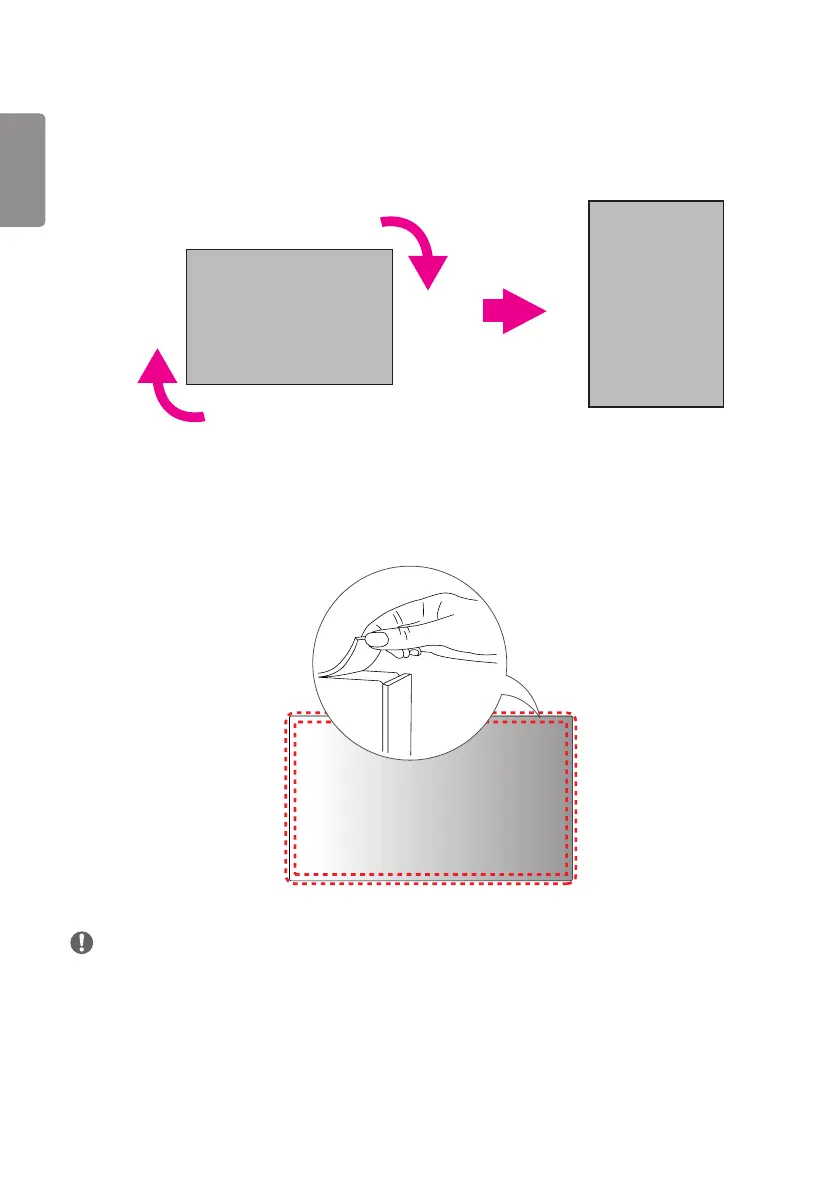
To Install in a Portrait Layout
When installing in a Portrait Layout, rotate the monitor clockwise 90 degrees (when facing the screen).
Remove brackets before Installation
Make sure that the protection pads are removed from each corner before installing the product.
NOTE
• Keep the removed protection pads and use them when moving the product later.


 To Next Page