EasyManua.ls Logo

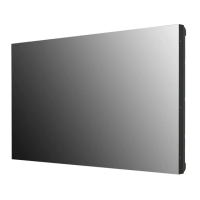
LG 55VL5PJ - User Manual

LG 55VL5PJ
142 pages
Print Icon
To Next Page IconTo Next Page
Loading...
OWNER’S MANUAL
LG Digital Signage
(MONITOR SIGNAGE)
49VL5PJ
55VL5PJ
www.lg.com
Copyright © 2022 LG Electronics Inc. All Rights Reserved.
Please read the user manual before using this product to ensure safe and convenient
use.

Table of Contents

Other manuals for LG 55VL5PJ

Questions and Answers

  • A
    Alejandro SmithSep 8, 2025
    Why is my LG Digital Signage screen brightness dark?
    • E
      ethanewingSep 8, 2025
      If the screen of your LG Digital Signage appears dark, try these solutions: First, adjust the brightness and contrast settings. If the issue persists, the backlight may need repair. Also, if the internal temperature of the enclosure rises, clean the heat exchanger or filter periodically.
  • J
    Joshua SpencerAug 25, 2025
    What to do if touch does not respond on LG 55VL5PJ?
    • J
      James Horton Jr.Aug 25, 2025
      If the touch function isn't responding on your LG Digital Signage, consider the following: * Ensure the USB cable between the PC and the product is connected; if not, remove and reconnect it after 10 seconds. * Verify that your PC's power cord is firmly plugged into a grounded outlet and restart your PC. * If the system is down due to an unstable network, reconnect the LAN cable or restart your PC. * Check the signal cable connection between your PC and the product. * Ensure the product is powered on. * Always connect the power cord to a grounded outlet to prevent breaks or touch errors. * Check if the screen is currently on.
  • O
    oharrisAug 25, 2025
    Why is my LG Digital Signage screen displayed abnormally?
    • M
      Mr. Kenneth PhillipsAug 26, 2025
      If your LG Digital Signage screen is displaying abnormally, try the following: * Connect the signal cable that matches the source input signal. * If condensation appears on the screen, allow some time after powering on for it to disappear. * When connecting the panel and the Signage box, check that their serial numbers match. If they do, unplug the power cord and plug it in again to run the Clear Panel Noise feature. You can also run this feature in (Settings) [Display] [Advanced Settings] [OLED Panel Settings] [Clear Panel Noise] menu.
  • A
    andersonchristinaSep 18, 2025
    Why is touch applied to the wrong monitor on LG 55VL5PJ Digital Signage?
    • D
      David ThompsonSep 18, 2025
      If a touch is applied to a monitor other than the one you intended on your LG Digital Signage, it may be because the monitor is not set as the default monitor when using multiple monitors. Set the monitor as the default monitor. Alternatively, the touch screen may not be calibrated properly; in this case, change your tablet PC settings.
  • T
    Tracy GravesSep 9, 2025
    What causes LG 55VL5PJ screen to be displayed abnormally?
    • N
      Nathan MartinSep 9, 2025
      If your LG Digital Signage screen is displaying abnormally, try these steps: Ensure that you connect the signal cable that matches the source input signal. If condensation appears, allow time for it to dissipate after powering on the product. When connecting the panel and the Signage box, verify that their serial numbers match. If they do, unplug the power cord and plug it back in to run the Clear Panel Noise feature. You can also find this feature in **(Settings)** [Display] [Advanced Settings] [OLED Panel Settings] [Clear Panel Noise] menu.
  • C
    claytondonnaSep 13, 2025
    How to fix horizontal noise or blurred characters on LG 55VL5PJ?
    • D
      David MeltonSep 13, 2025
      If horizontal noise appears or the characters look blurred on your LG Digital Signage, press the button on the remote control to automatically select the optimal screen status that fits into the current mode. If the adjustment is not satisfactory, adjust the display settings manually in the OSD menu.
  • C
    cameron36Sep 3, 2025
    What to do if the location of a touch does not correspond to the touch coordinates on LG 55VL5PJ Digital Signage?
    • H
      hpatelSep 3, 2025
      If the location of a touch does not correspond to the touch coordinates on your LG Digital Signage, this may occur when the touch screen is not calibrated properly. Change your tablet PC settings.
  • T
    Timothy MillsSep 4, 2025
    What to do if a touch is applied to a monitor other than the one I intended on LG 55VL5PJ Digital Signage?
    • J
      Jonathon HaysSep 4, 2025
      If a touch is applied to a monitor other than the one you intended on your LG Digital Signage: * This may occur if the monitor is not set as the default monitor when you are using multiple monitors. Set the monitor as the default monitor. * This may occur when the touch screen is not calibrated properly. Change your tablet PC settings.
  • R
    Ryan MorrowSep 23, 2025
    How to prevent image sticking on LG 55VL5PJ?
    • C
      Cynthia CummingsSep 23, 2025
      To prevent image sticking on your LG Digital Signage, it is recommended that you change the screen at least once every 12 hours; more frequent changes will be more effective.
  • V
    Valerie WrightAug 29, 2025
    How to fix stripes appearing in the background of LG 55VL5PJ Digital Signage?
    • H
      Heather HenryAug 29, 2025
      To address stripes appearing in the background of your LG Digital Signage, press the button on the remote control to automatically select the optimal screen status that fits into the current mode. If the adjustment is not satisfactory, adjust the display settings manually in the OSD menu.

LG 55VL5PJ Specifications

General IconGeneral
Panel TechnologyIPS
Contrast Ratio1200:1
Viewing Angle (H x V)178 x 178
Operating SystemwebOS
Operating Temperature0°C to 40°C
Operating Humidity10% to 80%
Standby Power Consumption0.5 W
Built-in SpeakerYes
VESA Mount Compatibility300 x 300 mm
Screen Size55"
Resolution1920 x 1080
Response Time8 ms
InputHDMI, DisplayPort
OutputAudio Out
ConnectivityWi-Fi, Bluetooth

Related product manuals