EasyManua.ls Logo

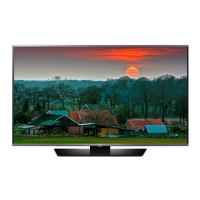
LG 65LF6300-UA - User Manual

LG 65LF6300-UA
67 pages
Print Icon
To Next Page IconTo Next Page
Loading...
OWNER’S MANUAL
Safety and Reference
P/No : MFL68680204 (1603-REV04)
www.lg.com
*MFL68680204*
Please read this manual carefully before operating your set and
retain it for future reference.
40LF6300
43LF6300
49LF6300
55LF6300
60LF6300
65LF6300
42LF6500
50LF6500
55LF6500
60LF6390
65LF6390
65LF6350
LED TV*
* LG LED TVs are LCD TVs with LED backlighting.
32LF595B
43LF5900
49LF5900
55LF5950
43LH5800

Other manuals for LG 65LF6300-UA

Questions and Answers

  • K
    Karen ButlerAug 7, 2025
    What to do if my LG 65LF6300-UA turns off suddenly?
    • N
      nhoffmanAug 7, 2025
      If your LG LED TV turns off unexpectedly, it could be due to a few reasons. First, the power supply might be interrupted, so check the power control settings. Second, the Sleep Timer or Timer Power off function may be activated in the Timers settings. Finally, if the TV doesn't receive a signal for 15 minutes, it will automatically turn off.
  • M
    mfisherAug 12, 2025
    What to do if my LG 65LF6300-UA LED TV has no image and sound?
    • J
      John ContrerasAug 12, 2025
      If your LG LED TV is not displaying an image and there is no sound, first ensure that the TV is powered on. Next, verify that the power cord is securely connected to a functioning wall outlet. You can test the outlet by plugging in another device to see if it works.
  • J
    jacksmithAug 16, 2025
    Why does my LG 65LF6300-UA LED TV turn off suddenly?
    • M
      Maria MillerAug 16, 2025
      If your LG LED TV turns off suddenly, the power supply may be interrupted, so check the power control settings. Also, check if the Sleep Timer or Timer Power Off feature is enabled within the Timers settings. If the TV is on but not receiving a signal, it will automatically turn off after 15 minutes of inactivity.
  • J
    John NelsonAug 20, 2025
    How to fix LG 65LF6300-UA LED TV remote control not working?
    • J
      Jordan JacksonAug 20, 2025
      If you cannot control your LG LED TV with the remote, first check the remote control sensor on the TV and try again. Ensure there are no obstructions between the remote and the TV. Also, verify that the batteries in the remote are working and properly installed.
  • D
    davisjonAug 25, 2025
    Why my LG 65LF6300-UA remote control is not working?
    • B
      Blake NicholsAug 25, 2025
      If you cannot control your LG LED TV with the remote, there might be a few reasons. Ensure that there are no obstacles blocking the path between the remote and the TV's sensor. Also, verify that the batteries in the remote are working and properly installed. Finally, check the remote control sensor on the TV and try again.
  • G
    Gail ThomasAug 29, 2025
    Why does my LG TV tilt forward after installing it?
    • J
      Johnny ChavezAug 29, 2025
      If your LG TV tilts forward after installation, ensure that all screws are securely tightened.
  • D
    danielle08Sep 2, 2025
    How to prevent my LG TV from getting scratched or damaged during a move?
    • T
      Travis StephensonSep 2, 2025
      If you need to move your LG TV, it is recommended to use the original box or packing material to prevent scratches or damage.

LG 65LF6300-UA Specifications

General IconGeneral
Screen Size65 inches
Display TypeLED
Smart TVYes
Operating SystemwebOS
HDMI Ports3
USB Ports3
Wi-FiYes
Resolution1920 x 1080
Audio Output20W

Related product manuals