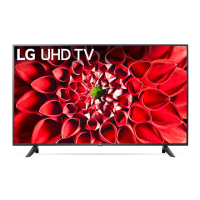
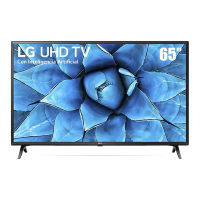
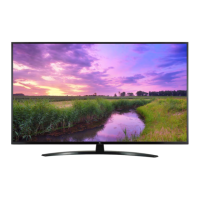
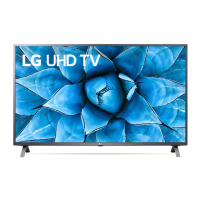
EasyManua.ls Logo

LG 65UN9000AUJ - User Manual

LG 65UN9000AUJ
33 pages
Print Icon
To Next Page IconTo Next Page
Loading...
Copyright © 2020 LG Electronics Inc. All Rights Reserved.
LED TV*
OWNER’S MANUAL
* LG LED TV applies LCD screen with LED backlights.
Safety and Reference
Please read this manual carefully before operating your set and retain it for future
reference.
*MFL71437832*
(2103-REV06)
43UN7300PUF
43UN7300PUC
43UN7300AUD
43UN7300PUD
43UN7100PUA
43UN7000PUB
43UN6950ZUA
43UN6951ZUA
43UN6955ZUF
49UN7300PUC
49UN7300PUF
49UN7300AUD
49UN7300PUB
49UN7100PUA
49UN7000PUB
50UN8050PUD
50UN8000PUB
50UN7300PUF
50UN7300PUC
50UN7300AUD
50UN7300PUB
50UN7000PUC
50UN6950ZUF
50UN6951ZUF
50UN6955ZUF
55UN8050PUD
55UN8000PUB
55UN7300PUF
55UN7300PUC
55UN7300AUD
55UN7300PUB
55UN7310PUC
55UN7100PUA
55UN7000PUB
55UN6950ZUA
55UN6951ZUA
55UN6955ZUF
60UN7300PUA
60UN7310PUA
60UN7000PUB
60UN6950ZUA
60UN6951ZUA
65UN8500PUI
65UN8500AUJ
65UN8050PUD
65UN8000PUB
65UN7300PUF
65UN7300PUC
65UN7300AUD
65UN7300PUB
65UN7310PUC
65UN7100PUA
65UN6950ZUA
65UN6951ZUA
65UN6955ZUF
65UN9000AUJ
70UN6950ZUA
70UN6955ZUC
70UN7370PUC
70UN7370AUD
70UN7370PUB
70UN7100PUA
70UN7070PUA
75UN8570PUC
75UN7370PUE
75UN8000PUB
75UN8570AUD
75UN7370AUH
75UN7370PUB
75UN7100PUD
75UN7070PUC
75UN6950ZUD
75UN6951ZUD
75UN6955ZUD
75UN6970PUD
75UN9070AUD
82UN8570PUC
82UN8570PUB
82UN8570AUD
82UN8070PUD
86UN8570PUC
86UN8570PUB
86UN8570AUD
86UN9070AUD
Question and Answer IconNeed help?

Do you have a question about the LG 65UN9000AUJ and is the answer not in the manual?

Summary

Important Safety Instructions

Warning! Safety Instructions

Additional Safety and Handling Precautions

Lifting and Moving the TV

Securing TV to the Wall

Connecting External Devices

Using the Standard Remote Control

Using the Magic Remote Control

Magic Remote Pairing and Troubleshooting

Registering the Magic Remote

Steps to pair the Magic Remote with the TV.

Troubleshooting Common Issues

Solutions for common problems like remote control or display issues.

Display and Sound Characteristics

Child Safety and TV Placement

External Control Device Setup Guide

Key Codes for Remote Operation

External Control Setup: Connections

USB to Serial (RS-232 C) Connection

Setup and connection using a USB to Serial converter.

RS-232 C Serial Cable Connection

How to connect using an RS-232C serial cable.

External Control Setup: Details and Configuration

Customer Computer and Set ID Configuration

Setting up the computer connection and TV's Set ID.

Communication Parameters and Command List

Command Reference List

A detailed list of commands and their hexadecimal data.

Transmission and Acknowledgement Protocols

Transmission Protocol Format

Format for sending commands to the TV.

Acknowledgement Protocols (OK;Error)

How the TV acknowledges commands (OK or Error).

Control Commands: Power and Picture Adjustments

Power Control and Screen Mute Commands

Commands to turn the TV power on/off and manage screen mute.

Picture Adjustment Commands

Commands for Aspect Ratio, Contrast, and Brightness adjustments.

Control Commands: Color, Tint, and Lock Mode

Color and Tone Adjustment Commands

Commands for adjusting Color, Tint, and Brightness.

Control Commands: Audio, Energy, and Tuning

Channel Tuning Commands

Commands to tune channels for analog, digital, and satellite sources.

Channel Tuning and Input Selection Commands

Analog and Digital Channel Tuning

Commands for analog cable, digital antenna, and satellite tuning.

Input Selection Commands

Commands to select the TV's input source.

Control Commands: Channel Management and 3 D

Backlight and 3 D Mode Control

Commands to adjust backlight and select 3D viewing modes.

Control Commands: Advanced 3 D and Auto Configure

Extended 3 D Options Control

Control for advanced 3D features like depth and viewpoint.

Summary

Important Safety Instructions

Warning! Safety Instructions

Additional Safety and Handling Precautions

Lifting and Moving the TV

Securing TV to the Wall

Connecting External Devices

Using the Standard Remote Control

Using the Magic Remote Control

Magic Remote Pairing and Troubleshooting

Registering the Magic Remote

Steps to pair the Magic Remote with the TV.

Troubleshooting Common Issues

Solutions for common problems like remote control or display issues.

Display and Sound Characteristics

Child Safety and TV Placement

External Control Device Setup Guide

Key Codes for Remote Operation

External Control Setup: Connections

USB to Serial (RS-232 C) Connection

Setup and connection using a USB to Serial converter.

RS-232 C Serial Cable Connection

How to connect using an RS-232C serial cable.

External Control Setup: Details and Configuration

Customer Computer and Set ID Configuration

Setting up the computer connection and TV's Set ID.

Communication Parameters and Command List

Command Reference List

A detailed list of commands and their hexadecimal data.

Transmission and Acknowledgement Protocols

Transmission Protocol Format

Format for sending commands to the TV.

Acknowledgement Protocols (OK;Error)

How the TV acknowledges commands (OK or Error).

Control Commands: Power and Picture Adjustments

Power Control and Screen Mute Commands

Commands to turn the TV power on/off and manage screen mute.

Picture Adjustment Commands

Commands for Aspect Ratio, Contrast, and Brightness adjustments.

Control Commands: Color, Tint, and Lock Mode

Color and Tone Adjustment Commands

Commands for adjusting Color, Tint, and Brightness.

Control Commands: Audio, Energy, and Tuning

Channel Tuning Commands

Commands to tune channels for analog, digital, and satellite sources.

Channel Tuning and Input Selection Commands

Analog and Digital Channel Tuning

Commands for analog cable, digital antenna, and satellite tuning.

Input Selection Commands

Commands to select the TV's input source.

Control Commands: Channel Management and 3 D

Backlight and 3 D Mode Control

Commands to adjust backlight and select 3D viewing modes.

Control Commands: Advanced 3 D and Auto Configure

Extended 3 D Options Control

Control for advanced 3D features like depth and viewpoint.

LG 65UN9000AUJ Specifications

General IconGeneral
Screen shapeFlat
Response time- ms
Display diagonal64.5 \
Display brightness- cd/m²
Display technologyLED
Native refresh rate120 Hz
LED backlighting typeDirect-LED
Contrast ratio (typical)-
Game featuresAuto Low Latency Mode (ALLM)
Audio formats supportedAAC, AC3, AC4, EAC3, HE-AAC, MP2, MP3, PCM, WMA, apt-X
Picture processing technologyLG AI Picture, LG AI Picture Pro, LG True Color Accuracy
High Dynamic Range (HDR) supportedYes
High Dynamic Range (HDR) technologyCinema HDR, Dolby Vision, Dolby Vision IQ, High Dynamic Range 10 (HDR10), Hybrid Log-Gamma (HLG)
Operating system installedWeb OS
Remote control typeMagic Remote
Wi-Fi standardsWi-Fi 5 (802.11ac)
Bluetooth version5.0
Sound modesAI Sound
Audio decodersDolby Atmos
RMS rated power20 W
Number of speakers2
PC in (D-Sub)No
RF ports quantity1
HDMI ports quantity4
USB 2.0 ports quantity3
Consumer Electronics Control (CEC)SimpLink
USB 3.2 Gen 1 (3.1 Gen 1) Type-A ports quantity0
Digital signal format systemATSC
AC input voltage120 V
AC input frequency50 - 60 Hz
Power consumption (standby)0.5 W
Power consumption (typical)105 W
Annual energy consumption194 kWh
Package typeBox
Package depth970.28 mm
Package width1661.16 mm
Package height177.8 mm
Package weight29620 g
Product colorBlack
Panel mounting interface300 x 300 mm
Weight and Dimensions IconWeight and Dimensions
Depth (with stand)269.24 mm
Width (with stand)1463 mm
Height (with stand)914.4 mm
Weight (with stand)21590 g
Depth (without stand)76.2 mm
Height (without stand)850.9 mm
Weight (without stand)21320 g

Videos

How to Fix LG 65UN9000AUJ TV: Power On But No Display Issue

Related product manuals