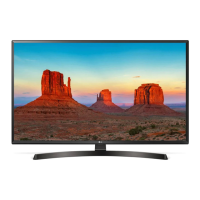
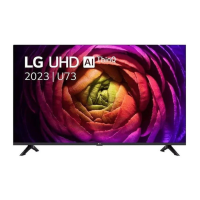
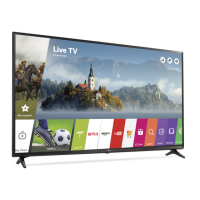
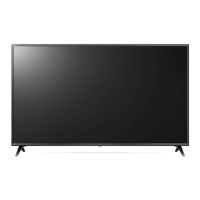
This document is an owner's manual for an LG LED TV, providing safety instructions, installation guidance, connection details, troubleshooting tips, and remote control usage.
Function Description:
The LG LED TV is a television set that utilizes an LCD screen with LED backlights. It is designed for home entertainment, allowing users to watch broadcast television, connect to various external devices, and access smart features. The TV supports both digital and analogue broadcasting standards, including DVB-S/S2, DVB-T/T2, DVB-C, PAL/SECAM B/G/I/D/K, and SECAM L, depending on the country. It can store a large number of programmes (up to 6,000 for digital and 3,000 for analogue). The TV can be operated using a physical button on the unit or via a remote control, including a Magic Remote for supported models, which offers advanced features like voice recognition and NFC tagging. The "Always Ready" feature allows the TV to operate with direct voice recognition and Bluetooth connectivity even when the power is off.
Important Technical Specifications:
- Power Requirement: AC 100-240 V~ 50/60 Hz.
- Television System:
- Digital TV: DVB-S/S2, DVB-T/T2, DVB-C.
- Analogue TV: PAL/SECAM B/G/I/D/K, SECAM L.
- Program Coverage:
- DVB-S/S2: 950 ~ 2,150 MHz.
- DVB-C: 46 ~ 890 MHz.
- DVB-T/T2: VHF III: 174 ~ 230 MHz, UHF IV: 470 ~ 606 MHz, UHF V: 606 ~ 862 MHz, S Band II: 230 ~ 300 MHz, S Band III: 300 ~ 470 MHz.
- Analogue TV: 46 ~ 862 MHz.
- Maximum Number of Storable Programmes: 6,000 (Digital), 3,000 (Analogue).
- External Antenna Impedance: 75 Ω.
- CI Module (W x H x D): 100.0 mm x 55.0 mm x 5.0 mm.
- Environment Conditions:
- Operating Temperature: 0 °C to 40 °C.
- Operating Humidity: Less than 80%.
- Storage Temperature: -20 °C to 60 °C.
- Storage Humidity: Less than 85%.
- Conditions for Wall Mount Installation: Tilt Angle: 0° - 15° (for products with an adjustable wall mount angle).
- HDMI Audio Format Support: True HD (48 kHz), Dolby Digital / Dolby Digital Plus (32 kHz / 44.1 kHz / 48 kHz), PCM (32 kHz / 44.1 kHz / 48 kHz / 96 kHz / 192 kHz), DTS (44.1 kHz / 48 kHz / 88.2 kHz / 96 kHz), DTS-HD (44.1 kHz / 48 kHz / 88.2 kHz / 96 kHz / 176.4 kHz / 192 kHz).
- Recommended HDMI Cable Types: Ultra High Speed HDMI®/™ cable (3 m or less).
- Magic Remote (MR23GN, MR23GA) Specifications:
- Bluetooth Frequency Range: 2,400 to 2,483.5 MHz, Output Power (Max.): 8 dBm.
- NFC Frequency Range: 13.553 to 13.567 MHz, Output Power (Max.): -11.22 dBuA/m @ 10 m (Only MR23GN).
Usage Features:
- Installation: The TV can be mounted on a table using its stand or secured to a wall with an optional wall mount bracket. Proper ventilation and secure attachment are emphasized.
- Connections:
- Antenna/Cable: Connects to a wall antenna socket with an RF cable (75 Ω) for broadcast TV. Signal amplifiers may be needed for poor image quality.
- Satellite Dish: Connects to a satellite dish with a satellite RF cable (75 Ω).
- HDMI: Supports various HDMI audio formats and Deep Colour for clearer pictures. Users are advised to use certified HDMI cables.
- USB: Allows connection of USB storage devices. For optimal connection, USB devices should have bezels less than 10 mm thick and 18 mm width; an extension cable is recommended if the USB cable or stick does not fit directly.
- IR Blaster: Controls external devices like set-top boxes, Blu-ray/DVD players, soundbars, and game consoles using universal control settings.
- External Devices: Compatible with Blu-ray players, HD receivers, DVD players, VCRs, audio systems, PCs, and gaming devices. In PC mode, users can adjust resolution, refresh rate, brightness, and contrast to optimize picture quality.
- Remote Control:
- Standard Remote: Features buttons for power, teletext, guide, quick access, volume, home, input, settings, navigation, and media control.
- Magic Remote (for supported models): Offers advanced control with a wheel (OK) button, microphone for voice recognition, and NFC tagging. It allows users to access menus, select programmes, adjust volume, and navigate smart features. The Magic Remote needs to be paired with the TV and can be deregistered if needed.
- Smart Features:
- User Guide: An embedded user guide provides detailed information about the TV's functions.
- Magic Explorer: A feature accessible via the Magic Remote for interactive content exploration.
- Voice Recognition: Requires network connection and allows users to control the TV and search for content using voice commands.
- NFC Tagging: Enables smart devices to connect to the TV via the NFC-enabled Magic Remote, facilitating installation of the LG ThinQ app and access to various features.
- Always Ready: Allows the TV to respond to voice commands and maintain Bluetooth connectivity even when turned off, with settings to enable or disable this function.
Maintenance Features:
- Cleaning: Unplug the power cord before cleaning. Wipe the TV gently with a soft/dry cloth. Do not spray water or liquids directly on the TV. Avoid using chemicals like glass cleaner, air fresheners, insecticides, lubricants, wax, abrasive cleaners, thinner, benzene, or alcohol, as these can damage the product or its panel.
- Safety:
- Protect the power cord from physical damage.
- Do not move the TV while plugged in.
- Always grasp the plug, not the cord, when unplugging.
- Avoid connecting too many devices to one AC outlet.
- The power plug is the disconnecting device and should be readily accessible.
- Keep children from climbing on the TV.
- Ensure outdoor antennas are properly grounded and avoid touching them during lightning storms.
- Do not insert metallic or inflammable objects into the product.
- Unplug the product immediately and contact customer service if it is damaged, exposed to water/substances, emits smoke/odors, or during lightning storms/long periods of disuse.
- Avoid using high voltage electrical equipment near the TV.
- Do not modify the product without authorization.
- Use only authorized attachments/accessories.
- Handle the AC adapter and power cord carefully.
- Do not touch the TV with wet hands.
- Batteries: Store accessories (batteries) out of reach of children. Do not short circuit, disassemble, overheat, or dispose of batteries in fire. Replace with the correct type to avoid fire/explosion risk.
- Troubleshooting: The manual provides solutions for common issues such as remote control problems, no image/sound, sudden TV shutdown, no signal in PC (HDMI) mode, and abnormal display (e.g., tiny dots, brightness variations, temporary distortion from touching the screen, image sticking). It also addresses generated sounds like "cracking" noise (due to thermal contraction) and electrical circuit humming/panel buzzing (normal operating sounds).

 Need help?

 To Next Page
 General