Need help?
Do you have a question about the LG 65UR9000PUA.AUS and is the answer not in the manual?
Essential safety instructions to read and follow before operating the TV.
Guidelines for proper TV ventilation to ensure safe operation and prevent overheating.
Basic steps to turn on the TV and begin operation.
Details on connecting devices via HDMI, including audio and cable specifications.
Solutions for issues when the TV cannot be controlled by the remote.
Steps to resolve issues like no image, no sound, or sudden power off.
Critical warnings about preventing TV tip-overs and ensuring user safety.
Overview of connecting external systems to control the TV's functions.
Technical details on RS-232C wiring and setting a unique ID for the TV.
Structure of commands, data transmission, and acknowledgement formats.
Detailed commands for controlling Power, Aspect Ratio, Mute, Volume, Brightness, Color, Tint, Sharpness, OSD, Lock mode, Treble, Bass, Balance, Temperature, ISM, Equalizer, Energy Saving, Tune, Key codes, Backlight, Input selection, and 3D settings.
A list of commands for controlling various TV functions externally.
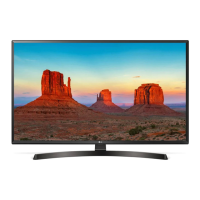
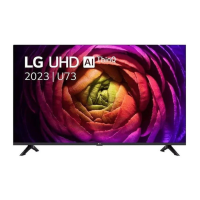
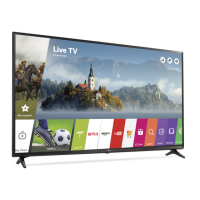
This document serves as the owner's manual for an LG LED TV, providing essential information for its safe and effective operation, maintenance, and external control. The TV utilizes an LCD screen with LED backlights.
The LG LED TV is designed for viewing television broadcasts and connecting to various external devices. It supports a range of input sources including antenna, cable, and HDMI, allowing users to watch DTV, NTSC-M, and QAM broadcasts, as well as content from Blu-ray players, HD receivers, DVD players, VCRs, audio systems, USB storage devices, PCs, and gaming consoles. The TV offers basic functions such as power on/off, volume control, channel selection, and screen mute. Advanced features include aspect ratio adjustment, screen contrast and brightness control, color/colour temperature settings, and sound balance. For models supporting 3D, there are options to change 3D modes, adjust 3D effects, and correct 3D picture. The TV also includes an auto-configure function for optimizing picture position and minimizing image shaking in RGB (PC) mode.
The TV can be operated using a single button for power on/off, menu control, and menu selection. For more comprehensive control, a remote control is provided, offering access to various functions like channel up/down, volume up/down, mute, input selection, sleep timer, teletext, favorite channels, return, AV mode, caption/subtitle, arrow keys for navigation, recent apps, play/stop/pause, soccer mode, record, 3D, auto-config, smart/home, SIMPLINK, info, program guide, and user guide. The TV supports a "User Guide" embedded within the product, accessible through the support menu, which provides detailed information on installation, usage, troubleshooting, and specifications.
For external control, the TV can be connected to a computer or A/V control system via a USB to Serial (RS-232C) converter or an RS-232C (Serial) cable. This allows for remote control of various TV functions using specific commands. The manual provides a comprehensive list of commands for power, aspect ratio, screen mute, volume mute, volume control, contrast, brightness, color/colour, tint, sharpness, OSD select, remote control lock mode, treble, bass, balance, color/colour temperature, ISM method (for Plasma TVs), equalizer, energy saving, tune command for channel selection, channel add/delete/skip, key code transmission, control backlight, control panel light, input select, and 3D mode adjustments. The TV's Set ID can be configured to control individual or multiple connected sets.
The TV also features optional extras such as a Magic Remote Control, which may require checking Bluetooth compatibility in the Wireless Module Specification. A cable to connect antennas and external devices must be purchased separately.
The manual emphasizes several safety and maintenance instructions to ensure the longevity and proper functioning of the TV. Users are advised to read and retain the manual, heed all warnings, and follow all instructions.
The manual also includes information about open-source software, licenses (HDMI, HEVC Advance, Quick Set), and LG's take-back and recycling policy, emphasizing the company's commitment to environmental protection and resource conservation.
 General
| Screen Size | 65 inches |
|---|---|
| Display Type | LED |
| Refresh Rate | 60Hz |
| Operating System | webOS |
| Smart TV | Yes |
| HDMI Ports | 3 |
| USB Ports | 2 |
| Wi-Fi | Yes |
| Ethernet Port | Yes |
| Bluetooth | Yes |
| Audio Output | 20W |
| Processor | α5 Gen6 AI Processor 4K |
| Resolution | 3840 x 2160 (4K UHD) |


 To Next Page