Need help?
Do you have a question about the LG 75NANO90UNA and is the answer not in the manual?
Ensuring correct grounding and electrical connection for safety.
Instructions for safely moving the TV to prevent damage.
Connecting broadcast sources via antenna or cable.
Details on connecting various other input sources to the TV.
Information on connecting devices like Blu-ray players or PCs.
Operating TV functions using the built-in button.
Overview of primary functions controlled by the TV button.
How to access and adjust settings using the TV button.
Steps to pair the Magic Remote with your TV.
Instructions to unpair the Magic Remote from the TV.
Troubleshooting common screen anomalies like flickers or dot defects.
Information regarding FCC regulations and device compliance.
Details on interference requirements for UNII devices.
Compliance with FCC limits for radio frequency exposure.
Compliance with Industry Canada limits for radio frequency exposure.
Essential advice for preventing TV tip-overs and ensuring stability.
Guidelines for safely mounting TVs to walls or ceilings.
Safety guidelines for using the Magic Remote.
Steps for getting warranty service and support.
What is not covered under the limited warranty.
Detailed steps for service requests and handling.
 General
| Screen Type | led |
|---|---|
| Color | black |
| Wall Mount | 600mm x 400mm |
| Features | hdr dynamic tone mapping, ultra luminance, double step noise reduction, sharpness enhancer, nano color, advanced color enhancer, true color accuracy |
| Tuner | digital |
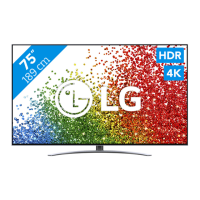
| Screen Size | 74.5 inches, 75 inches |
| Screen Technology | nanocell led |
| Resolution | 4k (2160p) |
| Refresh Rate | 120hz |
| Closed Captioning | yes |
| Motion Enhancement | trumotion 240 |
| HDR | yes |
| HDR Format | hdr 10, hybrid log-gamma (hlg), dolby vision |
| Built-In Speakers | true, downward firing |
| Surround Sound | dolby atmos, ultra surround |
| Speakers Output | 40 watts |
| HDMI Ports | 4 |
| HDMI 2.1 Ports | 4 |
| HDMI ARC Ports | yes |
| USB Ports | 3 |
| USB 2.0 Ports | 3 |
| Ethernet | yes |
| RF Antenna | yes |
| Bluetooth | true, 5.0 |
| Network | built-in wi-fi, ethernet |
| Headphones Output | no |
| Digital Optical Audio Outputs | 1 |
| Analog Audio Outputs | 0 |
| Component Video Inputs | 0 |
| Composite Video Inputs | 1 |
| DVI | 0 |
| SmartTV | webos |
| Streaming Services | apple tv+, paramount+, crackle, disney+, fandango, google play movies & tv, hulu, netflix, pandora, peacock, prime video, redbox, showtime, sirius, starz, sling tv, spotify, twitch, vudu, youtube, youtube tv, iheartradio |
| Smart Applications | apple homekit, google assistant, amazon alexa |
| Other Devices Connection | mobile to tv |
| Voice Assistant | amazon alexa, google assistant |
| Remote Control | magic |
| 3D | no |
| Power Consumption | 229 kilowatt hours |
| Depth with Stand | 14.2 inches |
| Height with Stand | 40.4 inches |
| Width with Stand | 66 inches |
| Net Weight with Stand | 78.5 pounds |
| Depth without Stand | 2.9 inches |
| Height without Stand | 38 inches |
| Net Weight without Stand | 76.9 pounds |

 To Next Page