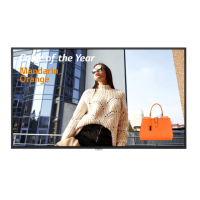
Need help?
Do you have a question about the LG 75TR3DK-B and is the answer not in the manual?
Details about included components and optional purchases for the electronic blackboard.
Lists optional accessories like wall mount holders and stands available for purchase.
Instructions for wall mounting, including VESA specifications for screws and brackets.
Instructions for general product installation, including clearance requirements for ventilation.
Identifies and explains the components located on the front of the product.
Identifies and explains the components located on the back of the product.
Identifies and explains the components located on the side of the product.
Details the input/output terminals located on the side of the product for external connections.
Details the input/output terminals located on the front of the product.
Details the input/output terminals located on the side of the product.
Details the input/output terminals located on the bottom of the product.
Explains the functions and usage of the touch pen tips for writing and drawing.
Instructions on how to attach the touch pen to the magnetic holder to keep it in place.
Steps for replacing a worn or damaged touch pen tip with a new one.
Warranty implications for using the product in excessively dusty environments.
Explains what afterimage is and how it can occur on the screen.
Provides tips to reduce the occurrence of afterimages on the screen.
Details supported operating systems and touch functionality of the screen.
Provides audio specifications like RMS output and speaker impedance.
Details power voltage, current, physical dimensions, and weight for specific product models.
Lists supported screen resolutions and frequencies for VGA modes.
Lists supported screen resolutions and frequencies for USB Type-C connections.
Lists supported screen resolutions and frequencies for HDMI and OPS connections.
Information regarding HDMI licensing, trademarks, and terms.
This document serves as the owner's manual for the LG Digital Signage (Monitor Signage), an electronic blackboard designed for interactive display and communication. The device is intended for various applications, including presenting information, facilitating interactive discussions, and enabling creative expression through touch-based input.
The primary function of the LG Digital Signage is to display content and allow users to interact with it directly on the screen. It operates as an electronic blackboard, providing a versatile platform for educational, business, and collaborative environments. Users can touch the screen to navigate menus, launch applications, take notes, annotate documents, and draw directly on displayed data. This interactive capability transforms a traditional display into a dynamic workspace.
Key usage features of the LG Digital Signage revolve around its touch screen functionality and connectivity options. The touch screen is the central interface, allowing for intuitive interaction using either a finger or the provided touch pens. The product supports simultaneous use of two touch pens, enabling collaborative writing or drawing, with the ability to assign different colors to each pen. Each pen is designed with a 3 mm tip for precise writing and fine lines (held like a pencil) and an 8 mm tip for larger letters or drawing (held like chalk or a marker), offering flexibility in input style.
The device offers multiple input/output terminals to connect various external devices. Front cable terminals include a USB Type-C port for connecting external devices, an HDMI 3 port for HDMI cables, a TOUCH 2 port for touch control of PC screens via HDMI 3, and a USB 3.0 port for data transfer or connecting USB devices like a mouse or keyboard. Side cable terminals further expand connectivity with an RS232C port, a LAN port for wired internet, additional USB 3.0 and USB 2.0 ports, HDMI 1 and HDMI 2 inputs, a TOUCH 1 port for touch control of PC screens via HDMI 1, and an HDMI OUT port to export the screen to an external device. The bottom cable terminals include SPDIF for audio output, AUDIO IN for audio input, AUDIO OUT for audio output, and a VGA port for connecting external devices with a VGA cable. These extensive connectivity options ensure compatibility with a wide range of peripherals and systems, enhancing the device's versatility in different operational setups.
For audio output, the LG Digital Signage includes built-in speakers, providing sound for multimedia content or presentations. The product also supports an optional built-in PC (OPS) that can be inserted into a dedicated slot, further expanding its processing capabilities and enabling a more integrated system.
Maintenance features are designed to ensure the longevity and optimal performance of the device. The manual emphasizes the importance of using genuine LG products and avoiding counterfeits to prevent damage and maintain warranty coverage. It also highlights that the warranty does not apply if the product is used in an excessively dusty environment, underscoring the need for a clean operating space.
Regarding the touch pens, they can be conveniently stored by attaching them magnetically to the touch pen holder on the front of the device, preventing loss. The pen tips are replaceable; if a tip becomes worn or damaged, it can be removed using tools like tweezers and a new tip can be slid into the pen body. Additional touch pens or spare tips can be purchased from LG Electronics.
The manual also addresses potential display issues, specifically afterimages. It explains that afterimages can occur if a still image is displayed for a long period or when switching from high-luminance to darker screens. To mitigate this, users are advised to utilize the screen-saver function, change background and text colors at equal intervals (preferably complementary colors), and switch the screen at regular intervals, ensuring that text or images are not left in the same location after a screen change. The maximum recommended time for displaying a fixed screen is 12 hours, with shorter cycles being more effective in preventing afterimages.
For installation, the electronic blackboard can be wall-mounted using an optional wall mount support, which must comply with VESA standard specifications. It is crucial to allow at least 10 cm of clearance from the wall for proper ventilation and to ensure the product is securely installed to prevent falling. The manual provides detailed VESA dimensions and screw specifications for various models to guide correct wall mount installation. Before moving or installing the product, users are instructed to disconnect the power cord to avoid electric shock. The product should not be installed on a ceiling or sloped wall due to the risk of falling.
The device is designed with handles for transportation, making it easier to move when necessary. Users are advised to keep the original product box for potential future moves. Before initial use, all tapes attached to the front of the product should be removed.
In summary, the LG Digital Signage is an interactive display solution offering robust touch functionality, extensive connectivity, and user-friendly design, supported by clear guidelines for installation, usage, and maintenance to ensure a reliable and engaging user experience.
 General
| Line-in | Yes |
|---|---|
| HDCP version | 2.2 |
| USB connector type | USB Type-A, USB Type-B, USB Type-C |
| HDMI ports quantity | 4 |
| USB 2.0 ports quantity | USB 2.0 ports have a data transmission speed of 480 Mbps, and are backwards compatible with USB 1.1 ports. You can connect all kinds of peripheral devices to them. |
| Ethernet LAN (RJ-45) ports | 2 |
| USB 3.2 Gen 1 (3.1 Gen 1) Type-A ports quantity | 1 |
| Product color | Black |
| Panel mounting interface | 600 x 400 mm |
| Color gamut | 72 % |
| Working area | - mm |
| Response time | 8 ms |
| Display diagonal | 75 \ |
| Touch technology | Multi-touch |
| Touchscreen type | Infrared |
| Display brightness | 390 cd/m² |
| Native aspect ratio | 16:9 |
| Maximum refresh rate | 60 Hz |
| Contrast ratio (dynamic) | 50000:1 |
| Contrast ratio (typical) | 1200:1 |
| Number of simultaneous touchpoints | 40 |
| AC input voltage | 100 - 240 V |
| AC input frequency | 50 - 60 Hz |
| Power consumption (max) | 430 W |
| Power consumption (standby) | 0.5 W |
| Power consumption (typical) | 225 W |
| Package depth | 225 mm |
| Package width | 1863 mm |
| Package height | 1140 mm |
| Package weight | 60600 g |
| Quantity per pack | 1 pc(s) |
| RAM capacity | 4 GB |
| Graphics card | Mali-G52 MP2 |
| Processor architecture | ARM Cortex-A55 |
| Maximum internal memory | 32 GB |
| Operating system installed | Android 11 |
| Speaker power | 15 W |
| Built-in projector | No |
| Operating temperature (T-T) | 0 - 40 °C |
| Operating relative humidity (H-H) | 10 - 90 % |
| Wi-Fi standards | 802.11a, 802.11b, 802.11g, Wi-Fi 4 (802.11n), Wi-Fi 5 (802.11ac), Wi-Fi 6 (802.11ax) |
| Bluetooth version | 5.0 |
| Top Wi-Fi standard | Wi-Fi 6 (802.11ax) |
| Ethernet LAN data rates | 10, 100, 1000 Mbit/s |
| Sustainability certificates | ENERGY STAR |
 Weight and Dimensions
| Depth | 88 mm |
|---|---|
| Width | 1709 mm |
| Height | 1020 mm |
| Weight | 47300 g |

 To Next Page