EasyManua.ls Logo

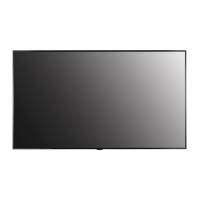
LG 75XE3C - User Manual

LG 75XE3C
127 pages
Print Icon
To Next Page IconTo Next Page
Loading...
Please read this manual carefully before operating your set and retain it
for future reference.
OWNER’S MANUAL
LG Digital
Signage
(MONITOR SIGNAGE)
www.lg.com
Copyright © 2018 LG Electronics Inc. All Rights Reserved.
55XE3C
75XE3C

Table of Contents

Other manuals for LG 75XE3C

Questions and Answers

  • L
    Laurie SmithAug 9, 2025
    How to fix no image on LG 75XE3C?
    • W
      weaverkurtAug 9, 2025
      If your LG Digital Signage displays no image, first ensure the power cord is securely plugged into the power outlet. Also, check that the circuit breaker is properly connected and switched on (red). If the issue persists, verify the signal cable connection between your PC and the signage. Access the input menu to confirm the correct input signal is selected. Finally, remember that in below-zero temperatures, the display may take up to an hour to warm up internally.
  • G
    Gregory CollinsAug 14, 2025
    What to do if audio function does not work on LG Digital Signage?
    • H
      hryanAug 14, 2025
      If the audio function isn't working on your LG Digital Signage, start by checking the audio cable connection. Then, ensure the volume is appropriately adjusted and the sound settings are correctly configured. Also, try selecting a different equalizer sound and adjusting the volume again.
  • D
    Debbie MartinezAug 18, 2025
    Why is the screen color abnormal on my LG 75XE3C?
    • N
      Nathan HallAug 18, 2025
      If the screen color on your LG Digital Signage appears abnormal, first ensure the number of colors is set to more than 24 bits (true color) via [Control Panel] [Display] [Settings] [Color Table] in Windows. Next, check the connection status of the signal cable. Note that slight color variations can be a normal characteristic of LCD panels and not a malfunction.
  • W
    Wendy BoothAug 25, 2025
    What to do if the screen image looks abnormal on LG Digital Signage?
    • K
      Kaitlyn WalkerAug 25, 2025
      If the screen image on your LG Digital Signage looks abnormal, verify that your graphics card resolution and frequency are supported by the product. If the frequency is out of range, adjust it to the recommended resolution via the [Control Panel] [Display] [Setting] menu. Also, ensure the correct input signal is connected to the appropriate signal port. If condensation is present, allow some time after powering on for it to dissipate. Finally, regularly clean the heat exchanger to prevent internal temperature increases.
  • R
    Richard SuttonAug 28, 2025
    Why does after-image appear on LG 75XE3C Digital Signage?
    • J
      Jenny ColemanAug 28, 2025
      If an after-image appears on your LG Digital Signage, it could be due to using a fixed image for an extended period, which can damage the pixels. Use the screen-saver function to prevent this. Also, displaying a dark image after a high-contrast image (black and white or gray) is normal for LCD screens.
  • D
    Douglas ColemanSep 3, 2025
    What to do if the unknown product message appears on LG 75XE3C Digital Signage?
    • J
      Jared RobersonSep 3, 2025
      If the 'Unknown Product' message appears when connecting your LG Digital Signage, check if the Plug and Play function is supported by referring to the graphics card user manual.

Summary

Important Precautions

Precautions When Installing the Product

Warnings and cautions for safe installation of the product.

Precautions for the AC Adapter and Power

Warnings and cautions for safe use of the AC adapter and power cord.

Precautions When Moving the Product

Warnings and cautions for safely moving the product.

Precautions When Using the Product

Warnings and cautions for safe operation and use of the product.

Assembly and Preparation

Safety and Precaution Guide for Installation

Safety precautions related to installation, especially concerning direct sunlight.

Remote Control

Making Connections

Troubleshooting

No image is displayed

Actions to take when the product displays no image.

LG 75XE3C Specifications

General IconGeneral
Panel TypeIPS
Aspect Ratio16 : 9
Operating Hours24/7
Operating Temperature0 °C to 40 °C
Storage Temperature-20 °C to 60 °C
Standby Power Consumption0.5W
Display Size75 inches
Resolution3, 840 x 2, 160 (UHD)
Contrast Ratio1200:1
Viewing Angle (H x V)178° x 178°
OrientationPortrait / Landscape
InputHDMI
External ControlRS-232C
Display TypeLCD

Related product manuals