EasyManua.ls Logo

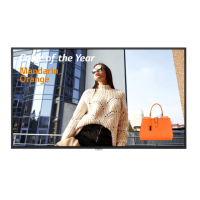
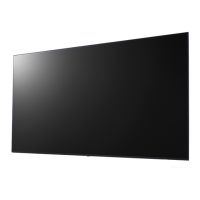
LG 75UH5E - User Manual

LG 75UH5E
130 pages
Print Icon
To Next Page IconTo Next Page
Loading...
OWNER’S MANUAL
LG Digital
Signage
(MONITOR SIGNAGE)
www.lg.com
Copyright © 2019 LG Electronics Inc. All Rights Reserved.
Please read this manual carefully before operating your set and retain it for future reference.
75UH5E
86UH5E
75UM3E
86UM3E
86UH5PE

Table of Contents

Other manuals for LG 75UH5E

Questions and Answers

  • K
    Krista RuizAug 17, 2025
    What to do if no image is displayed on LG Digital Signage?
    • C
      Christina GrahamAug 17, 2025
      If no image appears on your LG Digital Signage, verify that the power cord is properly connected to the outlet. If you see an “Invalid Format” message, the signal from your PC might be outside the product's frequency range; adjust it within the specifications in this manual. If a “No Signal” message appears, ensure the signal cable between the PC and the product is securely connected and that the correct input signal is selected in the input menu.
  • J
    Jamie ThorntonAug 20, 2025
    Why is the screen color abnormal on my LG 75UH5E?
    • J
      johnlewisAug 20, 2025
      If your LG Digital Signage displays poor color resolution (16 colors), increase the color depth to more than 24 bits (true color) via Control Panel - Display - Settings - Color Table in Windows. If the screen color is unstable or mono-colored, check the signal cable connection or try re-inserting the PC graphics card. Note that a few colored pixels may appear due to the unique characteristics of the LCD panel and do not indicate a malfunction.
  • D
    Duane PrestonAug 23, 2025
    What to do if the audio function does not work on LG 75UH5E?
    • R
      Rebecca CollinsAug 23, 2025
      If the audio on your LG Digital Signage isn't working, first check that the audio cable is properly connected. If the sound is too dull, try selecting a different equalizer setting. If the sound is too low, adjust the volume.
  • S
    susan84Aug 26, 2025
    Why does the screen image look abnormal on my LG 75UH5E Digital Signage?
    • N
      natalie35Aug 26, 2025
      If the screen position is wrong, check that the graphics card resolution and frequency are supported by the LG Digital Signage. If the frequency is out of range, set the resolution in the Control Panel Display Setting menu. If the screen is displayed abnormally, ensure the correct input signal is connected to the appropriate signal port.
  • T
    Timothy FergusonAug 28, 2025
    What to do if after-image appears on LG 75UH5E?
    • T
      Theresa GarrisonAug 28, 2025
      If an after-image appears on your LG Digital Signage after it's turned off, and you've been using a fixed image for a long time, the pixels may be damaged. Use the screen-saver function. Also, displaying a dark image after a high-contrast image may cause image sticking, which is normal for LCD screens.
  • D
    Destiny GardnerAug 31, 2025
    Why does the 'Unknown Product' message appear when connecting LG Digital Signage?
    • S
      Stephanie MilesAug 31, 2025
      If the 'Unknown Product' message appears when connecting your LG Digital Signage, verify if the Plug and Play function is supported by consulting the graphics card user manual.
  • J
    Joshua CoxSep 2, 2025
    How to fix abnormal screen color on LG 75UH5E Digital Signage?
    • S
      Sergio HurleySep 2, 2025
      To correct abnormal screen colors on your LG Digital Signage, set the color depth to more than 24 bits (true color) via Control Panel - Display - Settings - Color Table in Windows. Check the signal cable connection, and if necessary, re-insert the PC graphics card. Note that a few red, green, white, blue, or black pixels may appear due to the LCD panel's characteristics, which is not a malfunction.
  • C
    Christopher WhiteSep 5, 2025
    How to troubleshoot audio function on LG 75UH5E Digital Signage?
    • C
      cfletcherSep 5, 2025
      If the audio function on your LG Digital Signage isn't working, first check if the audio cable is properly connected. Then, adjust the volume and verify the sound settings. Also, try selecting an appropriate equalizer sound.
  • E
    emily81Sep 8, 2025
    Why is there an after-image on my LG 75UH5E Digital Signage?
    • J
      Jill HigginsSep 8, 2025
      If you notice an after-image on your LG Digital Signage, it might be due to using a fixed image for an extended period, which can damage pixels. Using the screen-saver function can help prevent this. Also, image sticking can occur when a dark image is displayed after a high contrast image; this is normal for LCD screens.
  • C
    Charles PhamSep 12, 2025
    What to do if 'Unknown Product' message appears on LG 75UH5E?
    • J
      Jermaine HamiltonSep 12, 2025
      If you see an 'Unknown Product' message when connecting your LG Digital Signage, check if the Plug and Play function is supported by referring to the graphics card user manual.

LG 75UH5E Specifications

General IconGeneral
Panel TypeIPS
Aspect Ratio16:9
Viewing Angle (H x V)178 x 178
OrientationLandscape / Portrait
VESA Mount600 x 400 mm
Operating Temperature0°C to 40°C
Storage Temperature-20°C to 60°C
Standby Power Consumption0.5 W
Operating SystemwebOS
Screen Size75 inch
Resolution3840 x 2160
Contrast Ratio1, 200:1
Response Time8 ms
Surface TreatmentAnti-Glare
InputHDMI, DisplayPort, USB, RS232C
OutputAudio Out
External ControlRS232C
Operating Hours24/7 operation

Related product manuals