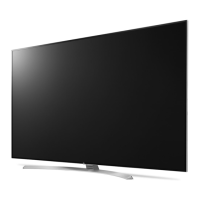
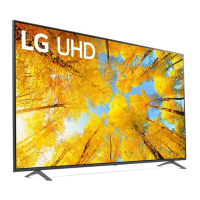
This document is an owner's manual for an LG LED TV, providing comprehensive information on its safe operation, preparation, usage, connections, troubleshooting, specifications, and regulatory compliance.
Function Description
The LG LED TV serves as a display device for various media content, utilizing an LCD screen with LED backlights for visual output. It is designed for home entertainment, offering features for watching broadcast television, connecting external devices, and potentially smart TV functionalities, depending on the model. The TV can be controlled via a remote control, including a Magic Remote for enhanced interaction, and through a physical button on the TV itself. It supports both digital and analogue TV broadcasting systems, allowing users to access a wide range of channels. The TV also includes connectivity options for external devices such as Blu-ray players, HD receivers, DVD players, VCRs, audio systems, USB storage devices, PCs, and gaming devices, expanding its utility beyond basic television viewing. For encrypted (pay) services in digital TV mode, a CI module can be inserted.
Usage Features
The TV offers several user-friendly features for operation and content access.
- Power Control: The TV can be turned on or off using the remote control or the physical button on the TV. A quick press of the button turns the TV on, while a press and hold turns it off, closing all running apps and stopping any recording in progress.
- Menu Navigation: Users can access and adjust menus by pressing the physical button when the TV is on. This button also allows for menu selection when in menu control mode.
- Volume Adjustment: The volume level can be adjusted using the physical button or the remote control.
- Input Source Selection: The input source can be changed to switch between different connected devices.
- Programme Navigation: Users can scroll through saved programmes using the physical button or the remote control.
- Magic Remote Control: For models supporting it, the Magic Remote enhances interaction. It needs to be paired with the TV by inserting batteries and pointing it at the TV while pressing the Wheel (OK) button. If pairing fails, restarting the TV and trying again is recommended. To deregister the Magic Remote, users can press the Back and Home buttons simultaneously for five seconds, or press and hold the Home and Q. Settings buttons for more than five seconds to disconnect and re-register. It is advised to keep the Access Point (AP) more than 0.2 m away from the TV to avoid frequency interference.
- Remote Control Buttons: The remote control includes number buttons for direct channel access, a dash button for sub-channel selection, GUIDE for programme lists, QUICK ACCESS for specified apps or Live TV, volume and programme buttons, Mute, Input for changing sources, Home for the home menu and last used apps, Wheel (OK) for menu selection and Magic Explorer, Up/Down/Left/Right for menu navigation, Q. Settings for quick settings, Back for returning to previous levels, Search for content, Red button for recording, Streaming Service buttons for video streaming, Home Dashboard, User Guide, and Control buttons for media content. Some buttons may require a press and hold for more than 1 second for specific functions.
- External Device Connectivity: The TV provides HDMI and USB ports for connecting external devices. For HDMI, it's recommended to use certified Ultra High Speed HDMI®/™ cables (3 m or less) for optimal picture quality, especially for 4K content. The [HDMI Deep Colour] setting can be adjusted if picture quality is poor. For USB, some USB Hubs may not work, and direct connection to the TV's USB port is advised if a device is not detected. Optimal connection for HDMI cables and USB devices requires specific dimensions (bezels less than 10 mm thick, 18 mm width, and 8 mm wire diameter).
- Antenna/Cable/Satellite Dish Connection: The TV can be connected to a wall antenna socket or a satellite dish using an RF cable (75 Ω). A signal amplifier may be needed for poor image quality, and realignment of the antenna might be necessary.
Maintenance Features
Proper maintenance ensures the longevity and safe operation of the TV.
- Battery Handling: Batteries for the remote control should be stored safely, away from children. Do not short circuit, disassemble, overheat, or dispose of batteries in fire. Avoid mixing new and old batteries or incorrect polarities to prevent overheating, leakage, fire, or personal injury. Dispose of batteries according to local regulations.
- Moving the TV: Before moving, turn off and unplug the TV, and remove all cables. For larger TVs, at least two people are recommended. Hold the TV firmly by the top and bottom frame, ensuring the screen faces away from you. Avoid holding transparent parts, speakers, or speaker grill areas. Do not expose the TV to jolts or excessive vibration. Keep the TV upright and avoid tilting it. Do not apply excessive pressure to the frame chassis.
- Cleaning: Unplug the power cord before cleaning. Wipe gently with a soft/dry cloth. Do not spray water or other liquids directly on the TV. Avoid using chemicals like glass cleaner, air fresheners, insecticides, lubricants, wax, abrasives, thinner, benzene, or alcohol, as these can damage the product or panel. Ensure the cloth is wrung out to remove excess water or cleaner.
- Installation: When mounting on a table, leave at least 10 cm space from the wall for ventilation. Ensure screws are correctly inserted and securely fastened without overtightening. If installing on a stand, take precautions to prevent overturning. Use only approved items for safety. For wall mounting, attach a VESA standard mounting interface and fix it carefully. It is recommended to use LG's wall mount bracket and to connect all cables before installing fixed wall mounts. Cover stand holes with tape to prevent dust and insects.
- Safety Precautions: Keep candles or open flames away from the TV. Avoid placing the TV in direct sunlight, high humidity areas, near heat sources, in excessively dusty places, or where it can be exposed to rain or wind. Do not expose it to dripping or splashing liquids. Protect the power cord from physical abuse. Do not move the TV while plugged in. Grasp the plug, not the cord, when unplugging. Avoid connecting too many devices to one AC outlet. Unplug the product immediately if it is damaged, if water or other substances enter it, if smoke or unusual odors are detected, during lightning storms, or when unused for long periods. Do not use high voltage electrical equipment near the TV. Do not modify the product without authorization. Use only authorized attachments/accessories. Do not disassemble the AC adapter or power cord. Handle the adapter carefully. Do not touch the TV with wet hands or if the power cord prongs are wet or dusty.
- Troubleshooting: The manual provides guidance for common issues such as remote control malfunction, no image/sound, sudden TV shutdown, no signal from PC (HDMI), and abnormal display. It also addresses generated sounds like "cracking" noise and electrical circuit humming/panel buzzing, clarifying that these are often normal characteristics of the product.
- Image Retention: Avoid displaying still images for prolonged periods to prevent image sticking.

 Need help?
 General

 To Next Page